|

|
Processed through Paypal No account required. |








Buy our over-priced crap to help pay the bills.



|
|
Processed through Paypal No account required. |
| Files | ||||
| File Name | Rating | Downloads | ||
 |
Microsoft TrueType Core Font Collection v1.0 Microsoft TrueType Core Font Collection v1.0 👉 A collection of classic Microsoft TrueType fonts for documents, desktop publishing, and web design. Microsoft TrueType Core Font Collection brings together the original Windows installers for 11 classic font families: Andale Mono, Arial, Arial Black, Comic Sans MS, Courier New, Georgia, Impact, Times New Roman, Trebuchet MS, Verdana, and Webdings. The collection was compiled by OlderGeeks.com from Microsoft’s original font packages. Font styles vary by family and include regular, bold, italic, and bold italic faces. Installation instructions: Windows: Extract the ZIP file and run the installer for the font you want. On Windows 10 and 11, extract a .TTF file from an installer, then right-click the font file and select Install. Other platforms: The included .EXE files are Windows installers. Use an archive utility that can open self-extracting Windows installers to extract the .TTF font files. Then install the fonts using your operating system’s font manager. Features: • Includes 11 font families: Andale Mono, Arial, Arial Black, Comic Sans MS, Courier New, Georgia, Impact, Times New Roman, Trebuchet MS, Verdana, and Webdings • Includes a selection of regular, bold, italic, and bold italic styles, depending on the font family • Use the fonts in compatible applications for documents, correspondence, desktop publishing, and printed output • Provides character coverage for Western, Central, and Eastern European writing systems, Greek, and Turkish Supported operating systems: • Windows 3.1, Windows 3.11, Windows 9x, Windows NT, Windows 2000 (use original Microsoft installers) • Windows XP, Windows Vista, Windows 7, Windows 8, Windows 8.1, Windows 10, Windows 11 (install extracted .TTF files) • Linux, macOS and other platforms (install extracted .TTF files using the platform’s font manager) Credit: Fonts and original installers by Microsoft Corporation. Collection compiled by OlderGeeks.com. Changes: v1.0 10-29-25 Initial release. Click here to ... |
 |
29 | Oct 29, 2026 Microsoft Corp. 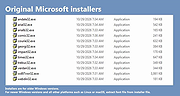 |
|
Unicodia — encyclopedia of characters v3.2.3 Unicodia — encyclopedia of characters v3.2.3 👉 A fast, searchable encyclopedia of Unicode characters with detailed technical information. Unicodia is a comprehensive Unicode character reference designed for developers, typographers, linguists, and anyone who works with extended character sets. It allows users to explore the full Unicode standard through an intuitive interface, offering instant search, categorized browsing, and in-depth character metadata. Unicodia makes it easy to locate, inspect, and copy symbols, scripts, emojis, and historical characters for use in documents, code, and design projects. Features: • Browse the complete Unicode character set by block and category • Instant search by character name, code point, or description • Detailed character metadata including properties and classifications • One-click copy of characters to the clipboard • Supports modern scripts, symbols, emojis, and historic writing systems • Clean, readable interface optimized for reference use • Fully usable offline after installation Supported operating systems: • Windows 7, Windows 8, Windows 10, Windows 11 Supported languages: English Changes: v3.2.3 06-13-26 📚 TEXT [en] #609 Grammar check done! Really need retranslation: 1) more neutral Kayah Li; 2) Khitans were defeated by KOREANS! [en] Wrote "Kyivan/Kievan" (more correct now / used by Unicode) 🐞 PROGRAM [3.1.8] In SignWriting, the style was not applied Click here to visit the author's website. |
|
2,454 | Jun 18, 2026 Mikhail Merkuryev 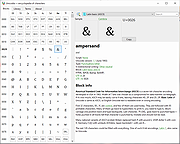 |
| Showing rows 1 to 2 of 2 | Showing Page 1 of 1 | 1 |
OlderGeeks.com Copyright (c) 2026
