|

|
Processed through Paypal No account required. |








Buy our over-priced crap to help pay the bills.



|
|
Processed through Paypal No account required. |
| Files | ||||
| File Name | Rating | Downloads | ||
 |
Fly on Desktop v1.5 Fly on Desktop v1.5 Amazingly real. Perfect for a restaurant's POS system! The most realistic fly for your desktop! Fully simulates the behaviour of a real fly. Launch of 5-10 units, and you will believe that these are true flies. To remove a fly from the screen, just double click on it. Contains no malware, viruses, toolbars or any other bundleware. |
 |
4,390 | Mar 04, 2020 Free Desktop Soft  |
 |
When Pigs Fly for Mac When Pigs Fly for Mac Build a plane to get your pig into the sky! There are five achievements. See if you can get them all! Build Controls: Right click and drag to rotate the camera. Arrow keys move camera, spacebar to reset. Mousewheel to zoom the camera. Click a button to select a part, then click on the craft to place it. Click a placed part to pick it up again. You can then move it, or click anywhere else (not on the plane) to delete it. Right click on a placed part to change its settings. To add a bracing strut, click the strut button, click on the spot on the plane to want to brace, then click where you want the other end of the strut to be. W/S/A/D/Q/E to rotate the current part in 90 degree increments. Hold shift to rotate in 10 degree increments. Press R to cycle through attachment points. Press M to toggle mute. Press T to toggle fullscreen. Flight Controls: W/S or up and down arrow control pitch. A/D or left and right arrow control roll. Q/E or < > control yaw. B for brakes. Shift to increase throttle, Control to decrease. Z to toggle fine controls. Press M to toggle mute. Press T to toggle mute. Game by Chris Gaudino - gaudinogames.com, @GaudinoGames Music by Brian Gaudino - briangaudino.com |
 |
7,154 | Jul 30, 2015 GaudinoGames 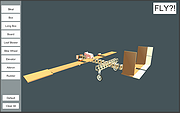 |
|
When Pigs Fly for Windows When Pigs Fly for Windows Build a plane to get your pig into the sky! There are five achievements. See if you can get them all! Build Controls: Right click and drag to rotate the camera. Arrow keys move camera, spacebar to reset. Mousewheel to zoom the camera. Click a button to select a part, then click on the craft to place it. Click a placed part to pick it up again. You can then move it, or click anywhere else (not on the plane) to delete it. Right click on a placed part to change its settings. To add a bracing strut, click the strut button, click on the spot on the plane to want to brace, then click where you want the other end of the strut to be. W/S/A/D/Q/E to rotate the current part in 90 degree increments. Hold shift to rotate in 10 degree increments. Press R to cycle through attachment points. Press M to toggle mute. Press T to toggle fullscreen. Flight Controls: W/S or up and down arrow control pitch. A/D or left and right arrow control roll. Q/E or < > control yaw. B for brakes. Shift to increase throttle, Control to decrease. Z to toggle fine controls. Press M to toggle mute. Press T to toggle mute. Game by Chris Gaudino - gaudinogames.com, @GaudinoGames Music by Brian Gaudino - briangaudino.com |
|
7,191 | Jul 30, 2015 GaudinoGames |
| Showing rows 1 to 3 of 3 | Showing Page 1 of 1 | 1 |
OlderGeeks.com Copyright (c) 2026
