|

|
Processed through Paypal No account required. |








Buy our over-priced crap to help pay the bills.



|
|
Processed through Paypal No account required. |
| Files | ||||
| File Name | Rating | Downloads | ||
 |
balenaEtcher v2.1.6 balenaEtcher v2.1.6 👉 Flash operating system images to USB drives and SD cards safely and easily. balenaEtcher is a free, open-source utility designed to write operating system images to USB flash drives and SD cards with a simple, streamlined interface. Whether you're creating bootable media for Linux distributions, Raspberry Pi operating systems, recovery environments, or other disk images, balenaEtcher minimizes the risk of selecting the wrong drive through built-in safety checks. It also validates written images after flashing to help ensure the media was created successfully, making it a reliable choice for beginners and experienced users alike. Features: • Flash ISO, IMG, ZIP, BZ2, GZ, XZ, DMG, and other supported image formats directly to USB drives and SD cards. • Simple three-step workflow: Select image, choose target drive, and flash. • Automatically validates written images to verify successful flashing. • Helps prevent accidental overwriting of system drives by hiding unsafe targets. • Supports flashing compressed images without requiring manual extraction. • Cross-platform interface with a consistent experience across Windows, macOS, and Linux. • Open source under the Apache 2.0 license. • Suitable for creating bootable media for Linux distributions, Raspberry Pi, recovery tools, and other operating system images. Supported operating systems: • Windows 10, Windows 11 • macOS 10.13 High Sierra or later (Intel and Apple Silicon) • Linux (64-bit Debian, Ubuntu, Fedora, RHEL, Arch, Manjaro, and most modern x64 distributions) Supported languages: English Changes: v2.1.6 05-13-26 • Fixed macOS x86 builds by switching to the macOS 14 Large GitHub Actions runner. This download is for the Windows version (very bottom of page). All other download assets are below: macOS: balenaEtcher-2.1.6-x64.dmg balenaEtcher-2.1.6-arm64.dmg Linux: balenaEtcher-linux-x64-2.1.6.zip balenaEtcher-1.7.9-ia32.AppImage (Legacy 32bit) Click here to visit the author's website. |
 |
5,882 | Aug 06, 2026 balena 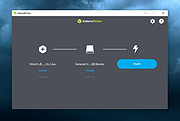 |
|
FakeDriveCheck v4.77 FakeDriveCheck v4.77 👉 Checks USB flash drives and MicroSD cards to see if they are fake, corrupted, or OK. FakeDriveCheck verifies whether a USB flash drive or MicroSD card is fake, corrupted, or functioning properly. It is designed to help identify storage devices that falsely report a larger capacity than they actually have, which can lead to silent data loss once the real memory is full. FakeDriveCheck works without destroying existing files on the drive, supports hot plugging, and does not require unplugging and reconnecting the device during verification. Features: • Verifies whether a USB flash drive or MicroSD card is fake, corrupted, or OK • Existing files are not destroyed during verification • Super fast verification • No unplugging and plugging required • Detects USB drives inserted after the program has already started • Free to use • Anonymous download • No hidden downloads, uploads or updates • No setup required (Click To Run) Supported operating systems: • Windows 10, Windows 11 Supported languages: • English, German Changes: v4.77 08-06-26 New Features FileProtection, upgraded dashboard with new features: Desktop Icon FileProtection, protects files from being modified or deleted. FileLocker, completely locks down files from being read renamed or deleted. Set or clear the unprotection password. ClassicMenu, new switch called 'Supermouse'. If on, a single click with the mouse's thumb button will close down an open window. Sounds stupid, is cool, try it! Uninstall has simplified dialogs and is easily accessible from all dashboards. Fixed Bugs Filenames with symbols like 🚲 or 🎜 have not been created correctly. Restoring the running Windowsฎ could fail. The problem has been related to certain third party antivirus providers. It has been of no concern if Windowsฎ was ... |
|
1,446 | Aug 14, 2026 Reuschtools 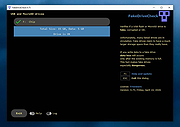 |
|
Flash Movie Player v2.1 Flash Movie Player v2.1 A free stand-alone player for ShockWave Flash (SWF) animations based on the Adobe Flash Player plug-in. In addition to all Adobe Flash Player abilities, it has some extended features, such as animation rewinding, advanced full-screen mode, playlists, browser cache integration, and exe projectors support. Features • Flash Movie Player is absolutely free - no nag screens, no ads, no spyware, no time limit. • Allows to rewind SWF animations and Flash games to any position in playing or paused mode. • Opens EXE projector files from version 4 to version 7 and works with them the same way as with ordinary SWF files (allows rewinding, etc.) • Flash Movie Player can extract flash movies from EXE projector files and save them in SWF format. • Playlists. It has a playlist editor with sorting functions. • Full-screen mode with an auto-hiding navigation bar. • All other standard features of Adobe Flash Player (zoom, quality select, repeat, scale mode select). • Snapshots: the program allows you to create a snapshot of any animation frame and save the image in JPEG or BMP format. • Hotkeys for all frequent operations. • Drag-n-drop support. • The executable has a small size and low system requirements. • Multilingual interface (40 languages supported at the moment). • Allows to explore cached SWF files. (Add SWF files from IE, Firefox, and Opera cache to playlist). • Can act as a Screensaver. You can set up Flash Movie Player as your screensaver to play Flash animations while the computer is idle. System Requirements ... |
|
938 | Nov 06, 2024 Eolsoft 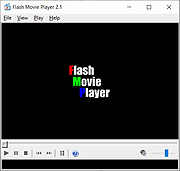 |
|
Flash Video Downloader Free v8.4.5 Flash Video Downloader Free v8.4.5 You can download videos from hundreds of thousands of websites. It detects videos (flash player) that playing on any web browser (IE,Firefox,Google Chrome etc.) FREEWARE (no ads, no toolbar) Download flash videos currently playing on web browsers (ie,firefox,google chrome ...) Start Video Detector (by pressing START Video Link Detector), Start playing online Video using Web Browser. Video link will be detected when the video starting to play and added to the download queue. There is no need to wait end of detected videos, you can stop it (by closing Webbrowser or Tab) To Download Detected videos press START Download button. NOTE:Some video links may expire so try to download videos as soon as possible. All in one software (video downloder, video converter, Photo downloader, Audio converter, Video Thumbnails maker...) Video link detector, Flash video downloader, Flv downloader, Mp4 downloader, video downloader Download Videos from almost any website Up to 4 parallel downloads. Convert video to mp3, or extract audio from video (lossless) Convert mp4 to mp3 Language:Turkish and English OS:Windows All All in one software and FREE Video Link Detector and Downloader Free YouTube Downloader Free YouTube Subtitle and Caption Downloader free Website Photo Downloader Free | Website image Downloader free Video Thumbnails Maker Free Audio Converter Free | Mp4 to Mp3 | MP3,MP2,AAC,AC3,OGG,WMA,FLAC,WAV,AIFF,m4a Converter Video Converter Free | Any Video Converter Free Magic Video Downloader Video and audio merger Extract Audios from Videos (lossless) Subtitle Maker for Music Clips Click here to visit the author's website. |
|
7,787 | Sep 27, 2019 Rentanadviser.com 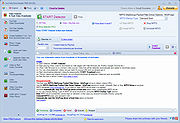 |
|
USB Flash Drives Control 4.1.0.0 USB Flash Drives Control 4.1.0.0 USB Flash Drives Control is a freeware program that runs in system tray, next to the system clock, and provides access to control the way in which the USB removable drives are used on your computer. These options are available through the right click context menu on the system tray icon of the program. It also displays the connected drives. Use left click context menu to view the list of connected drives and explore the content of them. USB Flash Drives Control contains two parts, a GUI interface which is used for configuration and a Windows service which ensures that the program options are applied to all user accounts from the local computer: Read Mode - By disabling this option, USB removable drives will not be mounted and will not be accessible to the user. The reading of data from USB removable drives will not be available. Write Mode - By disabling this option, write access will be denied on all USB removable drives used on the current computer. All USB removable drives become read-only and copying data on them is not possible. Execute Mode - By disabling this option, execute access will be denied for all executable files on all USB removable drives used on the current computer, for all user accounts. This ensures a plus of security to the system against dangerous and malicious software, like worms, backdoors or password stealers. This setting is not available in Windows Vista. All the above options are not applied to the existing connected drives. Connected drives must be first removed and then reconnected in order to make these options apply to them. Program Features √ Intuitive and easy accessible user interface in the system tray. √ Enable or disable USB removable drives with just a mouse click. √ Deny write access on all USB removable ... |
|
6,219 | Mar 07, 2017 BiniSoft.org 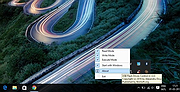 |
| Showing rows 1 to 5 of 5 | Showing Page 1 of 1 | 1 |
OlderGeeks.com Copyright (c) 2026
