|

|
Processed through Paypal No account required. |








Buy our over-priced crap to help pay the bills.



|
|
Processed through Paypal No account required. |
| Files | ||||
| File Name | Rating | Downloads | ||
 |
FixWin 11 v11.2.0.0 FixWin 11 v11.2.0.0 👉 Portable Windows repair tool to fix common Windows 10/11 problems with one click. FixWin 11 is a lightweight and portable Windows repair utility designed to help you fix and resolve common Windows 11 issues quickly and easily. With categorized troubleshooting sections and one-click fixes, it allows users to repair system problems without diving into complex registry edits or command-line tools. The program includes fixes for File Explorer, Internet connectivity, Windows Update, system tools, and more. It also provides quick access to useful built-in Windows utilities such as System File Checker and DISM, helping users diagnose and repair system corruption efficiently. Features: • Portable application with no installation required • One-click fixes for common Windows 10/11 problems • Repairs for File Explorer issues • Internet and connectivity troubleshooting • Windows Update error fixes • System Tools and administrative utility repairs • Troubleshooting for system apps and features • Quick access to System File Checker and DISM tools • Clean, tab-based interface organized by category • Create a system restore point before applying fixes Supported operating systems: • Windows 10 • Windows 11 Changes: v11.2.0.0 11-22-25 Updated for the latest Windows 11 builds. Minor bug fixes and improvements. Supported languages: English Click here to visit the author's website. |
 |
8,789 | Mar 28, 2026 Paras Sidhu 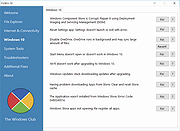 |
|
FixWin v 2.1 for Windows 8 FixWin v 2.1 for Windows 8 FixWin 2 for Windows 8 is a portable tool that offers to repair and fix over 50 common Windows annoyances, issues & problems. They have been categorized under 6 tabs, viz : File Explorer, Internet & Connectivity, Modern UI, System Tools, Troubleshooters and Additional Fixes. The best part of using the tools, is that it provides direct links to bring up the built-in 16 Windows Troubleshooters. No need to open your control panel and search from them! Simply open the Troubleshooters tab of FixWin and open any one of the troubleshooters. It’s so simple! Here is the List of fixes offered by FixWin v 2 for Windows 8. File Explorer – Recycle Bin icon is missing from Desktop – Reset Folder view settings to default when folders are showing different command bar than content – Fix Folder Options. Folder Options is missing from Control Panel or has been disabled by administrator or malware – Fix Recycle Bin when its icon doesn’t refresh automatically – Explorer doesn’t start on startup in Windows – Thumbnails not showing in File Explorer – Reset Recycle Bin. Recycle Bin is corrupted. – CD drive or DVD drive isn’t recognised by Windows or other programs – “Class not registered” error in File Explorer or Internet Explorer – “Show hidden files, folders and drives” option isn’t shown in Folder Options Internet & Connectivity – Right Click Context Menu of Internet Explorer is disabled – Cannot connect to internet. There’s some problem in Internet Protocol (TCP/IP) – Problem regarding DNS resolution. Fix it by clearing DNS resolver cache – Long list of failed and installed updates. Clear Windows Update History – Problem with Windows Firewall settings. Reset Windows Firewall Configuration – Reset Internet Explorer To Default Configuration. – Runtime errors are appearing in Internet Explorer while surfing – Optimize Internet Explorer maximum connections per server to download more than two files at ... |
|
8,191 | Mar 03, 2017 The Windows Club 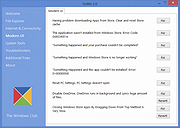 |
| Showing rows 1 to 2 of 2 | Showing Page 1 of 1 | 1 |
OlderGeeks.com Copyright (c) 2026
