|

|
Processed through Paypal No account required. |








Buy our over-priced crap to help pay the bills.



|
|
Processed through Paypal No account required. |
| Files | ||||
| File Name | Rating | Downloads | ||
 |
EyeRest v1.3.0 EyeRest v1.3.0 A lightweight Windows tray application that gently reminds you to follow the 20–20–20 rule: Every 20 minutes, look at something 20 feet (~6 meters) away for at least 20 seconds. EyeRest sits quietly in the Windows system tray and periodically nudges you to take a short visual break. • Minimal – no bloated UI, just a tray icon and a small options dialog. • Non-intrusive – reminders are shown as Windows 10/11 toast notifications when possible, with a tray balloon fallback. • Session-focused by default – settings apply to the current run, with an option to remember your preferences across sessions and start automatically with Windows if you want it. EyeRest is built with .NET Framework 4.8 and Windows Forms, targeting classic Windows desktop users who spend long hours in front of a screen. The 20–20–20 Rule: Long screen time can contribute to digital eye strain. A common recommendation is the 20–20–20 rule: Every 20 minutes, look at something 20 feet (about 6 meters) away for at least 20 seconds. EyeRest helps you actually follow this rule by: • Tracking time in the background. • Showing a subtle but clear reminder on your desktop. • Letting you temporarily disable reminders for the current session when needed. Features: Automatic reminders • Default interval: 20 minutes between notifications. • The reminder interval is configurable per session (e.g. 5, 20, 45 minutes). • Uses a background System.Threading.Timer with safe marshaling back to the UI thread for responsiveness. Desktop notifications ... |
 |
645 | Dec 03, 2025 Necdet Şanlı 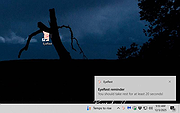 |
| Showing rows 1 to 1 of 1 | Showing Page 1 of 1 | 1 |
OlderGeeks.com Copyright (c) 2026
