|

|
Processed through Paypal No account required. |








Buy our over-priced crap to help pay the bills.



|
|
Processed through Paypal No account required. |
| Files | ||||
| File Name | Rating | Downloads | ||
 |
Ditto v3.25.113.0 Ditto v3.25.113.0 A free extension to the Windows Clipboard. Ditto is an extension to the Windows Clipboard. You copy something to the Clipboard and Ditto takes what you copied and stores it in a database to retrieve at a later time. Ditto allows you to save any type of information that can be put on the clipboard, text, images, html, custom formats. Usage: 1) Run Ditto 2) Copy things to the clipboard, e.g. using Ctrl-C with text selected in a text editor. 3) Open Ditto by clicking its icon in the system tray or by pressing its Hot Key which defaults to Ctrl + ` – i.e. hold down Ctrl and press the back-quote (tilde ~) key. 4) Double click or press enter on the item to paste it to the previous window. Supported operating systems: Windows 10/11 Changes: v3.25.113.0 09-26-25 Update Chinese Simplified.xml by @xbeta-zhang in #906 updated french translation by @sabrogden in #911 Added back in local qrcode generation by @sabrogden in #925 added options to delete clip data screen to view data, properties and… by @sabrogden in #928 allow escape to close message box prompts by @sabrogden in #929 Make darker ditto theme description window more readable (text color … by @sabrogden in #930 Updated darker theme to show rtf or html text that is dark better by @sabrogden in #932 changed dialog promps to ok/cancel so escape key works to cancel the … by @sabrogden in #933 Don't close delete clips dialog on escape key, changed cancel button … by @sabrogden in #934 Allow translating ... |
 |
7,529 | Dec 26, 2025 sabrogden 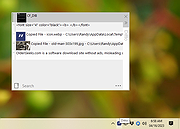 |
| Showing rows 1 to 1 of 1 | Showing Page 1 of 1 | 1 |
OlderGeeks.com Copyright (c) 2026
