|

|
Processed through Paypal No account required. |








Buy our over-priced crap to help pay the bills.



|
|
Processed through Paypal No account required. |
| Files | ||||
| File Name | Rating | Downloads | ||
 |
Android Webcam System v1.0.6 Android Webcam System v1.0.6 👉 Turn an Android phone into a high-quality Windows webcam over USB or Wi-Fi. Android Webcam System is a free and open-source webcam solution that uses an Android smartphone as a webcam for a Windows computer. The system consists of the AWA Android app, which streams video from the phone, and the AWC desktop client, which receives the stream and provides a virtual webcam device that can be selected by compatible Windows applications. Everything operates locally without requiring a cloud streaming service. The project supports both USB and Wi-Fi connections. USB provides lower latency and improved stability without requiring Wi-Fi, while wireless mode lets the phone and computer communicate over the same local network. The Android app supports resolutions from 480p through 4K and allows switching between the phone's front and rear cameras. The virtual webcam can be used with programs such as Zoom, Microsoft Teams, Google Meet, Discord, OBS Studio and Skype, as well as other Windows programs capable of selecting a webcam device. Features: • Turns an Android smartphone into a Windows webcam • Includes AWA, a Kotlin-based Android camera and streaming application • Includes AWC, the desktop client that receives the phone's video stream • Creates a virtual webcam device for compatible Windows applications • Supports USB and Wi-Fi connections • USB mode offers lower latency and improved connection stability • Wi-Fi mode provides completely wireless operation over the local network • Supports 480p, 720p, 1080p and 4K video resolutions • Supports front and rear Android cameras • Displays real-time connection status • Provides desktop connection statistics • Designed for low battery usage on the Android device • Works with Zoom, Microsoft Teams, Google Meet, Discord, OBS Studio and Skype • Can be used by other applications that support standard webcam devices • Uses a fully local, serverless architecture • No cloud video relay is required • No advertisements • Free and open-source under the ... |
 |
271 | Aug 09, 2026 Soubhagyajit Borah  |
 |
Discord Messenger v1.07 Discord Messenger v1.07 A free Discord-compatible messaging client that works on almost 30 years of Windows. From Windows 95 to Windows 11! Discord Messenger is a messenger application designed to be compatible with Discord, while being backwards compatible with down to Windows 95. The project is licensed under the MIT license. Disclaimer: Using third party clients is against Discord's TOS! Although the risk to get banned is low, the risk is there! The author of this software is not responsible for the status of your Discord account. Note: You will need to use an official client to accept invitations currently. This may change in the future. Changes: 1.07 beta 02-01-25 Added support for Windows 98 (#133) Fixed an issue where some webhook messages would wrongfully combine (#138) Fixed an issue where a message with a single "@" symbol would crash the client (#116, #126) Fixed a recursion error when exiting the client, causing stack overflows on certain versions of Windows Fix some resource leaks in the profile popout Slightly reduce memory usage from messages Add minimize to tray support (#113) Add checking for an existing instance (#113) Now using different libcrypto and libssl, to allow for support for non-SSE2 systems out of the box. * Although it may start up on Windows NT 4, it won't actually work. Expect instabilities when using Windows versions earlier than 2000. NOTICE: The MinGWA version has been reuploaded on February 2nd, 2025, to add the libcrypto/libssl dlls that don't use SSE2 instructions. The Files: MSVC Discord Messenger - Compiled with the vs141_xp (VS2017 Windows XP) build tools, can run on Windows XP SP2 and up. MinGW Discord Messenger ... |
|
1,027 | Feb 05, 2025 Discord Messenger 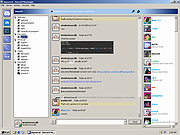 |
|
Discord portable v1.0.9232-25 Discord portable v1.0.9232-25 👉 Portable Discord desktop client for voice, video, and text chat. Discord portable is a portable Windows build of Discord made with Portapps. It lets you use Discord for voice calls, video calls, direct messages, servers, and community chat while storing its portable data in a local folder instead of a standard installed profile. Portapps also notes that this build forces the Electron user data path to the data folder, disables app update checks, and creates a temporary shortcut for native notifications while Discord is running. Features: • Portable Discord package for Windows • Voice, video, and text chat with friends and communities • Works with Discord servers, channels, and direct messages • Stores Electron user data in the portable data folder • App update checks are disabled by Portapps for portability • Creates a temporary shortcut to support native notifications • Simple upgrade process by installing the latest portable setup over the current one Supported operating systems: • Windows 10, Windows 11 Supported languages: English (US), English (UK), Bulgarian, Chinese (Simplified), Chinese (Traditional), Croatian, Czech, Danish, Dutch, Finnish, French, German, Greek, Hindi, Hungarian, Indonesian, Italian, Japanese, Korean, Lithuanian, Norwegian, Polish, Portuguese (Brazil), Romanian, Russian, Spanish (Spain), Spanish (Latin America), Swedish, Thai, Turkish, Ukrainian, Vietnamese Changes: v1.0.9232-25 04-13-26 Discord 1.0.9232 Portapps 3.18.0 Click here to visit the author's website. |
|
6,585 | Apr 19, 2026 CrazyMax and Discord 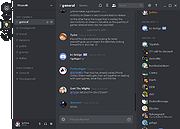 |
| Showing rows 1 to 3 of 3 | Showing Page 1 of 1 | 1 |
OlderGeeks.com Copyright (c) 2026
