|

|
Processed through Paypal No account required. |








Buy our over-priced crap to help pay the bills.



|
|
Processed through Paypal No account required. |
| Files | ||||
| File Name | Rating | Downloads | ||
 |
Circuit Diagram v3.1 Circuit Diagram v3.1 Design and share diagrams using a wide range of components. Easy to Use Design diagrams visually by placing components with your cursor. Modify their values using the properties editor. Export as Images Export your diagrams as images, either SVG or PNG. Plugins are available for additional formats. Includes all Common Components Symbols for most commonly-used components are included, from resistors and capacitors to logic gates and transistors. Custom Components Find many more components made by other Circuit Diagram users in the components section. Create your own for ones that haven't been made yet. Share Circuit Designs Browse circuits designed by others, and upload your own in the circuits section. Click here to visit the author's website. |
 |
5,699 | Feb 28, 2023 Circuit Diagram 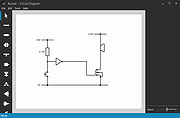 |
|
Dia Diagram Editor v0.97.2 Dia Diagram Editor v0.97.2 Dia is an application for creating technical diagrams. Its interface and features are loosely patterned after the Windows program Visio. Features of Dia include multiple-page printing, export to many formats (EPS, SVG, CGM and PNG), and the ability to use custom shapes created by the user as simple XML descriptions. Dia is useful for drawing UML diagrams, network maps, and flowcharts. Dia Manual English German French Polish Basque Requirements The current Dia release has been tested successfully on Windows 8.1, 8, 7, Windows Vista and Windows XP, Linux and Mac OS X. License Dia is free software available under the terms of the GNU GNU General Public License, the GPLv2. This download is for the Windows version. If you need the MacOS version, download here. If you need the Linux Debian version, download here. Click here to visit the author's website. |
|
5,387 | Jun 23, 2021 Steffen Macke 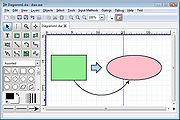 |
|
Diagram Designer v1.30.0 Diagram Designer v1.30.0 Simple, free vector graphics editor for creating flowcharts, UML class diagrams, illustrations and slide shows. Features • Customizable template object palette. • Spellchecker (see below about dictionaries). • Import/export WMF, EMF, BMP, JPEG, PNG, MNG, ICO, GIF and PCX images. • Slide show viewer. • Simple graph plotter to plot mathematical expressions. • Advanced "pocket" calculator with equation solver. • MeeSoft Image Analyzer integration for bitmap image editing and extended file format support. • Uses compressed file format for minimizing drawing file size. This download is for the Diagram Designer Setup. All other download assets are below: Dictionaries: English.2-0-0.zip Danish.1-0-1.zip Download and extract the zip files with the languages you need. If the files are not placed in the folder where you installed Diagram Designer, you need to set the dictionary path in the Options dialog. A note about dictionaries: A dictionary file is just a simple text file with an ordered list of words. For Diagram Designer to be able to use the file, the file name must be formatted "Language.ver1-ver2-ver3.dic", where ver1,ver2,ver3 is a three-digit version number. Example: Nederlands.1-0-0.dic Template palettes: Template palettes.zip All of the template pallets sent in by users over the years in one .zip file. Online help: https://meesoft.com/DiagramDesigner/help.htm A collection of documents and examples. Click here to visit the author's website. |
|
2,393 | Jan 23, 2023 Michael Vinther 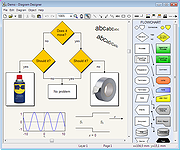 |
|
Inkscape v1.4.4 Inkscape v1.4.4 👉 Professional quality vector graphics editor for illustrations, logos, diagrams, icons, maps and web graphics. Inkscape is a free and open source vector graphics editor that uses SVG as its native file format. It is built for creating and editing scalable artwork such as illustrations, icons, logos, diagrams, maps, charts, technical drawings, line art and web graphics. Features: • Create and edit SVG vector graphics • Draw with pencil, pen and calligraphy tools • Use rectangles, ellipses, stars, polygons, spirals and 3D boxes • Edit paths and nodes with precision • Boolean path operations including union, difference, intersection and exclusion • Layers and object organization • Text tools with text on path support • Gradients, patterns, markers, clones, clipping and masking • Bitmap tracing for converting raster images to vector paths • Import and export many common vector and image formats • PDF import and export support • Extensions and command line options for advanced workflows Supported operating systems: • Windows 10, Windows 11, Windows on Arm • macOS • Linux Supported languages: English, Basque, Brazilian Portuguese, Bulgarian, Croatian, Dutch, Finnish, French, German, Hebrew, Hungarian, Italian, Latvian, Polish, Portuguese, Romanian, Russian, Simplified Chinese, Slovenian, Spanish, Swedish, Traditional Chinese, Ukrainian, Vietnamese Changes: v1.4.4 05-06-26 Maintenance and bugfix release. 20 crash fixes. More than 25 bug fixes and performance improvements. A couple small new features. 26 updated translations. First release to provide packages for Windows on Arm. Faster zooming in documents with many paths. Faster copy and paste of large numbers of objects with gradients. Faster Layers and Objects dialog when many objects are selected. Faster Object Properties dialog when selecting paths. Faster Gradient Tool editing. New button to rotate selected stars or polygons into an upright position. Added Elementary OS color palette. Fixed multiple crashes involving startup, recent files, graphics tablets, pages, PDF files, broken SVG markers, export dialog use, raster image sizing, Tweak tool, Connector Tool, PowerStroke Live Path Effect, Corners Live Path Effect, gradients, Break Apart and raster tracing. Windows on Arm builds ... |
|
7,859 | May 07, 2026 Inkscape  |
| Showing rows 1 to 4 of 4 | Showing Page 1 of 1 | 1 |
OlderGeeks.com Copyright (c) 2026
