|

|
Processed through Paypal No account required. |








Buy our over-priced crap to help pay the bills.



|
|
Processed through Paypal No account required. |
| Files | ||||
| File Name | Rating | Downloads | ||
 |
Logan Kart 8 Deluxe v2.1.0 Logan Kart 8 Deluxe v2.1.0 Introducing Logan Kart 8 Deluxe! An interesting take on the kart racing genre, providing both familiar gameplay and unique content, Logan Kart 8 Deluxe has all the kart-racing craziness you can handle, and now with less copyrighted material (hopefully none at all)! FEATURES Nine characters, nine vehicles, and twenty tracks in five different cups A really odd selection of items New frustratingly comical physics Six race classes to master, from beginner speed up to uncontrollably fast Grand prix and time trials modes for single-player action VS Mode for one to four players with full-feature splitscreen multiplayer Support for two people using the same keyboard and up to four different joysticks or gamepads Actually original soundtrack this time Bug fixes (from v1.0.0) More bugs New Features! Anarchy Mode! It’s basically 315cc with some tweaks designed for chaos. Variable race length! As mentioned earlier in the devlog. Also available in -Grand Prix, due to the results of the poll. Android version is back (use at your own risk)! Changes! Physics changes of which I don’t remember all the specifics! Item tweaks! Vehicles fly higher in the air when hit by items! |
 |
6,338 | Mar 26, 2019 9064  |
 |
Microsoft Money Plus Sunset Deluxe v17.0.120.3817 Microsoft Money Plus Sunset Deluxe v17.0.120.3817 👉 Free personal finance management software for tracking accounts, budgets, and investments. Microsoft Money Plus Sunset Deluxe is a discontinued but still widely used personal finance application from Microsoft, released as a free version after the product line was retired. It allows users to manage bank accounts, track spending, create budgets, monitor investments, and generate detailed financial reports—all without requiring online services. This “Sunset” edition removes all online features such as automatic bank downloads and bill pay services, allowing the program to function indefinitely without activation or Microsoft services. It is especially useful for users who prefer a local, offline financial tracking solution or who need continued access to existing Money data files. Microsoft Money Plus Sunset Deluxe supports importing and working with existing Money files, providing a familiar interface for long-time users while maintaining core functionality for managing personal finances. Features: • Manage bank accounts, credit cards, and cash accounts • Track income, expenses, and spending categories • Create and monitor budgets • View financial summaries and reports • Manage investments and track portfolio performance • Import and use existing Microsoft Money data files • Offline functionality with no activation required • Simplified interface based on Microsoft Money Plus More Information: • Microsoft Money Plus Sunset Deluxe is provided as-is with no support or updates from Microsoft • All online services have been permanently removed and are not available • Designed primarily for users of earlier Microsoft Money versions needing continued access • Cannot download transactions, stock quotes, or perform online bill payments • No activation is required, and the software will not expire Supported operating systems: • Windows XP, Windows Vista, Windows 7, Windows 8, Windows 10, Windows 11 Supported languages: English Changes: v17.0.120.3817 Not Provided Click here to visit the author's website. |
|
17,979 | Jul 29, 2026 Microsoft Corp. 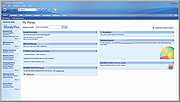 |
|
MiTeC Task Manager DeLuxe v4.8.9 MiTeC Task Manager DeLuxe v4.8.9 Offers powerful features available in the standard Windows Task Manager but with many more enhancements. It needs no installation and leaves no traces in system so it can be easily used as portable application everywhere. Provides real-time observing of: •running processes, •installed services and drivers, •available network adapters, •network connections by process, •network traffic, •disk and I/O utilization, •active terminal sessions, •autostart entries, •cpu usage, frequency and other advanced stats, •memory map and utilization, •system information There is powerful process monitor with graphs and detailed process information. You can watch multiple processes simultaneously. Also there is Window explorer enumerating all windows of given process with their properties. Session viewer contains automatic session journal which logs every session login, logout, lock and status change. It is useful especially on terminal servers to watch how users connect and disconnect to their desktops. Desktop Explorer tool provides on-the-fly windows scanning under the cursor. It evaluates window properties and hierarchy. System Information tool detects installed hardware and reports it in simple format. Target platforms Windows XP Windows 2003 Windows Vista Windows 7 Windows Server 2008 Windows 8 Windows 8.1 Windows Server 2012 Windows Server 2012 R2 Windows 10 Windows Server 2016 Windows Server 2019 Windows 11 Free to use for private, educational and non-commercial purposes. Changes: v4.8.9 11.2.2025 + Non-blocking service operations (start,stop,restart,...) Click here to visit the author's website. |
|
6,840 | Mar 17, 2025 MiTeC 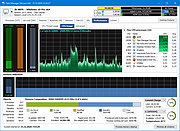 |
| Showing rows 1 to 3 of 3 | Showing Page 1 of 1 | 1 |
OlderGeeks.com Copyright (c) 2026
