|

|
Processed through Paypal No account required. |








Buy our over-priced crap to help pay the bills.



|
|
Processed through Paypal No account required. |
| Files | ||||
| File Name | Rating | Downloads | ||
 |
Crapfixer v2.01 CrapFixer v2.01 👉 A lightweight Windows tweaking tool for finding, fixing and reversing unwanted Windows settings and features. CrapFixer is a free, open-source Windows tweaking utility designed to identify and fix unwanted settings, preinstalled apps and other annoyances in Windows 10 and 11. This release represents a complete rebuild of the program around a new database-driven tweak engine. Instead of hardcoding tweaks into the application, CrapFixer uses the Wintweak2.ini signature database to define settings that can be scanned, reviewed, changed and restored to their Windows defaults. The program follows a scan-first approach: analyze the system, review the results and decide which recommended changes to apply. Detailed results can show registry paths, current values, recommended values and original Windows defaults. Individual tweaks or entire categories can be restored, and CrapFixer creates registry backups before applying tweaks. Version 2 also includes an App Remover, optional PowerShell extensions, custom tweak creation, database updates and optional AI-powered explanations. AI explanations are informational only and do not participate in scanning or applying changes. Features: • Scan Windows settings and identify tweaks that require attention • Signature-driven tweak engine powered by the Wintweak2.ini database • Review changes before applying them • Restore individual tweaks or entire categories to Windows defaults • Supports registry tweaks containing multiple keys and values • Automatically handles Windows version requirements, administrator privileges and restart requirements • Detailed results display registry paths, current values, recommended values and Windows defaults • Sorts incorrectly configured settings to the top of results • Creates registry backups before applying tweaks • App Remover uses a separate Winappx.ini package database • Custom Tweaks tool lets advanced users create their own Wintweak2 signatures • Lightweight Extensions section supports optional PowerShell tools • Built-in database updating with support for merging an additional custom database • Online result analyzer and clipboard-friendly report format • Optional AI explanations for individual tweaks using Groq, OpenAI, Anthropic or OpenAI-compatible providers • AI ... |
 |
2,408 | Sep 01, 2026 Builtbybel 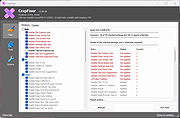 |
| Showing rows 1 to 1 of 1 | Showing Page 1 of 1 | 1 |
OlderGeeks.com Copyright (c) 2026
