|

|
Processed through Paypal No account required. |








Buy our over-priced crap to help pay the bills.



|
|
Processed through Paypal No account required. |
| Files | ||||
| File Name | Rating | Downloads | ||
 |
Core FTP LE v2.2.1960 Core FTP LE v2.2.1960 This free, secure FTP client gives you a fast, easy, reliable way to update and maintain your website via FTP. It also provides a secure method (via SSL, TLS, FTPS, HTTPS, or SFTP) to upload / download files to and from FTP servers. Check out the list of features and you'll find almost every feature you need, all in a free ftp program. There are no popup ads, advertising or spyware and you're never asked or reminded to register. Features: Secure SFTP, SSL, TLS, & FTPS International Domain support Fast and secure client transfers HIPAA compliant security Mode Z compression User-friendly interface(s) Site to Site file transfers FULL drag and drop support Start/stop/resume of transfers Auto retry of failed transfers Transfer bandwidth control Browser integration File masking (wildcards) Keep Alive functionality Remote file searching File permissions (CHMOD) Advanced directory listings .htaccess & .htpasswd editing One click transfers Keep Alive functionality Automatic S/Key support Favorites via menu & drop down Desktop shortcuts & drop u/l's Command line support FTP/HTTP Proxy, Socks 4&5 support Changelog Version 2.2 (build 1960), updated Sep 28th, 2020 Fixes for Windows SSL "High crypto" mode - resolves issues with servers requiring TLS 1.2 when using "AUTH TLS" and "FTPS/Direct SSL" Windows SSL crash on disconnection via server timeout, fixed This may be the last build that includes the ansi version (sorry Win98/NT users!). Version 2.3 will be available very soon with many internal updates including updates to OpenSSL 1.1.1g/TLS v1.3 and changes since 1957. This download is for the 64bit version. If you need the 32bit version, download here. |
 |
6,141 | Apr 11, 2021 Core FTP 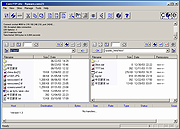 |
 |
Core Temp v1.21 Core Temp v1.21 👉 Compact CPU monitoring utility for tracking processor temperatures, loads and other vital information. Core Temp is a small, lightweight processor monitoring utility designed to display the temperature of each individual CPU core in real time. It reads the Digital Thermal Sensors built into modern Intel, AMD and VIA x86 processors, providing accurate temperature information directly from the processor rather than relying on motherboard sensors. It can also display processor model information, frequencies, load levels, power-related data and minimum, maximum and average temperature readings. Core Temp offers customizable notification-area monitoring, logging, Mini-Mode and support for plug-ins that can extend its functionality. Features: • Monitors the temperature of individual CPU cores in real time • Reads temperatures directly from the processor's Digital Thermal Sensors • Supports Intel, AMD and VIA x86 processors • Displays processor identification and model information • Shows individual core load information • Displays processor frequency information • Tracks minimum, maximum and average temperature readings • Provides configurable notification-area sensor displays • Includes a battery status indicator for the notification area • Includes a compact Mini-Mode display • Adjustable user-interface zoom • Can log processor temperature and monitoring information • Supports multiple processors and multiple cores • Motherboard-independent temperature monitoring • Provides shared-memory data for other applications • Supports plug-ins and add-ons for expanded functionality • Lightweight design with a small system footprint Supported operating systems: • Windows XP, Windows 7, Windows 8, Windows 8.1, Windows 10, Windows 11 • Windows Server 2003, Windows Server 2008, Windows Server 2012, Windows Server 2016, Windows Server 2019, Windows Server 2022, Windows Server 2025 Supported languages: English, Abkhaz, Armenian, Bulgarian, Simplified Chinese, Traditional Chinese, Catalan, Czech, Danish, Dutch, Finnish, French, Galician, German, Greek, Hebrew, Hungarian, Italian, Japanese, Korean, Norwegian, Polish, Portuguese, Romanian, Russian, Slovak, Slovenian, Spanish, Swedish, Turkish, Ukrainian, Vietnamese Changes: v1.21 10-03-26 - New: Redesign the notification tray configuration dialog. Should now be more intuitive and flexible. - Fix: Notification tray icons issues; missing ... |
|
5,443 | Oct 14, 2026 Arthur Liberman 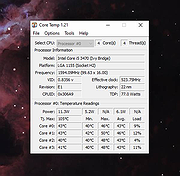 |
|
CPU Core Overload v2.3 CPU Core Overload v2.3 CPU Overload will make the specified core of your CPU to work at maximum speed. This can have multiple purposes: stress test of your CPU, thermal overload, stability test, miscellaneous system and programming tests. This app is completely portable and can be ran from a USB stick, network folder or cloud folder. |
|
4,863 | Oct 08, 2019 Cubic Design 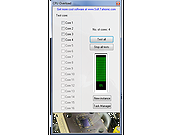 |
| Showing rows 1 to 3 of 3 | Showing Page 1 of 1 | 1 |
OlderGeeks.com Copyright (c) 2026
