|

|
Processed through Paypal No account required. |








Buy our over-priced crap to help pay the bills.



|
|
Processed through Paypal No account required. |
| Files | ||||
| File Name | Rating | Downloads | ||
 |
NegPy v0.59.0 NegPy v0.59.0 👉 Powerful open-source darkroom-style software for converting, processing, repairing and printing scanned film negatives and transparencies. NegPy is a specialized film-processing application designed to turn scanned negatives into finished positives using a non-destructive, darkroom-style workflow. Rather than simply inverting an image, it models film and photographic paper behavior in density space, automatically neutralizes the orange mask and provides Auto Density and Auto Grade controls for establishing useful starting points. It can work with camera scans, dedicated film scanners, RAW and TIFF images, slide film, narrowband and trichrome scans, and specialized scanner formats. NegPy also includes extensive tools for dust repair, dodge and burn, color management, soft proofing, metadata, batch processing and print-ready exporting. Original source files are never modified, with edits and history stored separately in a local database. Features: • Converts scanned film negatives using a film and photographic-paper simulation rather than simple image inversion • Neutralizes the orange mask mathematically using channel sensitometry without requiring camera profiles or border color picking • Models film H&D characteristic curves in density space with toe, linear and shoulder response • Per-frame Auto Density and Auto Grade analyze negatives for automatic brightness and contrast starting points • Darkroom paper profiles provide paper-specific curve shaping, channel gamma and base tint • Dedicated transparency support for positive and slide film with optional normalization for faded or expired film • Process option allows already-finished positive images to bypass unnecessary as-captured lift and highlight roll-off • Supports standard RAW and TIFF files along with specialized formats such as Kodak Pakon scanner RAW files • Direct scanner control for supported film scanners including Plustek and Nikon Coolscan models • Nikon Coolscan strip scanning includes automatic frame detection, roll-wide offset and drift controls, plus individual per-frame registration • Supports 16-bit monochrome TIFF scanning for single-record film • Camera scanning can capture negatives directly from a tethered camera on supported platforms • ... |
 |
954 | Sep 17, 2026 marcinz606 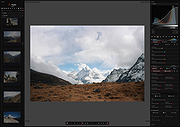 |
| Showing rows 1 to 1 of 1 | Showing Page 1 of 1 | 1 |
OlderGeeks.com Copyright (c) 2026
