|

|
Processed through Paypal No account required. |








Buy our over-priced crap to help pay the bills.



|
|
Processed through Paypal No account required. |
| Files | ||||
| File Name | Rating | Downloads | ||
 |
CoolTerm v2.4.0 CoolTerm v2.4.0 👉 Easy-to-use serial port terminal for communicating with connected hardware. CoolTerm is a simple serial port terminal application, with no terminal emulation, for hobbyists and professionals who need to exchange data with devices connected to serial ports, such as servo controllers, robotic kits, GPS receivers, microcontrollers, and other hardware. Written in Xojo. Features: • Multiple concurrent connections on separate serial ports • Display received data as plain text, hexadecimal, or graphic chart • Special receive and transmit character handling • Send data by keypress, Send String dialog, copy/paste, or file transfer • Send text and binary files by dialog or drag-and-drop • Capture received data to text or binary files • Local echo for transmitted and received data • Hardware and software flow control • Visual line status indicators • Manual control of RTS, DTR, and serial BREAK • Configurable character, line, and packet delays • Transmit macros, saved connection options, and scripting support Installation CoolTerm comes without an installer and can be placed anywhere on the hard-drive as long as the correct folder structure is maintained. I.e. the included "Libs" and "Resources" folders must reside in the same location as the CoolTerm application. Supported operating systems: Windows 8.1, 10, 11 macOS Mojave 10.14.x and higher Changes v2.4.0 05-19-25 NEW FEATURES: - Added the same "wait for termination string" options to the timestamp settings for received data as for captured data. This makes it possible to specify the termination string to wait for before timestamping and displaying received data. - Added option to include the timestamps added to received data in the data forwarded to other terminals. - Added support for relative and local paths in .CoolTermSession files. Paths beginning with .. and . will be considered relative and local paths, respectively. Saving a session will write absolute paths for all open terminals to the session file. However, a session file can be edited with a text editor and paths can be ... |
 |
3,977 | May 07, 2026 Roger Meier 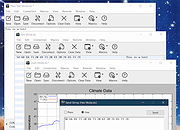 |
|
Telegram Desktop v6.9.1 Telegram Desktop v6.9.1 Fast, secure, and powerful messaging app for desktop devices. Telegram Desktop is a cloud-based messaging application that allows users to send messages, share media, and stay connected across multiple devices seamlessly. It syncs instantly with your mobile Telegram app and offers a fast, secure, and fully featured messaging experience directly from your computer. Telegram Desktop supports private chats, group conversations, and large channels with thousands of members. It includes advanced features such as file sharing up to 2 GB per file, voice and video calls, animated stickers, bots, and customizable themes. Messages are stored securely in the cloud, ensuring access from any authorized device. Secret chats with end-to-end encryption are available on supported devices for enhanced privacy. With a clean interface and efficient performance, Telegram Desktop provides a reliable communication platform for both personal and professional use. Features: • Fast cloud-based messaging with real-time sync • Send messages, photos, videos, and files up to 2 GB • Voice and video calls • Large group chats and broadcast channels • End-to-end encrypted Secret Chats (on supported devices) • Animated stickers, emojis, and GIF support • Bots and automation tools • Customizable themes and interface options • Cross-platform synchronization Supported operating systems: • Windows 10, Windows 11 • macOS 10.13 or higher • Linux Supported languages: English, Spanish, German, French, Italian, Portuguese, Russian, Ukrainian, Arabic, Persian, Turkish, Indonesian, Malay, Korean, Japanese, Chinese, Polish, Dutch, Thai, Vietnamese, Hindi and more Changes: v6.9.1 06-09-26 Fix sending several same custom emoji. Fix some rich messages layout glitches. This download is for the Windows 64bit portable version (very bottom of page). All other download assets are below: Other Windows: tportable.6.9.1.zip tsetup-x64.6.9.1.exe tsetup.6.9.1.exe MacOS: tsetup.6.9.1.dmg Linux: tsetup.6.9.1.tar.xz Click here to visit the author's website. |
|
10,323 | Jun 11, 2026 telegram.org  |
| Showing rows 1 to 2 of 2 | Showing Page 1 of 1 | 1 |
OlderGeeks.com Copyright (c) 2026
