|

|
Processed through Paypal No account required. |








Buy our over-priced crap to help pay the bills.



|
|
Processed through Paypal No account required. |
| Files | ||||
| File Name | Rating | Downloads | ||
 |
BitDefender Antivirus Free Edition v27.0.62.352 BitDefender Antivirus Free Edition v27.0.62.352 👉 Free real-time antivirus protection for Windows PCs. BitDefender Antivirus Free Edition provides lightweight, cloud-powered antivirus protection designed to defend Windows computers against viruses, malware, ransomware, phishing attacks, and other online threats. It uses Bitdefender’s award-winning security technologies while maintaining a simple “install and forget” approach that runs quietly in the background without slowing down your system. The program delivers real-time threat detection, automatic malware scanning, web attack prevention, anti-phishing protection, and malicious website blocking. It also includes integrated Bitdefender VPN access with limited daily encrypted traffic for safer browsing. BitDefender Antivirus Free Edition is optimized for gaming, multimedia editing, and other resource-intensive activities by minimizing system impact while maintaining continuous protection. Features: • Real-time antivirus and malware protection • Cloud-powered threat detection • Advanced anti-phishing protection • Malicious website and scam blocking • Automatic security updates • Lightweight system resource usage • Optimized for gaming and multimedia tasks • Integrated Bitdefender VPN with limited daily traffic • Automatic threat remediation and quarantine • Simple install-and-forget interface • Web traffic scanning • Protection against ransomware and online threats Supported operating systems: • Windows 7 SP1, Windows 8.1, Windows 10, Windows 11 Supported languages: English, German, French, Spanish, Italian, Romanian, Dutch, Swedish, Chinese Traditional, Chinese Simplified, Portuguese, English UK, English AU Changes: v27.0.62.352 08-20-26 Fixed an issue where protection review reports included monitored web and email activity even when the related protection features were disabled Fixed an issue where Bitdefender services were not responding at startup Fixed an issue where Bitdefender services could appear unresponsive while the product remained functional Fixed an issue where SecurePass could not remain disabled in Safepay Fixed an issue causing continuous notifications about webcam access Fixed an issue where the verified links counter reset to zero after rebooting on Windows 11 Fixed an issue causing multiple firewall notifications stating that an application had changed Note: BitDefender Antivirus Free Edition requires you to create a free account. Click here to ... |
 |
11,991 | Aug 27, 2026 BitDefender Labs 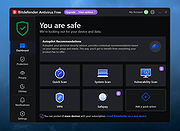 |
 |
Bluefin v20261006 Bluefin v20261006 👉 A modern Fedora-based Linux workstation built for everyday use and cloud-native development. Bluefin is a next-generation Linux desktop operating system based on Fedora Atomic and the Universal Blue project. It is designed to provide a stable, secure, and maintenance-friendly workstation experience while still offering modern development tools, gaming support, multimedia features, and a polished GNOME desktop environment. Unlike traditional Linux distributions that rely heavily on manual package management and upgrades, Bluefin uses an immutable image-based system architecture. This allows the operating system to update atomically, reducing the risk of broken updates and making system recovery significantly easier through built-in rollback capabilities. Bluefin is focused on delivering an “install and use” Linux experience with many essential tools already configured. The system integrates Flatpak applications, Homebrew package management, containerized development environments, and modern virtualization technologies directly out of the box. It also includes developer-oriented workflows for Docker, Podman, devcontainers, and cloud-native software development. Features: • Fedora Atomic based immutable operating system • Built on Universal Blue technology stack • Modern GNOME desktop environment with user-friendly layout • Separate standard images for AMD/Intel graphics and NVIDIA graphics hardware • Atomic image-based updates with rollback support • Automatic operating system updates and maintenance • Integrated Flatpak application ecosystem with Flathub support • Homebrew package manager preconfigured for command-line software • Developer-ready environment with container-first workflows • Built-in Podman and Docker support • Devcontainer and cloud-native development integration • Distrobox support for running software from other Linux distributions • Tailscale support for secure mesh networking • WireGuard VPN tools included • Virtualization and container management support • Optimized multimedia codec support • Secure Boot compatible • Wayland-based modern graphics stack • Gaming-friendly Mesa and NVIDIA driver support • Integrated terminal enhancements including Starship prompt • Flatpak management utilities included • Rollback functionality for safer upgrades and experimentation • Designed for developers, power users, creators, and advanced desktop users • Minimal manual maintenance required after installation • Fast deployment and recovery ... |
|
1,118 | Oct 08, 2026 Project Bluefin and Universal Blue 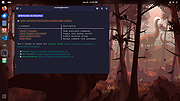 |
|
Dropbox Offline Installers v260.4.2926 Dropbox Offline Installers v260.4.2926 👉 Cloud storage and file synchronization service for easy file access and sharing across devices. These are the full offline installers for all platforms. Dropbox is a cloud storage service that lets you store, sync, and share files across computers, smartphones, and tablets. After installing Dropbox, a special folder is created on your computer. Any files placed in this folder are automatically uploaded and synchronized with your Dropbox account, allowing them to be accessed from other devices or through the web interface. Dropbox makes collaboration simple by allowing users to share files or folders with others through links or shared folders. Changes made by collaborators are automatically synced, ensuring everyone always has the latest version. The service also maintains version history and file recovery, allowing users to restore previous versions or recover deleted files. Dropbox integrates with many productivity tools and provides features such as selective sync, automatic camera uploads from mobile devices, and offline access to files. With its straightforward interface and reliable syncing technology, Dropbox is widely used for personal file storage, team collaboration, and secure file sharing. Features: • Automatic file synchronization across devices • Easy file and folder sharing through secure links • File version history and recovery of deleted files • Selective sync to control which folders are stored locally • Offline access to important files • Integration with many productivity and collaboration tools Supported operating systems: • Windows 7, 8, 8.1, 10, 11 • macOS 10.13 or later. • Linux distributions supporting Dropbox client Supported languages: English, Spanish, French, German, Italian, Portuguese, Dutch, Japanese, Korean, Chinese (Simplified), Chinese (Traditional), Russian Changes: v260.4.2926 07-10-26 Fixed in this update: Fixed an issue that would cause Dropbox items to not appear in the right-click menu for some Windows users. Improved the reliability of opening several share dialogs at the same time. Fixed a ... |
|
11,673 | Jul 16, 2026 Dropbox 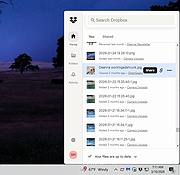 |
|
NolaPro Cloud Accounting v5.0.24859 NolaPro Cloud Accounting v5.0.24859 Free version for home-based freelancers. Simplified accounting and business management to improve efficiency and growth. NolaPro is a Business Management Solution utilizing web features to provide a complete accounting, order tracking and inventory suite. Features: • No User Restrictions • Modify it to Fit Your Business • Cost and Accrual Accounting • Updates at No Cost Changes: v5.0.24859 Changes for user e-mail signature * Added new {companyimage} parameter * * Can be sized. Example: {companyimage width="300px" height="50px"} * Added user image-upload settings for each company, to define the {companyimage} to use when that user is logged into that company Changes to calendar system * Added new setting: Events - All Companies * Added new setting: Default View Change to Email Setup's Default Reply To Address setting, so that the {webaddress} text will be replaced like the Email Signature does. Removed the drop-down list of calendars and replaced with toggle switches to allow multiple calendars to be viewed at once. Added ability to select which calendar to add an event to via drop-down in the New Event dialog. Added "For Sales Order" column to the Purchase Order Lists. Added new inventory transfer setting for Show Transfer Line Weight. Click here to visit the author's website. |
|
9,979 | Nov 22, 2025 Noguska LLC 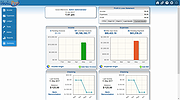 |
 |
Rclone v1.75.0 Rclone v1.75.0 👉 Command-line tool for syncing, copying, mounting, and managing files across cloud storage and local systems. Rclone is a command-line program to manage files on cloud storage. It can sync files and directories to and from many different cloud storage providers, copy new or changed files, perform one-way or two-way synchronization, mount cloud storage as a disk, verify file integrity with hashes, and serve local or remote files over HTTP, WebDAV, FTP, SFTP, and DLNA. It is widely used for backup, restore, migration, and cloud-to-cloud transfers, with support for encryption, compression, chunking, and many standard transfer protocols. Features: • Syncs files and directories to and from cloud storage • Copies only new or changed files • Supports one-way sync and two-way bisync • Verifies file integrity with MD5 and SHA-1 hashes • Preserves timestamps on files • Mounts cloud storage as a network disk • Serves files over HTTP, WebDAV, FTP, SFTP, and DLNA • Supports encryption, compression, chunking, hashing, and union backends • Works with local filesystems, cloud services, and standard protocols • Useful for backup, restore, migration, and cloud-to-cloud transfers View instructions here. Supported operating systems: • Windows 10 or higher, Windows Server 2016 or higher • macOS 12 Monterey or higher • Linux Kernel 3.2 or higher • FreeBSD 12.2 or higher • OpenBSD 6.9 or higher • NetBSD • Plan 9 • Solaris Supported languages: English Changes: v1.75.0 07-31-26 New S3 Providers Scality (RING / ARTESCA) Zero Services (ZERO-Z3) Security archive: Don't crash on malformed squashfs images GHSA-6jcg-q3wp-x2f4 CVE-PENDING (Nick Craig-Wood) ftp: Fix ftp command injection when encoding doesn't include CRLF GHSA-8c48-q9wj-3w37 CVE-PENDING (Nick Craig-Wood) lib/http: Use TLS on all --addr listeners when --cert and --key are set ... |
|
5,178 | Aug 03, 2026 Nick Craig-Wood 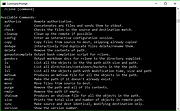 |
|
Telegram Desktop v6.9.1 Telegram Desktop v6.9.1 Fast, secure, and powerful messaging app for desktop devices. Telegram Desktop is a cloud-based messaging application that allows users to send messages, share media, and stay connected across multiple devices seamlessly. It syncs instantly with your mobile Telegram app and offers a fast, secure, and fully featured messaging experience directly from your computer. Telegram Desktop supports private chats, group conversations, and large channels with thousands of members. It includes advanced features such as file sharing up to 2 GB per file, voice and video calls, animated stickers, bots, and customizable themes. Messages are stored securely in the cloud, ensuring access from any authorized device. Secret chats with end-to-end encryption are available on supported devices for enhanced privacy. With a clean interface and efficient performance, Telegram Desktop provides a reliable communication platform for both personal and professional use. Features: • Fast cloud-based messaging with real-time sync • Send messages, photos, videos, and files up to 2 GB • Voice and video calls • Large group chats and broadcast channels • End-to-end encrypted Secret Chats (on supported devices) • Animated stickers, emojis, and GIF support • Bots and automation tools • Customizable themes and interface options • Cross-platform synchronization Supported operating systems: • Windows 10, Windows 11 • macOS 10.13 or higher • Linux Supported languages: English, Spanish, German, French, Italian, Portuguese, Russian, Ukrainian, Arabic, Persian, Turkish, Indonesian, Malay, Korean, Japanese, Chinese, Polish, Dutch, Thai, Vietnamese, Hindi and more Changes: v6.9.1 06-09-26 Fix sending several same custom emoji. Fix some rich messages layout glitches. This download is for the Windows 64bit portable version (very bottom of page). All other download assets are below: Other Windows: tportable.6.9.1.zip tsetup-x64.6.9.1.exe tsetup.6.9.1.exe MacOS: tsetup.6.9.1.dmg Linux: tsetup.6.9.1.tar.xz Click here to visit the author's website. |
|
10,324 | Jun 11, 2026 telegram.org 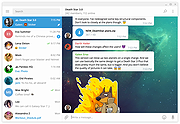 |
| Showing rows 1 to 6 of 6 | Showing Page 1 of 1 | 1 |
OlderGeeks.com Copyright (c) 2026
