|

|
Processed through Paypal No account required. |








Buy our over-priced crap to help pay the bills.



|
|
Processed through Paypal No account required. |
| Files | ||||
| File Name | Rating | Downloads | ||
 |
CudaText v1.234.4 CudaText v1.234.4 👉 Cross-platform, open-source text editor extensible with Python add-ons. CudaText is a cross-platform text editor written in Object Pascal. It is an open-source project that can be used free of charge (including for business use) and is designed to start quickly. CudaText is extensible via Python add-ons, including plugins, linters, code tree parsers, and external tools, and uses a feature-rich syntax parser based on the EControl engine. It starts quite fast (0.5 sec with ~30 plugins on CPU Intel Core i3 3Hz). It is extensible by Python add-ons (plugins, linters, code tree parsers, external tools). Features: • Syntax highlighting for many programming languages • Code folding • Multi-carets and multi-selections • Rectangular selection • Command palette • Tabbed interface • Split view editing (vertical and horizontal) • Side panel with file explorer • Built-in file tree • Built-in FTP client • Project manager • Snippets support • Auto-completion • Code tree (structure view) • Configurable hotkeys • Configurable UI themes • Configurable color themes • Minimap • Status bar with customizable elements • Lexer-specific settings • Session management • Recent files list • Support for large files • Portable mode support • Plugin system based on Python • Add-ons manager to install plugins, lexers, and themes • Console panel for command output • External tools integration • Multiple encodings support • Line endings support (Windows, Unix, Mac) • Bookmarks • Find and replace with regular expressions • Word wrap and non-wrap modes • Customizable indentation settings • Show invisibles • Ruler and margin configuration • Free and open source, including business use Supported operating systems: • Windows (i386, amd64) • Linux (amd64, arm, aarch64) • macOS (amd64, aarch64) • FreeBSD (i386, amd64), OpenBSD (i386, amd64), NetBSD (i386, amd64), DragonFlyBSD (amd64) • Solaris (amd64) • Haiku (i386, amd64) Supported languages: English, Chinese (Simplified), Chinese (Traditional), Czech, French, French (Switzerland), German, German (Austria), Italian, Japanese, Korean, Portuguese, Russian, Slovak, Slovenian, Spanish, Tamil (India), Tamil (Sri Lanka) Find documentation at the CudaText Wiki. Changes: v1.232.2 06-14-26 - fix: regression: "Unprinted chars" dialog lost translation - fix: improve command "delete word previous" when only 1 space ... |
 |
5,919 | Jul 05, 2026 Alexey Yu. Torgashin (R.F.) 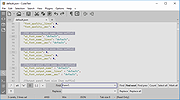 |
 |
PotPlayer v260622 PotPlayer v260622 👉 A multimedia player for Windows with built-in codec support, subtitle handling, 3D playback, and hardware acceleration. PotPlayer is a multimedia player designed for Windows that provides maximum performance with minimum resource usage using DXVA, CUDA, and QuickSync. It supports various types of 3D glasses and 3D output formats, including Side by Side, Top and Bottom, and Page Flipping. PotPlayer also supports multiple subtitle formats such as SMI, SRT, DVD Vobsub, Blu-ray subtitles, ASS/SSA animation, and SMI Ruby tags. It includes OpenCodec support so users can add codecs easily, and offers advanced playback features such as smooth video playback, sound card selection, scene preview snapshots, bookmarking favorite scenes or chapters, and support for devices such as DVD, TV, and HDTV. Features: • Provides maximum performance with minimum resource usage using DXVA, CUDA, and QuickSync • Supports various types of 3D glasses and 3D output formats • Supports text subtitles, DVD subtitles, Blu-ray subtitles, ASS/SSA animation, and SMI Ruby tags • Supports OpenCodec so users can easily add additional codecs • Smooth and seamless video playback • Lets you choose which sound card to use when multiple sound cards are installed • Allows scene preview with snapshots • Lets you bookmark favorite scenes or chapters • Supports Direct3D9 Ex Flip Mode and Overlay • Supports devices such as DVD, TV, and HDTV Supported operating systems: • Windows 7, Windows 8, Windows 8.1, Windows 10, Windows 11 Supported languages: • Korean, Chinese (Simplified), Chinese (Traditional), English, Ukrainian, Russian, Polish Changes: v260622 08-06-26 * Removed Kakao TV + Added pause function when navigating via the navigation bar - Significantly improved internal stability - Fixed an issue where colors appeared strange during RGB24 processing - Improved playback for some HTTP streams - Improved sync processing for the built-in audio renderer - Fixed an issue where certain MP4 files behaved abnormally during playback This download is for the Windows 64bit version. If you need the 32bit version, download here. Click here ... |
|
5,040 | Aug 06, 2026 Kakao Corp. 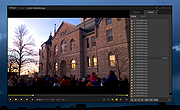 |
| Showing rows 1 to 2 of 2 | Showing Page 1 of 1 | 1 |
OlderGeeks.com Copyright (c) 2026
