|

|
Processed through Paypal No account required. |








Buy our over-priced crap to help pay the bills.



|
|
Processed through Paypal No account required. |
| Files | ||||
| File Name | Rating | Downloads | ||
 |
BlueScreenView v1.55 BlueScreenView v1.55 Displays BSOD (Blue Screen of Death) crash info. BlueScreenView scans all your minidump files created during 'blue screen of death' crashes, and displays the information about all crashes in one table. For each crash, BlueScreenView displays the minidump filename, the date/time of the crash, the basic crash information displayed in the blue screen (Bug Check Code and 4 parameters), and the details of the driver or module that possibly caused the crash (filename, product name, file description, and file version). For each crash displayed in the upper pane, you can view the details of the device drivers loaded during the crash in the lower pane. BlueScreenView also mark the drivers that their addresses found in the crash stack, so you can easily locate the suspected drivers that possibly caused the crash. Supported operating systems: Windows XP, Server, Vista, 7, 8, 10, 11. Note: Windows must be configured to save minidump files during BSOD crashes. How to configure Windows to create MiniDump files on BSOD: Windows XP / Vista / 7 1) Right-click My Computer / Computer → Properties. 2) Go to the Advanced tab (XP) or Advanced system settings (Vista/7). 3) Under Startup and Recovery, click Settings. 4) In Write debugging information, choose Small memory dump (64 KB). 5) Default folder: C:\Windows\Minidump. 6) Click OK, then reboot if prompted. Windows 8 / 8.1 / 10 / 11 1) Right-click This PC → Properties (or open System from Control Panel). 2) Click Advanced system settings on the left. 3) In Startup and Recovery, click Settings. 4) In Write debugging information, select Small memory dump (256 KB). 5) Default folder: C:\Windows\Minidump. 6) Press OK and restart if necessary. Notes (all versions): • The option is sometimes called Small memory dump, minidump, or kernel memory dump (choose Small if you want files BlueScreenView can read easily). • Make sure the %SystemRoot%\Minidump folder exists and ... |
 |
6,353 | Oct 26, 2025 Nir Sofer 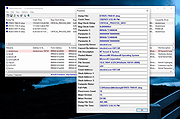 |
| Showing rows 1 to 1 of 1 | Showing Page 1 of 1 | 1 |
OlderGeeks.com Copyright (c) 2026
