|

|
Processed through Paypal No account required. |








Buy our over-priced crap to help pay the bills.



|
|
Processed through Paypal No account required. |
| Files | ||||
| File Name | Rating | Downloads | ||
 |
CudaText v1.234.4 CudaText v1.234.4 👉 Cross-platform, open-source text editor extensible with Python add-ons. CudaText is a cross-platform text editor written in Object Pascal. It is an open-source project that can be used free of charge (including for business use) and is designed to start quickly. CudaText is extensible via Python add-ons, including plugins, linters, code tree parsers, and external tools, and uses a feature-rich syntax parser based on the EControl engine. It starts quite fast (0.5 sec with ~30 plugins on CPU Intel Core i3 3Hz). It is extensible by Python add-ons (plugins, linters, code tree parsers, external tools). Features: • Syntax highlighting for many programming languages • Code folding • Multi-carets and multi-selections • Rectangular selection • Command palette • Tabbed interface • Split view editing (vertical and horizontal) • Side panel with file explorer • Built-in file tree • Built-in FTP client • Project manager • Snippets support • Auto-completion • Code tree (structure view) • Configurable hotkeys • Configurable UI themes • Configurable color themes • Minimap • Status bar with customizable elements • Lexer-specific settings • Session management • Recent files list • Support for large files • Portable mode support • Plugin system based on Python • Add-ons manager to install plugins, lexers, and themes • Console panel for command output • External tools integration • Multiple encodings support • Line endings support (Windows, Unix, Mac) • Bookmarks • Find and replace with regular expressions • Word wrap and non-wrap modes • Customizable indentation settings • Show invisibles • Ruler and margin configuration • Free and open source, including business use Supported operating systems: • Windows (i386, amd64) • Linux (amd64, arm, aarch64) • macOS (amd64, aarch64) • FreeBSD (i386, amd64), OpenBSD (i386, amd64), NetBSD (i386, amd64), DragonFlyBSD (amd64) • Solaris (amd64) • Haiku (i386, amd64) Supported languages: English, Chinese (Simplified), Chinese (Traditional), Czech, French, French (Switzerland), German, German (Austria), Italian, Japanese, Korean, Portuguese, Russian, Slovak, Slovenian, Spanish, Tamil (India), Tamil (Sri Lanka) Find documentation at the CudaText Wiki. Changes: v1.232.2 06-14-26 - fix: regression: "Unprinted chars" dialog lost translation - fix: improve command "delete word previous" when only 1 space ... |
 |
5,919 | Jul 05, 2026 Alexey Yu. Torgashin (R.F.) 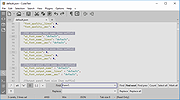 |
 |
JEquity v2025.0.3.398 JEquity v2025.0.3.398 👉 Open-source portfolio and stock tracking software with a clean JavaFX desktop interface. JEquity is an open-source financial portfolio management application designed to help users organize, monitor, and track equity investments from a desktop environment. Built in Java with a modern JavaFX interface, JEquity allows you to manage stock holdings, ETFs, retirement funds, taxable accounts, and grouped investments while keeping portfolio data organized in a simple and efficient layout. The application supports portfolio grouping, historical tracking, financial summaries, valuation updates, account categorization, and detailed stock ownership records. JEquity is intended for users who want a lightweight desktop-based investment tracker without relying on cloud-based financial services. JEquity includes tools for organizing investments by account type, ownership, category, and tax status. Users can maintain multiple financial records, monitor valuations, generate reports, and review historical financial data through an easy-to-navigate tabbed interface. Features: • Tracks stocks, ETFs, and equity investments • Organizes investments by account and ownership • Supports retirement, taxable, and tax-deferred account tracking • Financial portfolio summary calculations • Historical investment tracking tools • Report generation support • Group management for organizing portfolios • JavaFX-based graphical user interface • Lightweight desktop application • Cross-platform Java support • Open-source Eclipse Public License v2.0 software • Multiple tabbed financial management views • Search and filtering capabilities • Manual stock valuation and share tracking • Local desktop portfolio management without cloud dependency Supported operating systems: • Windows 10, Windows 11 • macOS Monterey or higher • Linux distributions with Java support • BSD systems with Java support Supported languages: • English Changes: v2025.0.3.398 12-17-25 With a new self-signed open-source certificate. Note: This file has one hit on VirusTotal. We have confirmed this to be a false positive. The file is safe. This download is for the Windows version (very bottom of page). All other download assets are below: macOS: JEquity_macos-aarch64_2025.0.3.398.dmg JEquity_macos-amd64_2025.0.3.398.dmg Linux: JEquity_linux-amd64_2025.0.3.398.sh Click here to visit the author's website. |
|
6,283 | Jun 03, 2026 Beowurks 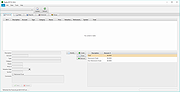 |
|
OpenLoco v26.07.1 OpenLoco v26.07.1 👉 A modern open-source reimplementation of Chris Sawyer’s Locomotion. OpenLoco is an open-source reimplementation of Chris Sawyer’s Locomotion, the classic transport construction and management simulation game where you build and run a transport company using trains, buses, trucks, trams, aircraft, and ships. OpenLoco modernizes the original game engine in C++ while keeping the spirit, gameplay, and feel of the classic title intact. Features: • Open-source reimplementation of Chris Sawyer’s Locomotion • Classic transport company construction and management gameplay • Build railways, roads, stations, airports, docks, and routes • Manage trains, road vehicles, aircraft, ships, cargo, passengers, and towns • Modern C++ engine reimplementation • Improved compatibility with modern systems • Supports original Locomotion save and scenario formats • Wider Build Vehicle window with dedicated sorting dropdown • Station Construction tab now lists accepted and produced cargo in full • Station window cargo icons now include helpful tooltips • Preferred company name can now be set separately from owner name • MIT licensed Supported operating systems: • Windows 10, Windows 11 • macOS Apple Silicon • Linux 64-bit • BSD, compile from source Supported languages: Czech, German, English GB, English US, Spanish, French, Italian, Japanese, Korean, Dutch, Polish, Portuguese Brazilian, Russian, Slovak, Swedish, Turkish, Chinese Simplified Changes: v26.07.1 07-27-26 Fix: [#3524] Jittery window height in the 'gridded' tabs of the industry list, town list, and terraform windows. Fix: [#3841] Extreme lag when a map reaches the maximum number of audio sources (e.g. many vehicles in view). Fix: [#3842] Native browse prompt not working on Windows, preventing selecting the Locomotion path on first start. Fix: [#3846] Can click beyond last item in station and company list windows, opening invalid windows. Note: The asset files from Chris Sawyer’s Locomotion are required for OpenLoco to work. It can be bought super cheap on Steam or GOG.com. This download is for the Windows 64bit portable version (very bottom of page). If you need the Windows 32bit portable version, download here. If you need the ... |
|
4,375 | Jul 29, 2026 OpenLoco 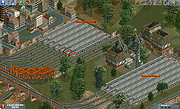 |
| Showing rows 1 to 3 of 3 | Showing Page 1 of 1 | 1 |
OlderGeeks.com Copyright (c) 2026
