|

|
Processed through Paypal No account required. |








Buy our over-priced crap to help pay the bills.



|
|
Processed through Paypal No account required. |
| Files | ||||
| File Name | Rating | Downloads | ||
 |
Alchemy v008 Alchemy v008 Experimental open source drawing and sketching software for exploring creative ideas. Alchemy is an open source drawing application designed to help artists, designers, and creative thinkers generate ideas during the earliest stages of the creative process. Rather than focusing on producing polished artwork, Alchemy encourages experimentation through a collection of unique drawing modules that introduce randomness, symmetry, procedural shapes, voice interaction, and other unconventional techniques. The intentionally minimalist interface removes distractions such as undo and object editing, allowing users to rapidly explore concepts and discover unexpected forms. Built in Java, Alchemy is cross-platform and extensible through a modular plugin system, making it easy for developers and artists to create and share their own drawing modules. Features: • Experimental sketching environment focused on concept generation • Minimal interface designed to reduce distractions • Modular architecture with removable and expandable drawing modules • Random and procedural shape generation • Real-time mirror drawing for symmetrical artwork • Blind drawing mode for creative experimentation • Voice-controlled drawing modules • Session recording with automatic PDF snapshots • Automatic canvas clearing at configurable intervals • Export artwork as SVG, PDF, PNG, and JPEG • Adjustable export image scaling • Horizontal and vertical canvas flipping • Smooth, Ribbon Shapes, Limit, and Splatter Shapes modules • Configurable background transparency • Open source and extensible through custom Java modules Supported operating systems: • Windows • macOS • Linux • Requires Java Runtime Environment 1.5 or higher required Supported languages: • English, Persian Changes: v008 • Added SVG export and switching support using the Batik library • Added export image scaling for JPEG and PNG • Added horizontal and vertical canvas flipping • Added Smooth, Ribbon Shapes, Limit, and Splatter Shapes modules • Added configurable background transparency • Added Persian localization • Added outline-only rendering option for Shapes module while drawing • Alchemy now remembers the export directory between sessions • Fixed Mirror and Color Switcher coloring issues • Improved Color Palette positioning • Updated the JPen tablet library • Fixed fullscreen transparent mode rendering • Fixed ... |
 |
4,319 | Jun 25, 2026 Karl D.D. Willis/Jacob Hina 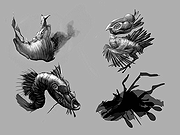 |
|
Art of Illusion v3.2.1 Art of Illusion v3.2.1 A free, open source 3D modelling and rendering studio. Many of its capabilities rival those found in commercial programs. Highlights include subdivision surface based modelling tools, skeleton based animation, and a graphical language for designing procedural textures and materials. Features • Primitive and Mesh Based Modeling • Image Based Surface Texturing • Procedural Surface Texturing • Bone Animation • Pose/Morph Animation • Integrated RayTracer Suite • Simple interface - only controls relevant to the current task are accessible • Extensible Plugin API Art of Illusion will run on any computer that supports Java 8 or later. This download is for the Windows portable version. All other download assets are below: Windows: ArtOfIllusion-3.2.1-Windows.exe macOS: Art of Illusion 3.2.1.dmg Linux: Art of Illusion 3.2.1 linux.zip User Manual: Art of Illusion 3.2.1 manual.zip Click here to visit the author's website. |
|
4,432 | Mar 14, 2024 Peter Eastman 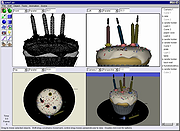 |
|
ART v5.0 ART v5.0 ART is a reporting and business intelligence solution. SQL queries can be published in a few minutes. Supports tabular, crosstab, charts, scheduling, dashboards, export to spreadsheet and pdf. ART Features ART is a lightweight, multi-platform, web application that enables quick deployment of SQL query results. It has features that make it a simple yet effective reporting and business intelligence solution. Quick report creation Interactive reports - run and accessed via a browser Scheduled reports - delivered via email or accessible via a browser Reports generated in a number of formats e.g. xls, pdf Charts Dashboards - group and display charts or reports in a single web page Alerts - email sent when a given condition is satisfied Dynamic queries - execute different SQL statements depending on user input Parameterized reports - users can select or input parameters that are then passed to the SQL query Individualized reports - use rules to dynamically filter query results based on the user Output your data as a rss2.0 compliant feed Drill Down reports - drill down on charts or tabular reports Cached Results - reverse a query result to a table in another database Dynamic datasources - choose the report's target database at runtime Dynamic job recipients - email reports to a dynamic list of people Support for external authentication sources e.g. Active Directory Support for formatted reports Support for OLAP Create reports based on pre-formatted Excel worksheets Create reports based on MS ... |
|
3,853 | Nov 12, 2020 Timothy Anyona, Enrico/Gspeed 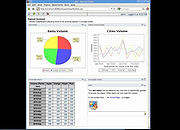 |
 |
City Art Search v8.0.0.3 City Art Search v8.0.0.3 Personalize your Windows 8.1/10/11 lock screen with beautiful, high-resolution artworks every hour or every day. Features • Lock screen auto-refresh with customizable time interval • Lock screen can cycle random artworks, your favorites, by artist etc. • Create a list of favorites that syncs across all your Windows devices • Nudity, violence, religious and portrait filters • Search over 10,400 artworks by title, artist, city, gallery, artistic movement, tags, etc. • Wikipedia description of famous artworks and artists • PC and tablet slide show mode works in both landscape and portrait orientation" Click here to visit the author's website. |
|
5,933 | Sep 25, 2024 Microsoft Corporation 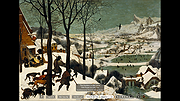 |
|
FotoSketcher v4.50 FotoSketcher Studio v4.50 👉 Turn photos into paintings, sketches, and artistic effects with a free image editing tool. FotoSketcher Studio is a free creative image editor that transforms photos into artwork using artistic effects such as pencil sketches, painting styles, drawing effects, and photo filters. It also includes tools to enhance original images, add frames and text, batch process multiple images, manually retouch selected areas, combine multiple filters, and create custom effects with scripts. It is free to use, including for commercial use. Features: • Turn photos into paintings, sketches, drawings, and photo effects • Includes 14 artistic effects spanning pencil, drawing, painting, and photo filter styles • Batch processing for applying effects to multiple images at once • Manual brush for selectively applying effects to chosen areas of an image • Can improve original photos with contrast, sharpening, luminosity, saturation, and other adjustments • Lets you add simple or realistic frames and text to images • Can combine multiple filters for mixed artistic results • Supports custom effect creation through scripts • Includes Vintage Sepia and Retro Film photo effects in v4.10 • Automatic system language detection with a keyboard shortcut to change interface language • Manual brush panning with CTRL + Left Mouse Button drag • Digitally signed Windows and macOS releases Supported operating systems: • Windows 10, Windows 11 • macOS (Intel, Apple Silicon) Supported languages: • Chinese, German, English, Spanish, French, Italian, Japanese, Korean, Dutch, Polish, Portuguese Changes: v4.50 07-27-26 This version brings a new painting effect, an image watermark tool, full keyboard navigation and a rather long list of improvements and fixes. New Gouache Painting effect 🎨 A new Gouache Painting effect joins the Painting category. Gouache sits somewhere between watercolour and oil paint: thick, opaque, with a matte finish and visible brushstrokes. Watermark and logo tool The "Add text" window has been expanded into "Add text/watermark". You can now load any image file (PNG with transparency, JPG, or other formats) ... |
|
10,835 | Aug 12, 2026 David Thoiron 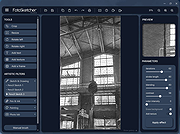 |
|
ItsPaint v0.16.1 ItsPaint v0.16.1 👉 A lightweight, free and open source MS Paint-style image editor for Mac. ItsPaint is a native image editor designed to provide the simple, quick drawing and editing experience of Microsoft Paint on macOS. It can create a blank canvas at any size, draw and paint with multiple tools, paste images directly onto the canvas, crop and resize artwork, annotate screenshots, remove backgrounds, add text and shapes, and export to numerous common image formats. It is intentionally lightweight, requires no account or subscription, contains no telemetry or networking code, and is released under the MIT license. Features: • Create blank canvases at custom sizes • Pencil, brush, highlighter and eraser drawing tools • Round, square, soft and spray brush tips • Draw lines, curves, arrows, rectangles, rounded rectangles, ellipses, triangles, diamonds, polygons, stars and speech bubbles • Solid, dashed and dotted shape outlines with optional fills • Add text with a contrasting rim that remains readable against light and dark backgrounds • Automatic numbered step badges for annotating instructions and screenshots • Pixelate areas for visual de-emphasis • Spotlight tool darkens everything outside a selected area • Clone tool copies pixels from one part of an image to another • Soften tool blends cloned or repaired areas into their surroundings • Instant Alpha selects connected pixels by color • One-command background removal without AI, cloud processing or an Internet connection • Capture a signature with a trackpad, mouse or tablet, or import one from an image • Rectangle, ellipse, lasso and Instant Alpha selection modes • Move selected pixels directly on the canvas • Paste images as floating objects that can be moved and scaled before committing • Automatically expands the canvas when pasted content is larger than the current image • Drag the current selection or entire canvas directly into another application or Finder • Pointer-centered zoom and pixel grid • Snap shapes, selections and pasted content to an 8, ... |
|
223 | Aug 13, 2026 Josh Lin 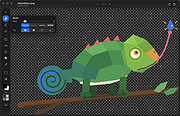 |
|
Krita v5.3.4 Krita v5.3.4 👉 Professional free and open source digital painting software for illustration, concept art, comics, textures, and animation. Krita is a professional free and open source painting program made by artists who want affordable art tools for everyone. It offers a clean and flexible interface, a large set of painting and drawing tools, animation features, resource management, and advanced text and vector capabilities for creating everything from illustrations and concept art to comics, textures, and animated projects. Portrait of Random Beauty by:Manga Tengu Features: • Clean and flexible interface with fully customizable layouts, dockers, toolbars, themes, and keyboard shortcuts for a personalized workflow • Over 100 professionally crafted brushes included, covering painting, sketching, inking, textures, and special effects • Advanced brush engines (9+) including Pixel, Smudge, Color Smudge, Shape, Spray, Filter, and Particle engines for diverse artistic styles • Brush stabilizers, smoothing options, and Dynamic Brush tool for precise and controlled strokes • Full brush customization with pressure sensitivity, tilt support, rotation, texture overlays, and custom brush tips • Powerful layer system including raster, vector, filter, file, fill, and clone layers with grouping and non-destructive workflows • Advanced selection tools including freehand, polygonal, contiguous, color-based, and transformable selections • Masking system with transparency masks, filter masks, transform masks, and selection masks for non-destructive editing • Built-in vector tools for shapes, paths, and SVG-based artwork with editable properties • Enhanced text tool with on-canvas editing, full OpenType support, kerning, shaping, and text flowing into shapes • Wrap-around mode for seamless texture and tile creation • Resource Manager for importing, organizing, tagging, and sharing brushes, gradients, patterns, and palettes • Color management with HDR painting support, wide color gamut, ICC profiles, and advanced blending modes • Fill tool with gap-closing capability for cleaner coloring in line art • Fast liquify transform mode for real-time distortion and sculpting effects • Extensive filter set including artistic, blur, color adjustment, and new propagate ... |
|
7,912 | Oct 02, 2026 Krita Foundation 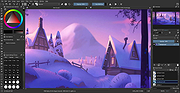 |
|
Pixel Art v11.3.4 Pixel Art v11.3.4 Pixel Art provides a quick and easy way to create pixel pictures within minutes, and have the end result stun and surprise anyone with how clear and great it looks! Features Choose from 400, 900 or 1600 squares to work with Use any colour that your mind can think of Save images as .bmp, .gif, ,jpg or .png 11.3.4 Changelog - Bug Fixes/Other Changes - Optimization improvements |
|
6,079 | Jan 21, 2019 Muzemedia 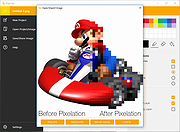 |
|
PixiEditor v2.1.2.4 PixiEditor v2.1.2.4 👉 A free, open-source universal 2D graphics editor for pixel art, painting, image editing, vector art, procedural art, and animations. PixiEditor is a universal 2D graphics editor made for all your 2D creative needs. Create sprites for games, frame-by-frame animations, edit images, draw, paint, make logos, work with vectors, and build non-destructive procedural graphics using its node graph system. Features: • Pixel art, painting, vector art, image editing, procedural art, and animation tools • Node Graph for non-destructive procedural graphics and animations • Dedicated pixel art toolset with palette management • Painting tools with soft brushes and anti-aliased shapes • Vector shapes and paths that can be mixed with raster artwork • Frame-by-frame animation support • Node-based Brush Engine for creating custom brushes • Extension Browser for browsing and installing extensions • Desktop native, cross-platform, and works offline • Export support for PNG, JPG, SVG, GIF, MP4, and more • Pixel Art — Dedicated Pixel Art toolset and advanced palette management. Create pixel art with a dedicated toolset. Perfect for game sprites, animations, or nostalgic artwork. Enjoy features like pixel-perfect pen mode for clean edges. • Animations — Bring stories to life with frame-by-frame Animations. Turn your drawings into moving stories! Create smooth frame-by-frame animations with tools that make it fun and easy to bring your art to life. • Procedural Art — Create non-destructible, procedural graphics with Node Graph. Node Graph allows for creating fully non-destructible graphics and animations. Connect nodes to easily compose complex visuals. From pre-built effects to custom shaders, the possibilities are endless! • Image Editing — Select, delete, clip, resize - everything you need for Image Editing. Use raster tools to edit images, sketch or paint. Whether you're doodling or making a masterpiece, PixiEditor is there for you! • Vector Art — Create and edit Vectors. Snapping included. Craft logos, icons, and illustrations with our flexible curve tool and vector shapes. Your designs ... |
|
1,154 | Sep 18, 2026 Pixi Labs Sp. z o.o 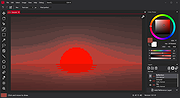 |
|
SketchBook v8.7.1 SketchBook v8.7.1 👉 A free drawing and painting program with customizable brushes, layers, symmetry tools and animation. SketchBook is a digital drawing and painting program from Autodesk for creating sketches, illustrations, concept art and finished artwork. Its desktop tools combine natural drawing brushes with layers, perspective guides and editing controls. The interface lets you hide tools and palettes while drawing, leaving more room for your artwork. Use brushes for sketching, inking, painting and blending, then adjust their properties to suit your drawing style. Work with separate layers to organize your artwork and experiment with colors and effects. Photoshop PSD import and export preserve layers, layer names, groups and blending modes, making it possible to move projects between SketchBook and Photoshop. Important: This download is the discontinued Autodesk freeware edition. It can still be used, but it no longer receives updates or bug fixes. The current Sketchbook Pro for Windows and macOS is a separate paid product. Features: • Customizable brushes for drawing, inking, painting and blending. • Brush controls for flow, opacity, textures, stylus tilt and stamp scaling. • Import and export custom brush sets in SketchBook's .skbrushes format. • Stroke Stabilizer and Predictive Stroke help smooth freehand lines while preserving sharp corners. • Horizontal, vertical and radial symmetry for mirrored artwork and repeating patterns. • Radial symmetry supports up to 16 sectors. • Perspective tools and drawing guides help construct accurate shapes and scenes. • Fill, selection, text, cropping, transform and distortion tools. • Layers, layer groups and blending modes for organizing and combining artwork. • Import and export Photoshop PSD files while preserving layer structure. • FlipBook tools for creating animation from image sequences and exporting individual frames or an entire animation. ... |
|
4,437 | Oct 01, 2026 AutoDesk 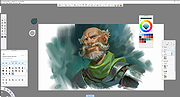 |
| Showing rows 1 to 10 of 10 | Showing Page 1 of 1 | 1 |
OlderGeeks.com Copyright (c) 2026
