|

|
Processed through Paypal No account required. |








Buy our over-priced crap to help pay the bills.



|
|
Processed through Paypal No account required. |
| Files | ||||
| File Name | Rating | Downloads | ||
 |
Alarm Stickies 3 v3.2.05.5 Alarm Stickies 3 v3.2.05.5 👉 Electronic sticky notes with alerts, recurrences, calendar, and phonebook. Alarm Stickies 3 is a freeware reminder utility that lets you create electronic sticky notes, save them to a database, and optionally set date/time alerts so the sticky appears when the reminder is due. It also includes recurring events, Windows notifications, a quarterly calendar, programmable shortcut keys, backup/restore, shared data folder support, and a phonebook/rubric. Features: • Create electronic sticky notes quickly from the tray icon, hotkey, menu, or quarterly calendar • Notes are saved to a database when closed • Set date and time alerts for stickies • Alerted stickies can jump to the screen position you choose • Optional alert sounds • Customize sticky size, color, font, and font size • Save a modified sticky layout as the default for new stickies • Choose from 9 date formats • Programmable shortcut keys • Print the shortcut key list for paper or PDF reference • Recurring events for birthdays, anniversaries, payment deadlines, and more • Supports annual, semi-annual, four-monthly, quarterly, bimonthly, and monthly recurrences • Recurrence notifications can appear through Windows notifications • Set a programmable notification range before recurrence expiration • Quarterly calendar highlights recurrences in different colors • Click future calendar dates to create a sticky already set to that date at 12:00 • Spacious phonebook/rubric with 21 tables and 40 lines each • Case-insensitive search in the phonebook/rubric • Choose the folder used for settings and data • Data folder can be placed in a shared folder, such as a cloud folder, for use across your own PCs • Backup and restore program data • Keeps the last three backups • Optional automatic start with Windows • Optional automatic update check at program startup • Freeware with no advertising and no donation popups Supported operating systems: • Windows 7 SP1 with Microsoft .NET Framework 4.8, Windows 8 with Microsoft .NET Framework 4.8, Windows 10, Windows 11 Supported languages: English, French, Spanish, Italian Changes: v3.2.05 12-16-25 Fixed ... |
 |
792 | Apr 24, 2026 eziogarr-coder 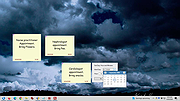 |
 |
Digital Paintball 3 Digital Paintball 3 Digital Paintball 3 is a first person shooter (FPS) game available on Web, PC, Mac and Linux. Conflate your love for simulated sport with adventure, and what you will get is the best 3D, digital paintball 3 video game of all times! You can enjoy endless hours of pure joy and an assured excitement that gradually mounts without leaving the sanctity of your home or braving the detestation of getting wet or dirty. The new online game that we have developed so punctiliously is sure to leave you regaling to the extent that you will soon be hooked to it. One of the fastest paced multiplayer digital paintball, Paint-ball Online is a super way to exercise your mental prowess, hand-eye coordination, concentration, Digital Paintball 3 Online analytical knack, quick decision-making capabilities, and of course, your love digital paintball 3 for the actual sport. Carry the power in your hand, register at our site and feel the blues blow away. |
|
8,481 | Aug 02, 2016 Digital Paintball 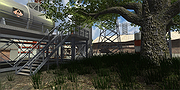 |
|
Flappy Bird 3 in 1 Flappy Bird 3 in 1 Are you Bored? Have nothing to do? Then just Download this game and try to make as much score as you can in this remake of Flappy Bird! Flappy Bird 3 in 1 is a Clone of the Original Flappy Bird which was made by .Gears Studio It has 3 Games Flappy Bird Farty Bird Coins and Bombs Farty Bird and Flappy Coins are not Real and made just for fun Controls Spacebar or Left Click Game made by Shayan Faysal Instructions: First, install the font given in this rar. Then, Just click on the flappybird3in1.exe and Enjoy! If the game is not running, disable your antivirus and play it. THIS GAME DOES NOT HAVE ANY VIRUS. |
|
8,096 | Mar 01, 2016 shayanfaysal 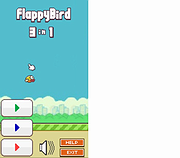 |
|
Pointing Magnifier 3 v3.2.2 Pointing Magnifier 3 v3.2.2 A free cursor replacement designed to reduce the need for fine motor control. Created by: Jacob O. Wobbrock, Ph.D. Leah Findlater, Ph.D. Alexis Hiniker, Ph.D. Alex Jansen University of Washington It is also useful in getting a close look at any region of the screen without losing the surrounding context, which has been useful to graphic designers and people with low vision. With the Pointing Magnifier, the usual mouse cursor is replaced by a semi-transparent circular "area cursor." When the user clicks, the area beneath this circular cursor becomes magnified, as if a lens. Once magnified, the typical mouse cursor arrow appears within the magnified lens, allowing for normal mouse operations, but now on much larger targets. The Pointing Magnifier supports all button-based actions: clicking, double-clicking, right-clicking, dragging, and button dwelling, both on the cursor itself and within its magnified lens. It does not trigger mouse movement-based events—mouse over, mouse hover, mouse enter, or mouse leave—due to technical limitations. In version 3 of the Pointing Magnifier, the lens itself can be dragged. It can also be nudged with the arrow keys. In addition, it contains support for multi-monitor displays. The original Pointing Magnifier was developed in 2010-2011 by Alex Jansen, with lead designer Leah Findlater and supervised by Jacob O. Wobbrock. More than a decade later, numerous feature requests and design improvements have resulted in the creation of the Pointing Magnifier 3 by Jacob O. Wobbrock, with help from Alexis Hiniker. As of version 2, the Pointing Magnifier is a complete rebuild containing no code from version 1. See what's new. Comparison to Windows Magnifier How does the Pointing Magnifier compare to the built-in Windows Magnifier? Windows Magnifier has three modes: lens, docked, and full screen. All three are primarily directed towards people with low vision, as they each make some or all of the screen larger. ... |
|
4,720 | Jul 11, 2023 Dr. Jacob O. Wobbrock 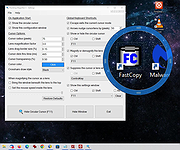 |
|
Super Mega Man 3 Super Mega Man 3 In the year 20XX, the world is at peace, until Bass tries to change that! With 8 robots stolen from Dr. Wily, he attempts world domination! Dr. Wily, being out of house and robots (except Alto, his helper robot), he pleads for the assistance of Mega Man and Protoman to stop Bass's plans on world domination! Can Mega Man and Protoman defeat Bass and all eight robot masters? You decide, in Super Mega Man 3! Controls: in game: <Z> - jump <X> - shoot Hold <X> - charge <Left> - move left <Right> - move right <Up> - move up ladders <Down> - move down ladders <Down> + <Z> - slide <A> - Quick toggle left <S> - Quick toggle right <Enter> - Pause Menu in menu/stage select: <Shift> - Switch between characters on stage select <Enter/Z> - buy/start stage/go to selected room <X> - go back to menu F1 - 256 by 224 screen resolution F2 - 512 by 448 screen resolution F3 - 768 by 672 screen resolution F4 - 1024 by 896 screen resolution F5 - full screen mode F6 - Reset the game (in case it glitches up) Mega Man and all related content are owned and copyrighted by CAPCOM. |
|
7,294 | Mar 01, 2016 Negative1 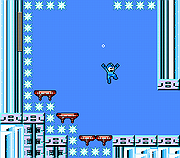 |
|
TAGAP 3 v2.6 (The Apocalyptic Game About Penguins) TAGAP 3 v2.6 (The Apocalyptic Game About Penguins) 2006 – IAU ridicules Pluto by revoking its planetary status 2015 – NASA's New Horizons probe tries to spy on Pluto 20XX – Planet Pluto responds And that response is a declaration of war. The only thing standing in between the approaching space penguin army and the unsuspecting Earth is one cyber-penguin, Pablo. Of course, thanks to their Prophet, the Pluto Conclave knows this – and Pablo is thrown into a prison cell before he has any idea of what's going on. Now, stranded in a prison cell on an alien world, Pablo has to escape, save the world and somehow get back home. Oh, and in TAGAP 3 You are Pablo. Good luck! Key features Explore an alien world Pluto is a detailed world of alien penguins, deadly robots and bonkers plot developments. Colourful rogues gallery Pluto's rulers and their minions will stop at nothing to stop Pablo and everyone who dares to ally with him! Out-of-this-world arsenal Pablo has to assemble and master the use of a brand new arsenal of weapons; weaponise everything from MIRVs and auto-aiming bullets to metal scrap and theremin sound waves! TAGAP goes HD! TAGAP goes full HD with super-fast 3D accelerated 2D goodness, combined with high-quality audio and a massive, two-hour soundtrack of space funk! Expanded mod support Almost all objects that were hard-coded in the previous games are now modifiable via scripting. Characters: Pablo Pablo is a cyber-penguin genetically built from scratch, grown to be a combat expert and used in vile drug experiments. Instead of joining forces with his creator, the mad scientist Dr. Glowenko, Pablo used his powers for good. Indeed, ... |
|
5,102 | Nov 24, 2020 Jouni Lahtinen 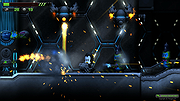 |
| Showing rows 1 to 6 of 6 | Showing Page 1 of 1 | 1 |
OlderGeeks.com Copyright (c) 2026
