|

|
Processed through Paypal No account required. |








Buy our over-priced crap to help pay the bills.



|
|
Processed through Paypal No account required. |
| File - Download CinemaDrape v2.0 | ||||||||
| Description | ||||||||
|
Always scroll to the bottom of the page for the main download link. We don't believe in fake/misleading download buttons and tricks. The link is always in the same place. CinemaDrape v2.0 Focus on your task by blanking or dimming other screen areas. CinemaDrape helps you focus on your current task on screen, by instantly blanking or dimming the other less important areas in a web page or in the background windows. CinemaDrape works anywhere and can help you write an important document, watch an online video, compose an email, or play a browser game. 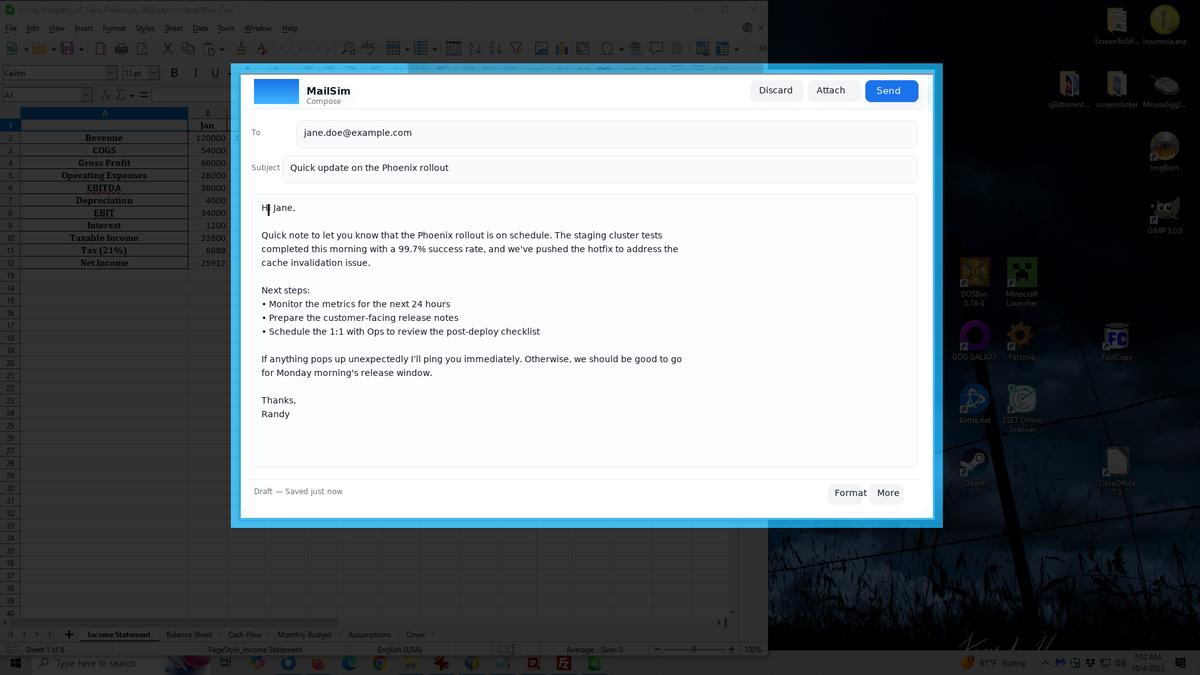 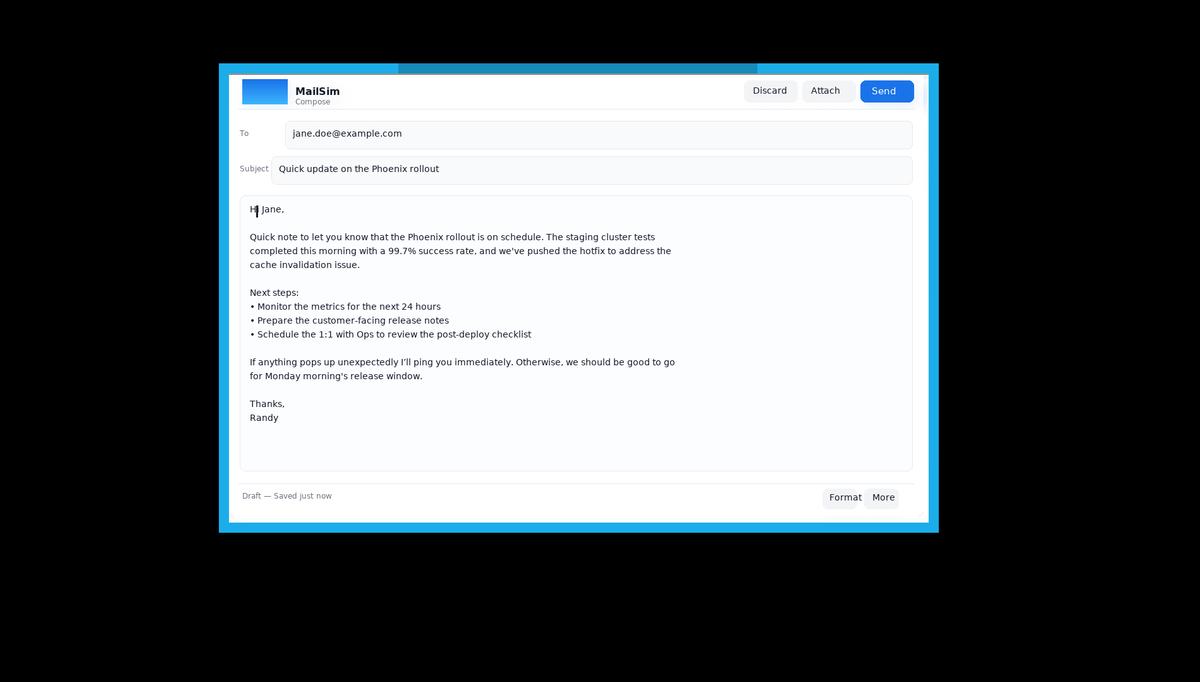 Use CinemaDrape to stop getting distracted by all those side elements, ads, or social network and instant messaging notifications. With CinemaDrape you no longer have to manually clean up your working screen area, close windows, or watch lower resolution videos in full screen mode just to get rid of the disturbing elements. CinemaDrape is very easy to use: adding a new transparent focus area is like drawing a rectangle. You can add as many focus areas as you need. And you can easily move or resize the focus areas using the mouse or arrow keys, save them for future reuse, pause or resume the drape, or change its color and opacity. Features: • Works Anywhere CinemaDrape helps you when writing an important document, watching an online video, composing an email, ... • Background Off CinemaDrape instantly blanks or dims the other less important areas in a web page or in the background windows. • Anti-distraction Stop getting distracted by all those side elements, ads, or social network and instant messaging notifications. • More Convenient With CinemaDrape you no longer have to manually clean up your working screen area or close windows and applications. • Easy to Focus Adding a new transparent focus area is like drawing a rectangle. And you can add as many focus areas as you need. • Easy to Customize You can easily move or resize the focus areas using the mouse or arrow keys, or change the drape color and opacity. Supported operating systems: Windows 11, 10, 8, 7, Vista, and XP How to use: Click the right mouse button, long tap, or press Escape to open the main CinemaDrape menu. Drape Menu Items: • Hide (Pause) Use this menu item to pause CinemaDrape. When CinemaDrape is paused, the drape is hidden, and your entire screen is revealed as usual. To restore CinemaDrape, click the CinemaDrape icon from the Windows taskbar notification area. • Background Color Use this menu item and its sub-items to change the drape color. You can select a color from a Color Picker dialog box, enter its name or code, or try a random color. • Opacity Use this menu item to change the opacity of the drape. • Reset to Black Use this menu item to reset the drape color to Black, and its opacity to 100% (fully opaque). Focus Areas Menu Items: • Area Under Cursor Use this menu item to try to automatically detect the area under the mouse cursor. This is an experimental feature. For example, you can use this feature to automatically detect a YouTube video area in Microsoft Internet Explorer or Mozilla Firefox. • Window Under Cursor Use this menu item to try to automatically detect the window under the mouse cursor. This is an experimental feature. For example, you can use this feature to automatically detect an entire, non-maximized browser window. • New Random Area Use this menu item to create a new, random focus area. • Delete All Use this menu item to delete all focus areas. (To delete a single focus area, press the Delete key while its border is visible.) Extras Menu Items: • Load Layout Use this menu item to load the focus areas, the drape color and opacity and other settings from a previously saved CinemaDrape layout file. • Save Layout Use this menu item to save the location and size of all focus areas, the drape color and opacity and other settings to a CinemaDrape layout file. This option allows you to save separate CinemaDrape layouts for each of your activities that require a distraction free environment. • Settings Use this menu item to open the Settings dialog box and change the keyboard shortcut for pausing and resuming CinemaDrape, and other various app settings. • About Use the sub-items of this menu item to open the Online Help, find out the current version of the app, and visit the app pages on the Internet. • Exit Use this menu item to close CinemaDrape. The focus areas, the drape color and opacity, and other settings will be automatically restored the next time you run CinemaDrape. 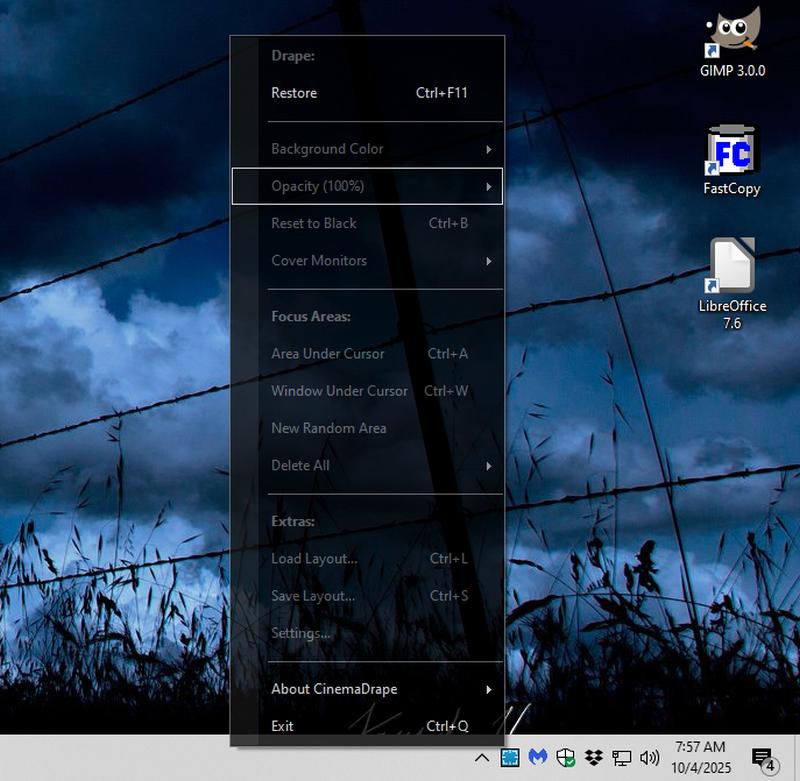 Note: No install required. Just run cinemadrape.exe.Click here to visit the author's website. Continue below for the main download link. |
||||||||
| Downloads | Views | Developer | Last Update | Version | Size | Type | Rank | |
| 758 | 2,745 | Aurelify | Oct 04, 2025 - 13:32 | 2.0.0.235 | 133KB | EXE |  , out of 18 Votes. , out of 18 Votes. |
|
| File Tags | ||||||||
| CinemaDrape v2.0 | ||||||||
Click to Rate File Share it on Twitter → Tweet
|


