|

|
Processed through Paypal No account required. |








Buy our over-priced crap to help pay the bills.



|
|
Processed through Paypal No account required. |
| File - Download MSAPatcher v1.0 | ||||||||
| Description | ||||||||
|
Always scroll to the bottom of the page for the main download link. We don't believe in fake/misleading download buttons and tricks. The link is always in the same place. MSAPatcher v1.0 Bypass Microsoft Account creation during Windows 11/10 install With Microsoft’s recent Windows 11 updates, the bypass for the network requirement (NRO) was "effectively" blocked , forcing users into an online account creation. MSAPatcher brings back the simplicity of the bypassnro.cmd one-liner, allowing you to bypass the NRO without having to manually add registry keys or deal with complex workarounds. This app restores the original method, making it easier than ever to bypass the network requirement during the Windows 11 setup process. Now, you can simply execute a single command instead of dealing with convoluted registry changes. 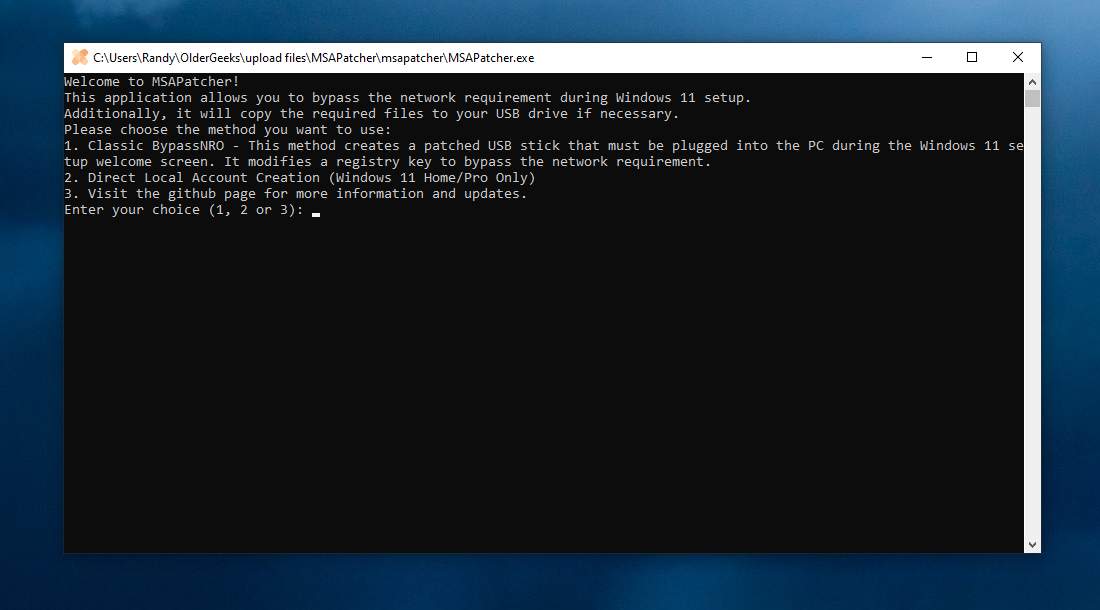 MSAPatcher helps you bypass the network requirement during Windows 11 setup. Choose from two methods: Method 1: Classic BypassNRO (Registry Key Method) 1) Prepare the USB Stick: • Option 1A: Manually copy MSAPatcher.exe and bypassnro.cmd to the root of your USB stick.• Option 1B: Run MSAPatcher.exe to automatically patch the USB stick (it will copy the necessary files).2) During Windows Setup: • At the "Welcome" screen, before connecting to the internet/Wi-Fi, press Shift + F10 to open the Command Prompt • Switch to the USB drive ( D: or E:).• Run bypassnro.cmd, choose Option 1 to set the registry key and bypass the network requirement.3) Restart: • After the process finishes, restart the PC (press Y when asked). • After rebooting, you can click the link "I don’t have internet" and continue with the local account installation. Method 2: Direct Local Account Creation 1) Run bypassnro.cmd at the "Welcome" screen.2) Choose Option 2 to trigger the local account creation screen directly (only for Windows 11 Home/Pro). Click here to visit the author's website. Continue below for the main download link. |
||||||||
| Downloads | Views | Developer | Last Update | Version | Size | Type | Rank | |
| 908 | 3,488 | Builtbybel | Apr 23, 2025 - 11:27 | 1.0 | 15.2KB | ZIP |  , out of 27 Votes. , out of 27 Votes. |
|
| File Tags | ||||||||
| MSAPatcher v1.0 | ||||||||
Click to Rate File Share it on Twitter → Tweet
|


