|

|
Processed through Paypal No account required. |








Buy our over-priced crap to help pay the bills.



|
|
Processed through Paypal No account required. |
| File - Download Riter v0.22 | ||||||||
| Description | ||||||||
|
Always scroll to the bottom of the page for the main download link. We don't believe in fake/misleading download buttons and tricks. The link is always in the same place. Riter v0.22 A free, portable and modern screen drawing tool for Windows. Riter is a modern, versatile screen drawing application built with WPF (Windows Presentation Foundation) that enables users to draw directly on their screens. Whether for visual communication, presentations, or tutorials, Riter offers a streamlined and intuitive interface, making it an ideal tool for professionals and educators alike. 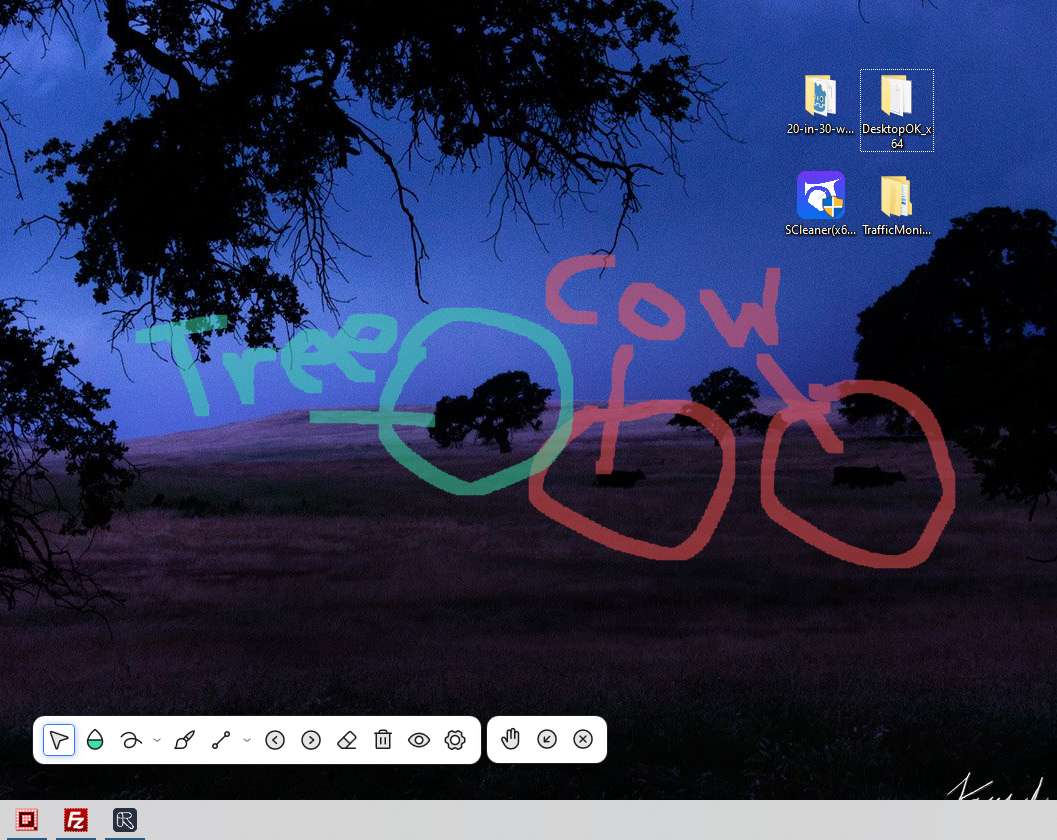 Features 🖌️ Drawing Tools Ink Canvas: Draw freely on your screen using the InkCanvas control. Modes: Switch between drawing, erasing, and highlighting modes. Brush Size Selection: Choose brush sizes (1x, 2x, 3x) for different stroke thicknesses. 🎨 Color Management Color Palette: Select from a pre-configured set of colors. Custom Color Selection: Choose personalized colors for added flexibility. 🧹 Line Management Undo/Redo: Reverse or reapply recent drawing actions. Clear All: Quickly remove all strokes from the canvas. 🖥️ Display Modes Hide All: Temporarily hide drawings. Background Modes: Choose between transparent, whiteboard, or blackboard backgrounds. 🔧 Toolbar and User Interface Floating Toolbar: Easy access to tools and settings with a stylish, floating toolbox. Visual Feedback: Hover and selection effects enhance user interaction. ⚙️ Settings and Customization Settings Panel: Customize colors, brush sizes, application behavior, and more. Global Hotkeys: Access tools quickly with keyboard shortcuts, even when the app is out of focus. Startup Location: You can set your fav Start up location (center, BottomCenter, BottomLeft, BottomRight). 🚀 Performance Efficient Stroke Handling: Optimized stroke management ensures smooth performance during extended usage. Hotkeys Drawing and Erasing D - Switch to Drawing mode E - Switch to Erasing mode H - Highlighter R - Release tool Shift(On Drawing Mode) - Draw a line Stroke History Z - Undo X - Redo View Modes Ctrl + Shift + H - Hide all drawings Ctrl + T - Clear canvas Ctrl + T - Transparent board Ctrl + B - Blackboard Ctrl + W - Whiteboard Brush Size Ctrl + 1 - 1x Brush size Ctrl + 2 - 2x Brush size Ctrl + 3 - 3x Brush size Color Shortcuts 1 - Yellow 2 - Purple 3 - Mint 4 - Coral 5 - Red 6 - Cyan 7 - Pink 8 - Gray 9 - Black 0 - Rainbow Color (Shapes Only) Draw Shape Ctrl + L -> Line Ctrl + A -> Arrow Ctrl + R -> Rectangle Ctrl + C -> Circle Ctrl + D -> Database Requirements: OS: Windows Framework: .NET 8 (x86/x64) Changes: v0.2.2 11-22-24 add rainbow color in color selection palette by @mohammadKarimi in #141 Fix Bugs 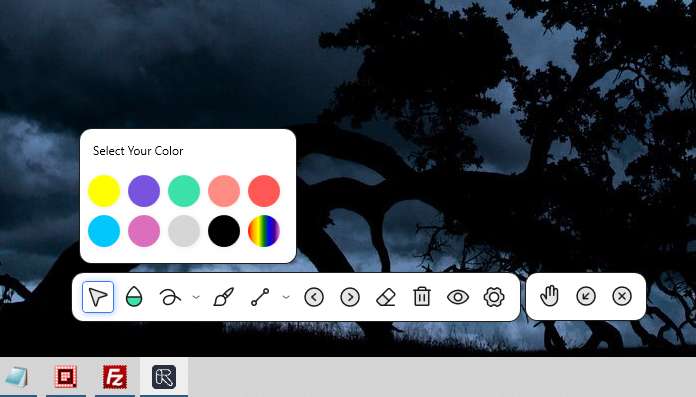 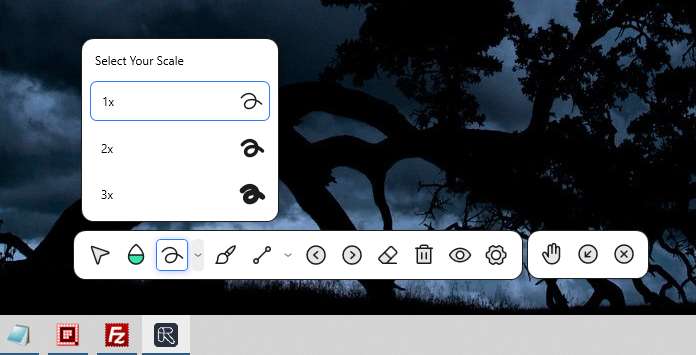 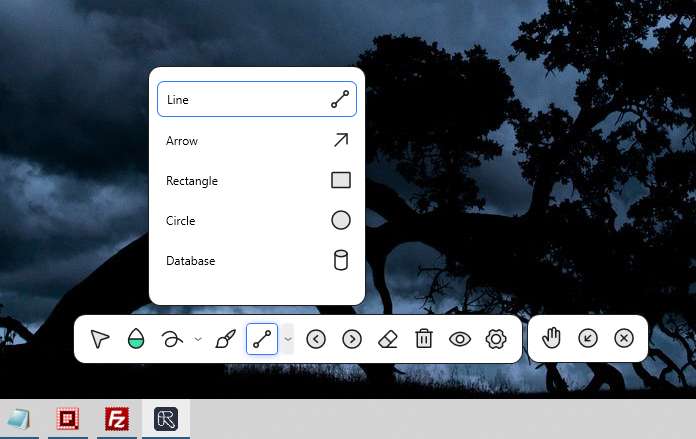 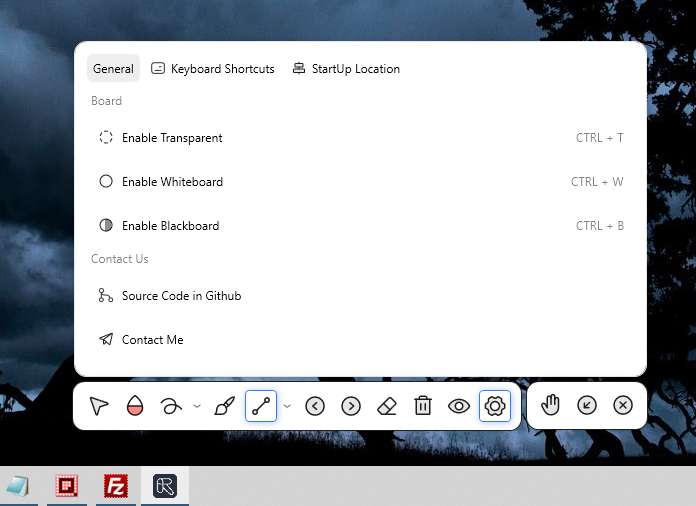 Click here to visit the author's website. Continue below for the main download link. |
||||||||
| Downloads | Views | Developer | Last Update | Version | Size | Type | Rank | |
| 1,021 | 4,137 | Mohammad Karimi | Nov 22, 2024 - 13:17 | 0.22 | 466.6KB | ZIP |  , out of 34 Votes. , out of 34 Votes. |
|
| File Tags | ||||||||
| Riter v0.22 | ||||||||
Click to Rate File Share it on Twitter → Tweet
|


