|

|
Processed through Paypal No account required. |








Buy our over-priced crap to help pay the bills.



|
|
Processed through Paypal No account required. |
| File - Download WinCustom v2.0.0.0 | ||||||||
| Description | ||||||||
|
Always scroll to the bottom of the page for the main download link. We don't believe in fake/misleading download buttons and tricks. The link is always in the same place. WinCustom v2.0.0.0 WinCustom (Windows Customization) is a Windows 7/8/10 customization software. It allows managing the Start Menu, Taskbar and Windows Explorer icons and options display. Using WinCustom is quite simple and requires no specific computer knowledge. You can perform any desired operation with only one click. In the "Start Menu" page, you can enable/disable: 1) The display of "Start Menu" icons. 2) Access rights to the "Start Menu", "Taskbar" and "Status Bar" options. 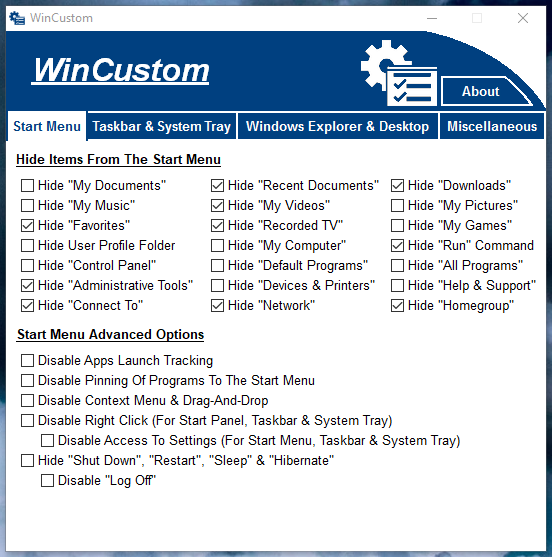 The other specific "Taskbar" and "Status bar" options are accessible on the "Taskbar and System Tray" page. 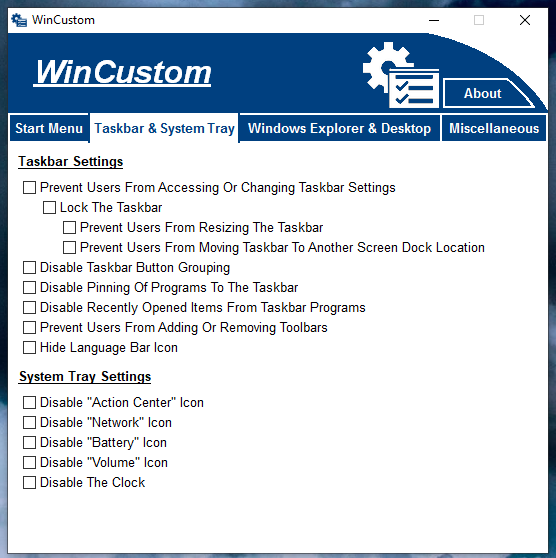 The "Windows Explorer & Desktop" page allows managing the explorer and desktop icons, menus, files and folders display. 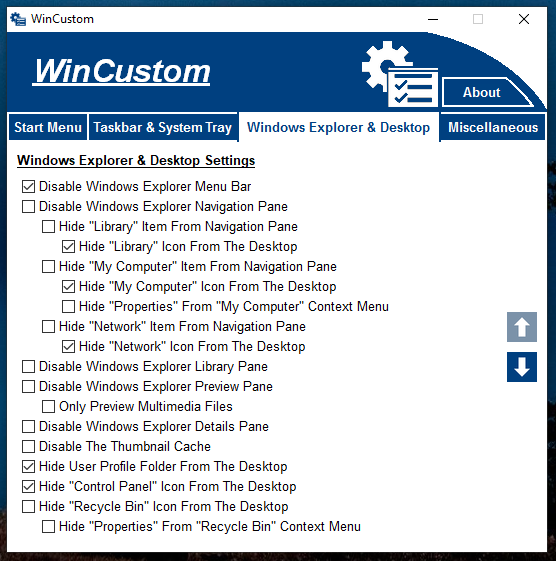 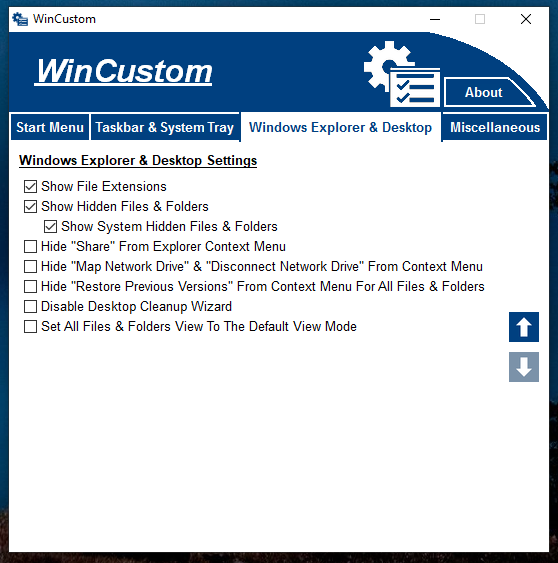 Finally, the "Miscellaneous" page allows you to disable certain obsolete Windows applications and manage some system settings. 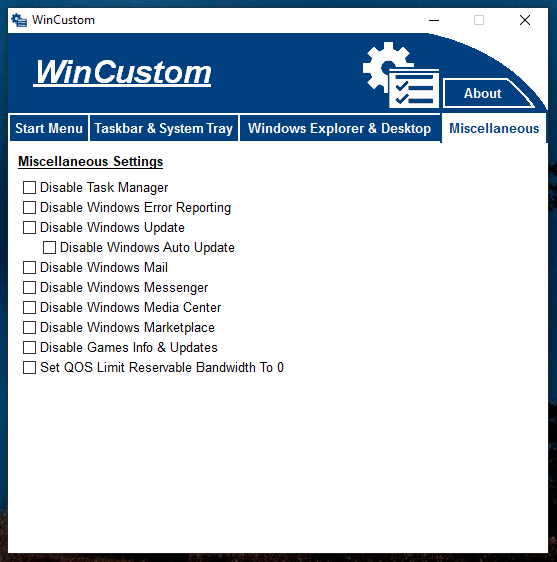 Compatibility : Windows 7 (Home Basic, Home Premium, Professional, Enterprise, Ultimate), Windows 8 (Core, Pro, Enterprise), Windows 8.1 (Core, Pro, Enterprise), Windows 10 (Home, Education, Pro Education, Pro, Pro For Workstations, Enterprise, Enterprise LTSC). MD5 signature : B6F5364A7863B094F4F730AFA8699BF4. SHA-1 signature : 4133D3735CEC2E1F2536882AA47C7F4AAABDD18. This is new software that Windows does not recognize yet so you will need to allow it. 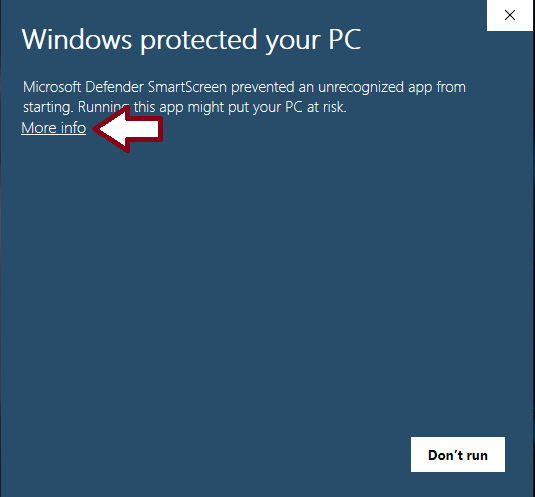 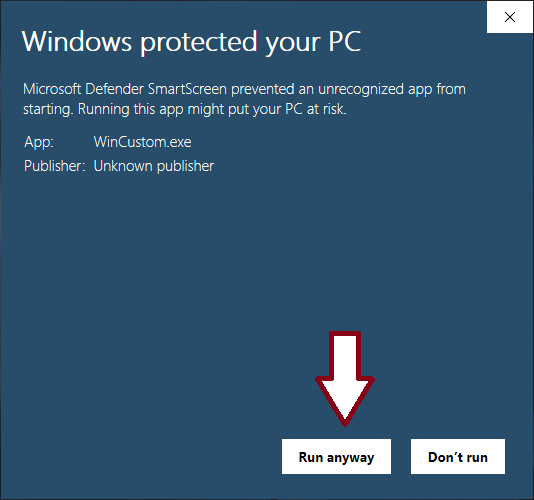 Click here to visit the author's website. Continue below for the main download link. |
||||||||
| Downloads | Views | Developer | Last Update | Version | Size | Type | Rank | |
| 4,469 | 9,732 | G-Software | Sep 04, 2020 - 11:51 | 2.0.0.0 | 918.4KB | EXE |  , out of 67 Votes. , out of 67 Votes. |
|
| File Tags | ||||||||
| v2.0.0.0 WinCustom | ||||||||
Click to Rate File Share it on Twitter → Tweet
|


