|

|
Processed through Paypal No account required. |








Buy our over-priced crap to help pay the bills.



|
|
Processed through Paypal No account required. |
| File - Download Debotnet v0.7.7 | ||||||||
| Description | ||||||||
|
Always scroll to the bottom of the page for the main download link. We don't believe in fake/misleading download buttons and tricks. The link is always in the same place. Debotnet v0.7.7 Debotnet is a free and portable tool for controlling Windows 10's many privacy-related settings and keep your personal data private. The Windows 10 default privacy settings leave a lot to be desired when it comes to protecting you and your private information. Whenever I set up a new computer or update a current setup for my family or job, I always carefully go through the privacy settings for each install, making sure to lock it down to make it as private as possible. Windows 10 has raised several concerns about privacy due to the fact that it has a lot of telemetry and online features, which send your data (sensitive and not) to Microsoft and can't be disabled. If you haven’t yet installed Windows 10, or if you’re planning on buying a PC with Windows 10 already installed, do NOT use the “Express Settings” option when you do your initial setup. Instead, select “Custom Settings” so you can take charge of locking down your privacy from the get-go. After the Installation Debotnet is coming into play. It prevents Windows 10 on basis of a dozen of script files from sending your data to Microsoft. The most important features at a glance Disable telemetry and online features, which send your data (sensitive and not) to Microsoft Choose which unwanted functions you wish to disable Uninstall Windows 10’s Built-in Apps Debotnet will show you what it's doing. You have full control, because the executing code can be viewed in a simple text editor Debug mode. E.g. the Test mode lets you see which values are twisted in registry, commands executed etc. Simple scripting engine for adding custom privacy rules Scripts updated on GitHub Modern and familiar UI, with template support Small footprint. No installation required. Portable 100% Free Software Debotnet's main tools and database are not hard-coded. It is based upon simple .DS1 files which define exactly which registry keys, files and or/services should be disabled, blocked, deleted etc. and preserved by the program. Here is an example of a script file (plain text files saved as .DS1 file type) [Info] ID=Disable Telemetry Ver=1.0 Desc=As you use Windows 10, Microsoft will collect usage information. All its options are available in Settings -> Privacy - Feedback and Diagnostics. There you can set the options "Diagnostic and usage data" to Basic, Enhanced and Full. To disable Telemetry and Data Collection in Windows 10 Home and Windows 10 Pro, run the following script. Dev=Mirinsoft DevURL=https://www.mirinsoft.com WinVer=Compatible with Windows 10 Evaluation=Recommended EvaluationColor=009e5e [Code] Task1=Run,net stop DiagTrack,STDOUT Task2=Run,net stop dmwappushsvc,STDOUT Task3=Try,query "HKLM\SOFTWARE\Policies\Microsoft\Windows\DataCollection" /v AllowTelemetry,STDOUT File1=Reg,add "HKLM\SOFTWARE\Policies\Microsoft\Windows\DataCollection" /v AllowTelemetry /t REG_DWORD /d 0 /f,STDOUT Everybody can extend the features of Debotnet and share them with the community. Several scripts are based upon the guide of adolfintel/Windows10-Privacy. MD5 Checksum: 0ce732b6372156ce377cc34531e197da Changes: Debotnet 0.7.7 (Pegasos) Included "Chocolatey software" to default shipping in Debotnet as it offers a wide choice of software packages, e.g. not available in ninite service (now everything under a single roof when starting with a clean install of Windows. Debotnet acts even more as the preparation for the "net") Added script to third-party > Disable Mozilla Firefox (version 75) telemetry Fixed bug in script gaming > Disable Game bar features (Issue #47) Several optimizations in "Chocolatey software" package Several spelling corrections in other script files Optimized dark theme Minor UI Improvements Debotnet requires Windows 10 including both 32-bit and 64-bit versions. 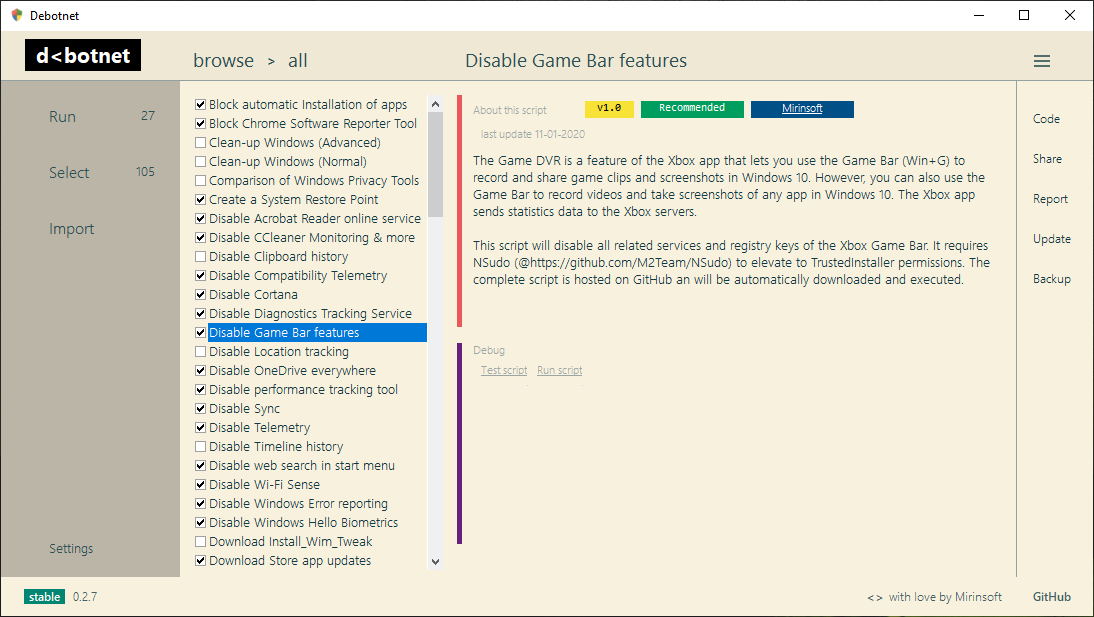 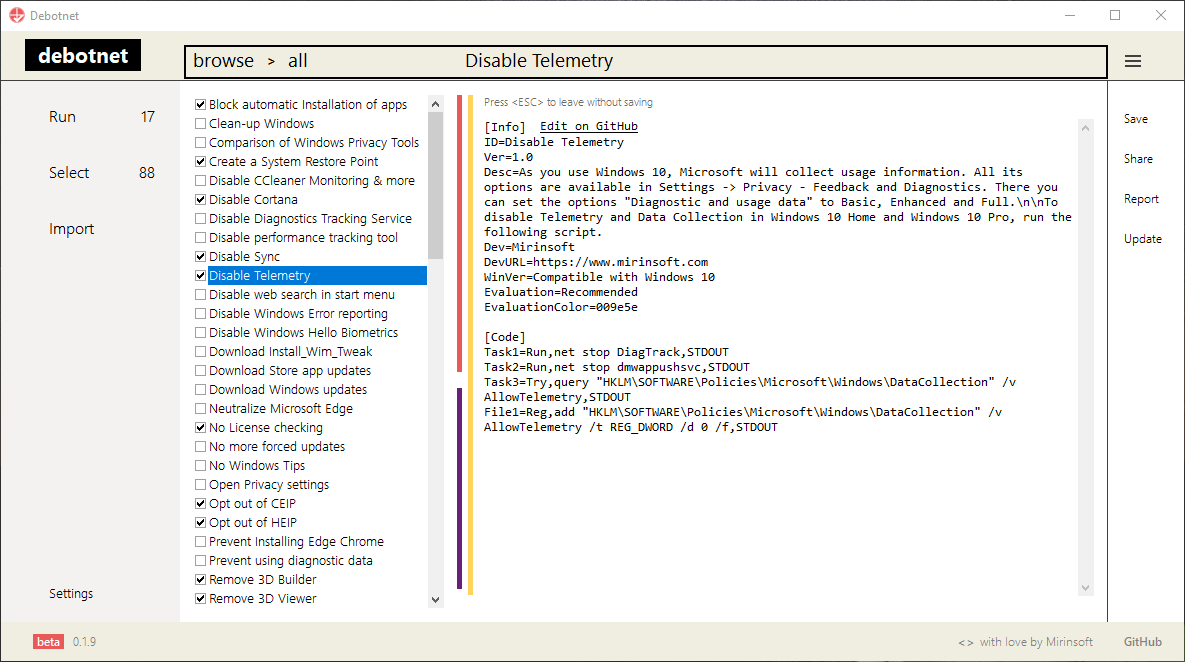 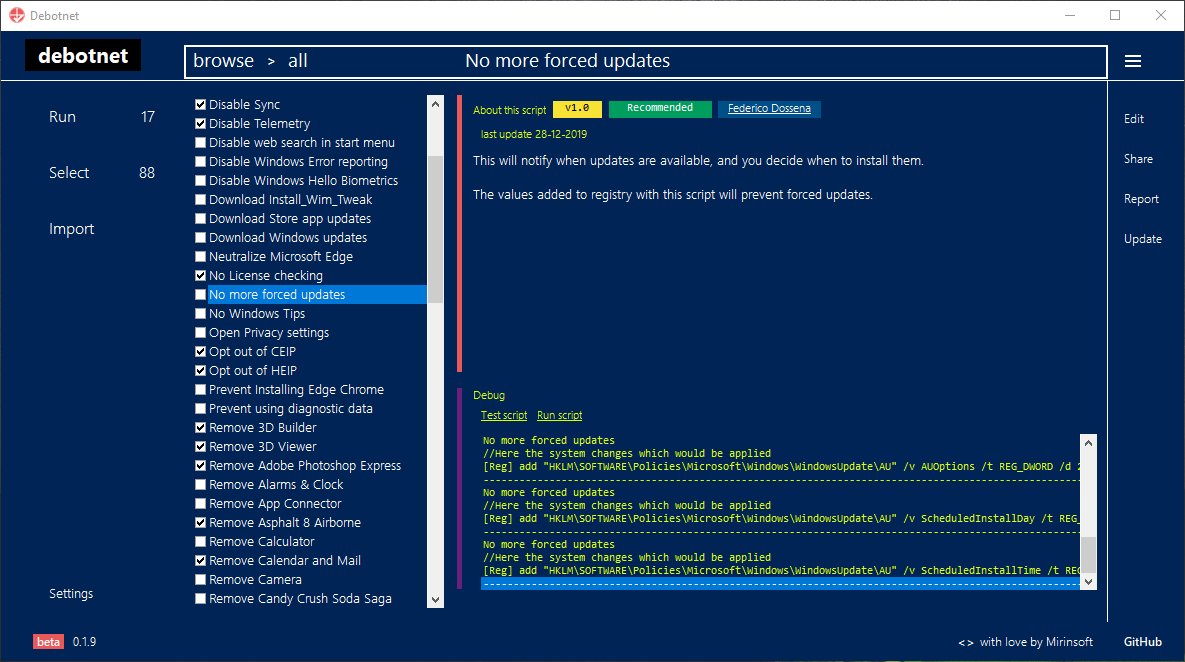 Click here to visit the author's website. Continue below for the main download link. |
||||||||
| Downloads | Views | Developer | Last Update | Version | Size | Type | Rank | |
| 4,568 | 8,851 | Mirinsoft | Apr 12, 2020 - 11:03 | 0.7.7 | 1.48MB | ZIP |  , out of 62 Votes. , out of 62 Votes. |
|
| File Tags | ||||||||
| Debotnet v0.7.7 | ||||||||
Click to Rate File Share it on Twitter → Tweet
|


