|

|
Processed through Paypal No account required. |








Buy our over-priced crap to help pay the bills.



|
|
Processed through Paypal No account required. |
| File - Download System Spec v3.14 | ||||||||
| Description | ||||||||
|
Always scroll to the bottom of the page for the main download link. We don't believe in fake/misleading download buttons and tricks. The link is always in the same place. System Spec v3.14 Free, portable utility that gives complete specifications and system information of your PC including software and hardware. System Spec is a self contained standalone EXE which can be run without installing. It lists a specification of your Windows PC without listing lots of useless memory address and unnecessary information. It can be used for comparing the specifications of different machines. The spec can be outputted to a text file or printed to a report. 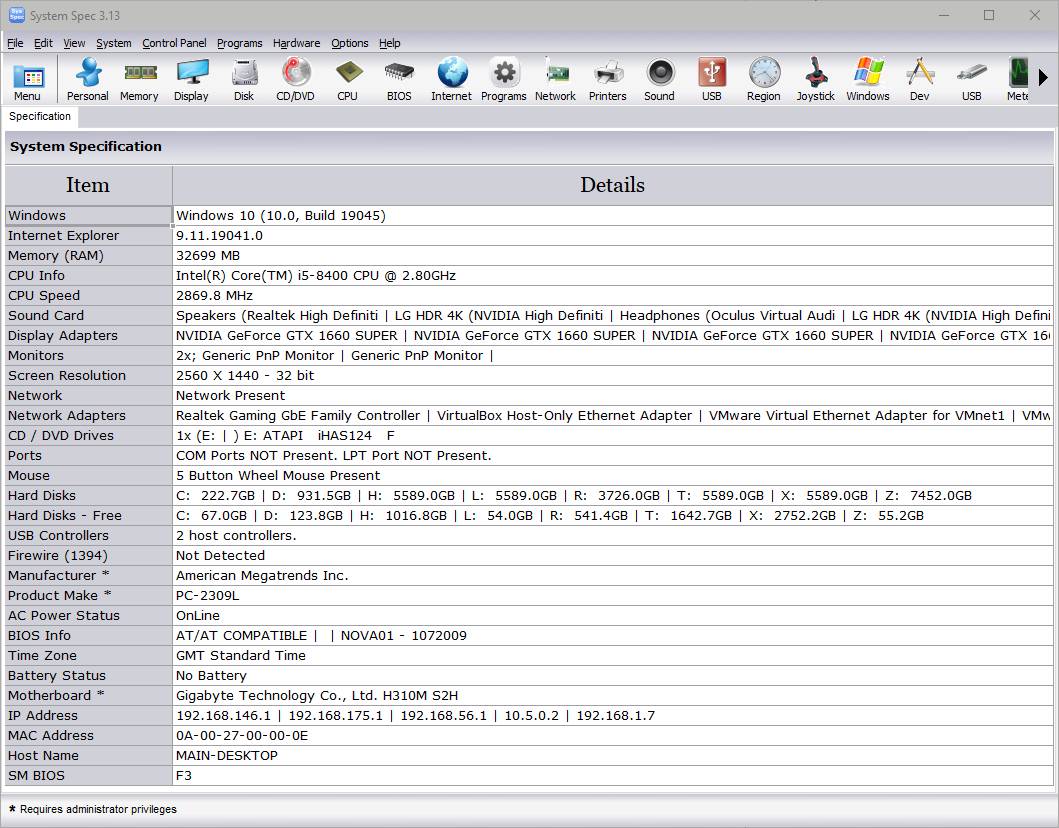 System Information Shown: Computer Name Username IP Address MAC Address Windows version and service pack Windows Serial Number Internet Explorer Version Memory CPU Type and speed Calculated CPU Speed Sound card type Video and virtual video adapters Screen Resolution Network Present Network Adapters AC Power Status (for laptops) Battery Charge Status (for laptops) Time Zone CD / DVD Make and model COM Ports LPT Ports Mouse capabilities Hard Disks Hard Disks Serial Number BIOS Date PC Serial number Manufacturer PC Product PCMCIA (Laptops) USB ports Firewire ports Motherboard Modem Other information shown.: Personal Memory Display Drives CD / DVD CPU CPU Meter Processes Services Internet Programs Start-up Network Network Adapters Browse Network User List Printers Sound Devices Internet Info shown.: Internet status Start Page Search Page Download Directory Local Page Flash Internet Browsers installed with version numbers. Internet Explorer Favourites Type URLs Internet Explorer Flags CPU Information: CPU Brand CPU Chip CPU Family CPU Model CPU Stepping Device ID Code Name Vendor Manufacturer Serial Number Processor ID External Clock Speed Current Voltage Max Clock Speed Socket Designation Data Width Revision L2 Cache Size L2 Cache Speed Status 3D Now! extensions Enhanced 3D Now! extensions Enhanced MMX extensions SIMD instructions FXSAVE/FXRSTOR instruction MMX extensions Serial number 36bit Page Size extension Page Attribute Table CMOVcc(+FCMOVcc/F(U)COMI(P) opcodes Machine Check Architecture Page Global Extension Memory Type Range Registers SYSENTER/SYSEXIT extension Processor contains an enable APIC CMPXCHG8B instruction Machine Check Exception Physical Address Extension Model Specific Registers Time Stamp Counter Page Size Extension Debugging Extension Virtual Mode Extension Built-In FPU FDIV Bug 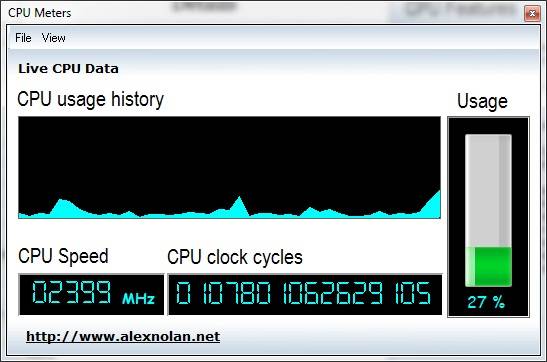 Export to HTML: As well as export to CSV System Spec can now export the system information displayed on the main system to a HTML file. This HTML file can then be uploaded to your website to show off your PC's Spec. To export to HTML go to File - Export to HTML. The HTML output looks like the main screen and report. Windows function such as shutting down and run can be performed from the System menu. The Control Panel menu allows you to quickly open items from the Control Panel. Note: This file has two hits on VirusTotal. We have confirmed these to be false positives. The file is safe. Continue below for the main download link. |
||||||||
| Downloads | Views | Developer | Last Update | Version | Size | Type | Rank | |
| 6,127 | 11,708 | Alex Nolan | Dec 11, 2025 - 13:03 | 3.14 | 1.24MB | ZIP |  , out of 96 Votes. , out of 96 Votes. |
|
| File Tags | ||||||||
| System Spec v3.14 | ||||||||
Click to Rate File Share it on Twitter → Tweet
|


