|

|
Processed through Paypal No account required. |








Buy our over-priced crap to help pay the bills.



|
|
Processed through Paypal No account required. |
| File - Download AutoIt v3.3.18.0 | ||||||||
| Description | ||||||||
|
Always scroll to the bottom of the page for the main download link. We don't believe in fake/misleading download buttons and tricks. The link is always in the same place. AutoIt v3.3.18.0 A freeware BASIC-like scripting language designed for automating the Windows GUI and general scripting. It uses a combination of simulated keystrokes, mouse movement and window/control manipulation in order to automate tasks in a way not possible or reliable with other languages (e.g. VBScript and SendKeys). AutoIt is also very small, self-contained and will run on all versions of Windows out-of-the-box with no annoying “runtimes” required! 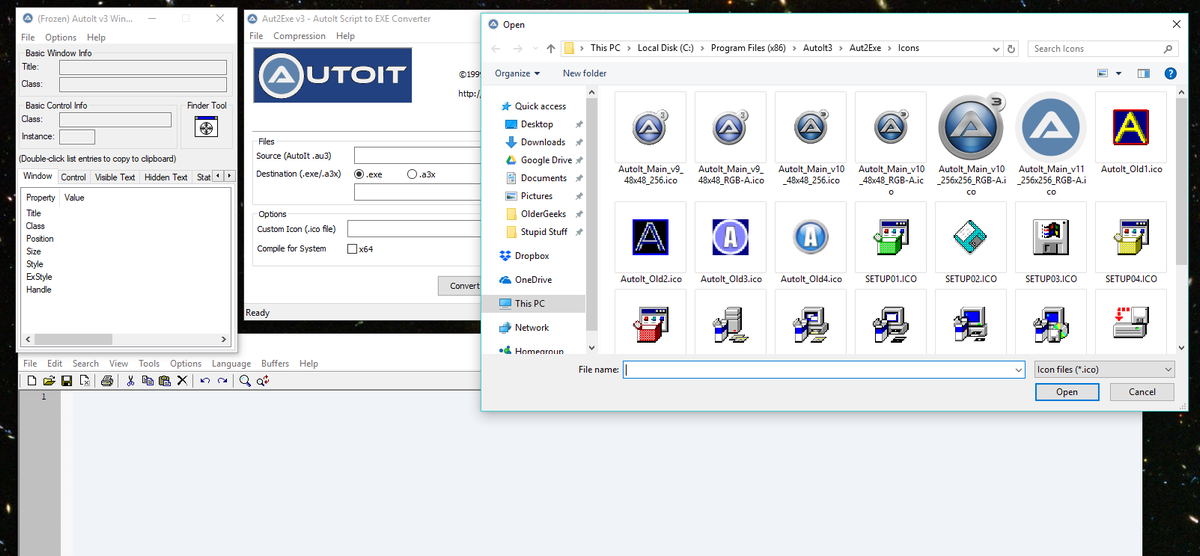 AutoIt was initially designed for PC “roll out” situations to reliably automate and configure thousands of PCs. Over time it has become a powerful language that supports complex expressions, user functions, loops and everything else that veteran scripters would expect. • Easy to learn BASIC-like syntax • Simulate keystrokes and mouse movements • Manipulate windows, controls and processes • Scripts can be compiled into standalone executables • Create Graphical User Interfaces (GUIs) • COM support • Regular expressions • Directly call external DLL and Windows API functions • Scriptable RunAs functions • Compatible with Windows XP to Windows 11 • Unicode and x64 support AutoIt has been designed to be as small as possible and stand-alone with no external .dll files or registry entries required making it safe to use on Servers. Scripts can be compiled into stand-alone executables with Aut2Exe. Also supplied is a combined COM and DLL version of AutoIt called AutoItX that allows you to add the unique features of AutoIt to your own favourite scripting or programming languages such as VBScript and Powershell! Features: Here are some of the unique features of AutoIt. Basic-like Syntax and Rich Function Set AutoIt has a BASIC-like syntax which means that most people who have ever written a script or used a high-level language should be able to pick it up easily. Although it started life as a simple automation tool, AutoIt now has functions and features that allow it to be used as a general purpose scripting language (with awesome automation as well of course!). Language features include: The usual high-level elements for functions, loops and expression parsing A staggering amount of string handling functions and a Perl compatible regular expression engine (using the PCRE library). COM support Call Win32 and third-party DLL APIs Built-in Editor with Syntax Highlighting AutoIt comes with a customised “lite” version of SciTe that makes editing scripts easy. Users can also download a complete version of SciTe that includes additional tools to make things even easier. Standalone and Small AutoIt is a very small and standalone application with no reliance on massive runtimes like .NET or VB. All you need to run AutoIt scripts are the main AutoIt executable (AutoIt3.exe) and the script. Scripts can also be encoded into standalone executables with the built-in script compiler Aut2Exe. International and 64-bit Support AutoIt is fully Unicode aware and also includes x64 versions of all the main components! How many other free scripting languages can you say that about? Key and Mouse Simulation Much time has been spent optimizing the keystroke and mouse simulation functions to be as accurate as possible on all versions of Windows. All the mouse and keyboard routines are highly configurable both in terms of simulation “speed” and functionality. Window and Control Management You can expect to move, hide, show, resize, activate, close and pretty much do what you want with windows. Windows can be referenced by title, text on the window, size, position, class and even internal Win32 API handles. Directly get information on and interact with edit boxes, check boxes, list boxes, combos, buttons, status bars without the risk of keystrokes getting lost. Even work with controls in windows that aren’t active! Graphical User Interfaces (GUIs) AutoIt v3 will also allow you to create some complex GUIs – just like those below! 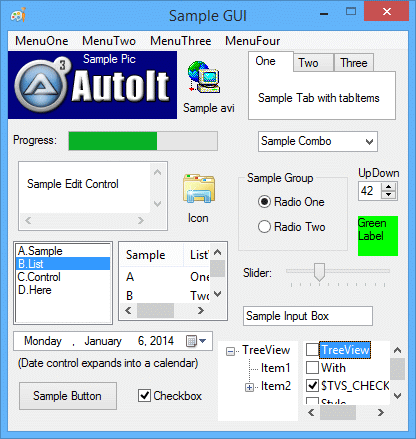 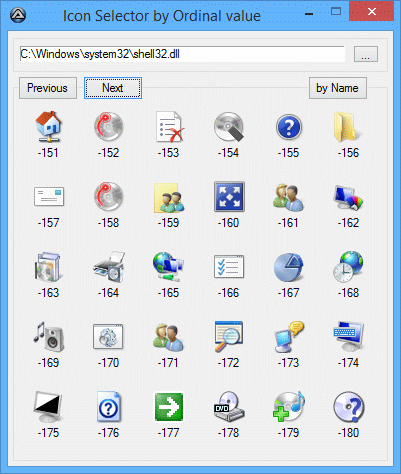 And much, much more. Supported operating systems: Windows 7 / 8 / 10 / 11 Windows Server 2008 / 2012 / 2016 / 2019 / 2022 Changes: v3.3.18.0 09-07-25 AutoIt: Changed: Windows 7/Server 2008 is now the minimum OS version required due to dev environment changes. Added #3891: DllCall() performance optimisation. Added: Standard Windows Fonts List for Win10/Win11. Added #3906: GUICtrlCreateXXX creation in example assign to $idXXX to reflect Ctrl type. Added: FileGetAttrib() retrieve Join folder (J) as created by FileCreateNTFSLink(). Added: Split WindowsConstants.u3 in WindowsNotifsConstants.au3, WindowsStylesConstants.au3 and WindowsSysColor.au3. Added: #3984: GUICtrlSetGraphic() doc precision. Added: operator precedence doc precision. Fixed: Doc Chr(0) handling inside functions. Fixed #3923: Doc typo in "Send Key List". Fixed: Regression #3135 handle leak (Thanks Nano, Rudi, Nine). Fixed #3925: Doc With ... EndWith using DllStruct Type. Fixed: Links in Tutorials example code (thanks argumentum). Au3info: Added: Display mouse coordinate mode. Fixed #3917: Crash under Win7. SciTE-lite: Fixed: Folding Fix for #Preprocessor foldblock when followed by a CommentBlock. UDFs: Added: script examples when running under Win11 with new notepad.exe. Added: _GUICtrlTreeView_GetItemByIndex() can retrieve handle of the list of main item ($hItem= -1). Added: _IsPressed() can be called with numeric value as in "WinAPIsvkeysConstants.au3". Added #3909: _DebugReportData() to report Array column formatted. Added: libExamples referring MemoWrite() now refer to _MemoWrite() defined in Extras\HelpFileInternals.au3. Added: _WinAPI_WaitSystemIdle(), _WinAPI_QueryDiskUsage(), _WinAPI_QueryProcessorUsage(), _WinAPI_QueryProcessCycleTime() Added: Doc _WinAPI_GetWindowSubclass() example (Thanks pixelSearch). Added: _WinAPI_GetKeyboardLayout() default value for the running thread. Added: _WinAPI_GetUserDefaultLCID() example. Added: _WinAPI_GetKeyboardLayoutLocale(). Added: _WinAPI_GetKeyboardState() example (Thanks AutoXenon). Added #3932: Try to use file in HelpFile\Extras instead of @ScriptDir. Added #3934: _WinAPI_SetTimer() example. Added: _IsPressed() can wait on one of several keys. Added: _WinAPI_SendInput(). Added #3960: _Div() integer division. Added #3963: _WinAPI_OpenEvent(). Added: _GDIPlus_ImageSaveToFile() doc precision for compression level. Added: _WinAPI_GetCursorSize() and _WinAPI_SetCursorSize(). Added: $FOLDERID_Documents Constants in APIShellExConstants.au3. Added: Support _GUIToolTip*() to be used to external process. Added: Support _GUICtrlHeader*() to be used to external process. Added: Support _GUICtrlStatusBar*() to be used to external process. Added #3988: _WinAPI_GetSystemPowerStatus() return Battery status saver. Added #3985: _ArrayDisplay() + $WS_EX_TOPMOST. Added #3991: _SQLite_ForeignKeys() and Add a parameter in _SQLite_Open() to set it also. Added #3990: _IsPressed() return in @extended if the key is still pressed. Added: _DebugSetup(..., 1) does not interact with script being debug, Report infos copied to clipboard Added: _WinAPI_SetWindowTheme() example to demonstrate Checkbox or Radio controls coloring. Added #3997: _WinAPI_RegisterShellHookWindow() example improvement. Added #3999: _WinAPI_OemToChar() performance improvement. Added #3946: _ChooseFont() updated defaults (thanks argumentum). Added: _DateDiff(), _DateAdd() using array for [days, hours, minutes, seconds]. Added: _DebugSetup() Type 6, same as 1 but a timeout to close the report log windows. Added: _WinAPI_MultiByteToWideChar() using DllStructSize. Added: $MB_ERR_INVALID_CHARS for _WinAPI_MultiByteToWideChar(). Fixed #3894: _WinAPI_GetProcessName() returns incorrect result when process ID is invalid. Fixed: "Then SetError()" in several standard UDF. Fixed #3921: Missing _GUICtrlStatusBar_SetParts() examples. Fixed: Doc typo $GPIP_ERR* >> $GDIP_ERR*. Fixed #3926: _GUICtrlTreeView_SetChildren() not set/reset chidren flag. Fixed: _WinAPI_DisplayStruct() elements containing chr(124). Fixed #3945: StringRegExp() /s include VT. Fixed #3949: _ArrayDisplay() does show multiple subscript of an array. Fixed #3954: links in libfunction constants. Fixed: missing doc description $iSubItem = - 1 in _GUICtrlListView_SetItemText(). Fixed #3959: _WinAPI_ShellUserAuthenticationDlg() example. Fixed #3975: unrelated link in Pcre doc. Fixed #3903: _GuiCtrlTab_GetItem() does work on external process. Fixed #3940: _GuiCtrlTab_GetItemText() does work on external process. Fixed #3992: _WinAPI_DwmSetWindowAttribute() does not support all MSDN attributes. Fixed #4001: _GUICtrlListView_*() example ($tagNMITEMACTIVATE). Fixed #4003: _ArrayPush() doc precision. Fixed: _GUICtrlButton_SetSplitInfo() example crash. Fixed: Support of Notepad under Win11 for _DebugSetup(). Fixed #4022: Various doc duplicated words. Fixed #4031: _DebugArrayDisplay() buttons display. Fixed: _DebugArrayDisplay() not executed if @error on entering ($ARRAYDISPLAY_CHECKERROR if no display wanted on @error). Fixed #4033: _DateTimeSplit() setting $aTimePart[0] whem no time defined. Fixed #4024: _DebugSetup(,, 5) (notepad window) not working under Windows 11. Fixed: _WinAPI_IsElevated() @extended return value (Thanks Argumentum). Fixed #4039: _GUICtrlTreeView_Delete() with $hWnd. Fixed #4038: _GUICtrlRichEdit_StreamToFile() extra new paragraph. Fixed #4029: _Date_Time_SystemTimeToDateTimeStr() Wrong output. Fixed #4040: _GUICtrlRichEdit_SetZoom() parameter limitation bug. Fixed #4041: _GUICtrlStatusBar_SetIcon() not shown. Click here to visit the author's website. Continue below for the main download link. |
||||||||
| Downloads | Views | Developer | Last Update | Version | Size | Type | Rank | |
| 6,587 | 15,861 | AutoIt Consulting Ltd | Jan 12, 2026 - 11:52 | 3.3.18.0 | 12.6MB | ZIP |  , out of 88 Votes. , out of 88 Votes. |
|
| File Tags | ||||||||
| AutoIt v3.3.18.0 | ||||||||
Click to Rate File Share it on Twitter → Tweet
|


