|

|
Processed through Paypal No account required. |








Buy our over-priced crap to help pay the bills.



|
|
Processed through Paypal No account required. |
| Files | ||||
| File Name | Rating | Downloads | ||
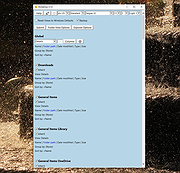 |
WinSetView v3.1.9 WinSetView v3.1.9 👉 Set default File Explorer folder views across Windows with just a few clicks. WinSetView is a free, portable utility that provides an easy way to configure default folder views throughout Windows File Explorer. You can apply a preferred view such as Details, List, Tiles or Icons globally, while assigning different settings to specific folder types such as Documents, Pictures, Music, Videos, Downloads, Libraries, OneDrive folders and search results. The program can customize displayed columns, column order, widths, sorting and grouping for each folder type. It also covers File Open and Save dialogs, connected devices such as phones and many virtual Windows folders that are not affected by File Explorer's standard Apply to Folders option. WinSetView works by configuring registry values that File Explorer already supports. It does not modify Explorer, install services or leave background tasks running. Existing folder-view settings can be backed up before changes are applied, restored later or reset to the original Windows defaults. The program can be used as a portable application from a local folder, flash drive or network location. An optional installer is also available for users who prefer a conventional installation. Portable use does not require administrator rights, although individual Explorer options marked with a shield may require elevation. Features: • Set a global default view for Windows File Explorer folders • Choose Details, List, Tiles, Content or multiple icon sizes • Configure every supported Windows folder type individually • Customize column headings, order, width, sorting and grouping • Apply separate views to File Open and Save dialogs • Configure views for Documents, Pictures, Music, Videos and Downloads • Supports Libraries, OneDrive, search results, Quick Access and user folders • Apply General Items column settings to connected MTP devices such as phones • Enable or disable folder thumbnails • Show hidden files, file extensions and other Explorer options • Restore the classic Windows 10 context menu ... |
 |
4,602 | Oct 13, 2026 LesFerch |
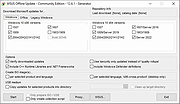 |
WSUS Offline Update Community Edition v12.6.1 WSUS Offline Update Community Edition v12.6.1 A community-driven fork of WSUS Offline Update. The open source project formerly known as "c't offline update" or "DIY Service Pack" (published at "The H"), later dubbed "WSUS Offline Update" (and maintained by its original author, Torsten Wittrock), is now be continued by the Community. Using "WSUS Offline Update Community Edition", you can update any computer running Microsoft Windows and Office safely, quickly and without an Internet connection. Requirements: Windows 7, 8, 8.1, 10 (Windows 11 version is currently being developed), Server up to 2019. Click here to visit the author's website. |
|
2,681 | Aug 05, 2022 Torsten Wittrock |
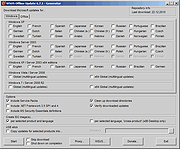 |
WSUS Offline Update v12.0 WSUS Offline Update v12.0 Using WSUS Offline Update, you can update any computer running Microsoft Windows safely, quickly and without an Internet connection. Modifications in version 12.0 - Support removed for Windows 7 and Server 2008(R2) since Microsoft discontinued support for it on January 14th, 2020 - Support removed for Microsoft Security Essentials, Windows 7 Defender, Service Packs, Remote Desktop Client and Silverlight (download switches /includemsse and /excludesp, update switches /instmsse, /instmssl and /updatetsc) - Support removed for Windows 10 version 1703 since Microsoft discontinued support for it on October 8th, 2019 - Split Windows 10 download into version specific parts - Included complete rewrite of the Linux scripts version 1.19 (Special thanks to H. Buhrmester) - March 2020 updates added to 'security only' lists for Windows 8.1 and Server 2012 / 2012 R2 (x86/x64) systems - Included improved XSLT filter for the determination of dynamic Office updates by Product Id rather than ProductFamily Id (Special thanks to H. Buhrmester) - Replaced superseded November 2019 Servicing stack update (kb4523200) by March 2020 Servicing stack update (kb4540721) for Windows 10 Version 1507 (Thanks to "aker") - Replaced superseded November 2019 Servicing stack update (kb4520724) by March 2020 Servicing stack update (kb4540723) for Windows 10 Version 1607 and Windows Server 2016 (Thanks to "aker") - Replaced superseded November 2019 Servicing stack update (kb4523202) by March 2020 Servicing stack update (kb4541731) for Windows 10 Version 1709 (Thanks to "aker") - Replaced superseded November 2019 Servicing stack update (kb4523203) by March 2020 Servicing stack update (kb4540724) for Windows 10 Version 1803 (Thanks to "aker") - Replaced superseded November 2019 Servicing stack update (kb4523204) by March 2020 Servicing stack update (kb4539571) for Windows 10 Version 1809 and Windows Server 2019 (Thanks to "aker") - Replaced superseded February 2020 Servicing stack update (kb4538674) by March 2020 Servicing stack update (kb4541338) for Windows 10 Version 1903 and 1909 (Thanks ... |
|
10,838 | Jun 22, 2021 Torsten Wittrock |
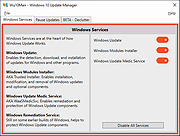 |
Wu10Man v4.2.1 Wu10Man v4.2.1 Wu10Man is a free, portable tool to prevent Windows 10 updates and declutter Windows 10. Features as described by the author: Pausing Updates A few months ago, Windows added a pause feature to some of the business license of Windows 10. Recently they added the ability to pause updates as well, but the UI only allows you to go out a few weeks. I added a screen that allows for a longer pause scenario. This isn't adding new functionality to Windows, only using the functionality that is built in. This feature will only work correctly on those versions of Windows that already support Pause/Defer. BETA - Declutter Windows 10 comes with a lot of clutter. There's the random stuff that they install that aren't particularly necessary, and then there's the 3rd party apps that Windows tries to include. There's plenty of apps and scripts to remove a bunch of these, but I wanted to add it here as well so that I had a single solution. This is still sort of in BETA, so definitely use with added caution. Legacy With any application, somethings things just are no longer necessary. With that, there comes some depricated parts of this application as well. These parts aren't really supported any more, as much as this application has support. Blocking URLs There are also a number of URLs that have been identified as being use by Windows Update. That list is included in the app config file so you can alter it if need be. You can set which URLs to block individually or as a group. This updates the hosts file at C:\Windows\System32\drivers\etc. Windows Defender likes to block this which is rather annoying. Also, it's not the best way to actually block Windows updates so I've decided that this goes into the Legacy box unless it turns out to be something ... |
|
3,941 | Jan 07, 2021 WereDev |
 |
WuMgr v1.1b WuMgr v1.1b A tool to manage updates of Microsoft products on the windows operating system. It uses the "Windows Update Agent API" to identify as well as download and install missing updates. It allows the user fine control of updates on modern (Windows 10) operating system versions, comparable to what windows 7 and 8.1 offered. Changes: v1.1b Dec 11, 2019 Some minor feature updates and support for new update options • Added DpiAwareness Application ID column support for DeploymentAction='OptionalInstallation' • Fixed issue where auto update would fail with endless error messages Click here to visit the author's website. |
|
5,775 | May 03, 2024 David Xanatos |
 |
xd-AntiSpy v4.12.7 xd-AntiSpy v4.12.7 Successor to the classic XP-AntiSpy A little utility that lets you disable some built-in update. unwanted apps and authentication "features" in Windows. Improvements over the original • Full support for Windows 11 • Partial support for Windows 10 (many, but not all tweaks are suitable for W10) • 64-bit • DPI support • Plugin support (without programming knowledge, the XD-Antispy functionality can be extended via batch/Powershell code in the form of .JSON files) • XP-Antispy was originally written in C++. To make it less complex, the author rewrote it in C#, which is more Windows-focused. However, C# itself is written in C++ Changes: v4.12.7 09-08-24 Updated PluginEngine Updated LocalizationLibrary Click here to visit the author's website. |
|
1,278 | Sep 09, 2024 Builtbybel |
 |
ZBar 0.82 ZBar 0.82 ZBar is a utility for those who use multiple monitors. If you have a single screen, then there's nothing to see here. Move on. If you have two or more monitors, then Windows only puts the task bar at the bottom of one of those monitors, and although you can move windows to the second monitor, the task bar button for those windows still lives at the bottom of the primary monitor. This doesn't "feel" right to me, so ZBar was born. Functionality ZBar will: Put a taskbar across the top or bottom of all non-primary screens with one or two rows of buttons, in six styles, with an optional clock Provide keyboard shortcuts to move windows one screen along Organise your desktop wallpaper one image per screen or one image across all screens Display a six month calendar, last month, this month, and four months ahead Versions v0.82 - 3rd March 2012 Only one instance of the app will run at a time Skype and Paint windows a little better handled Tweaked hyperlink opening code AM/PM shown in twelve hour displays Bug causing "Oops should not be here" to show in wallpaper dialog fixed Clicking the middle mouse button on a button closes that window Option to zoom images smaller than the monitor in wallpaper dialog MusicBee no longer handled - the window class it uses is not unique "Premiere Pro Monitor EchoPort" and "PSViewC" now fill the screen Choosing "None" in the keyboard hook now actually clears it Wallpaper previews could be displayed off the ... |
|
6,709 | Apr 12, 2016 Zhorn Software |
OlderGeeks.com Copyright (c) 2026
