|

|
Processed through Paypal No account required. |








Buy our over-priced crap to help pay the bills.



|
|
Processed through Paypal No account required. |
| Files | ||||
| File Name | Rating | Downloads | ||
 |
AnyBurn Free v6.8 AnyBurn Free v6.8 👉 Lightweight disc burning, imaging, and bootable USB drive creation software. AnyBurn is a lightweight but professional disc burning, imaging, and bootable USB drive creation program. It provides tools to burn data discs, create Audio CD and MP3 CD discs, rip Audio CDs, create and manage image files, browse and extract image contents, test disc surfaces, view drive and disc information, and create bootable USB drives. This portable edition is fully functional, does not require installation, and can be extracted and run directly or placed on a USB drive. Features: • Burn image files • Append data to disc to create multisession discs • Support on-the-fly burning • Burn Audio CD from mp3, m4a, flac, ogg, ape, wma, and wav files • Burn MP3 CD and DVD discs • Copy disc to image files • Copy disc to another disc • Rip Audio CD to mp3, flac, ogg, ape, wav, and wma files • Convert image file formats • Create or edit image files • Browse or extract image files • Test disc surface • View drive and disc information • Create bootable USB drives • Portable version is fully functional and requires no installation Supported operating systems: • Windows 11, Windows 10, Windows 8 / 8.1, Windows 7, Windows Vista, Windows 2008, Windows 2003, Windows XP, Windows 2000 Supported languages: • Arabic, Bulgarian, Croatian, Czech, Danish, Dutch, English, English UK, Finnish, French, German, Greek, Hungarian, Indonesian, Italian, Japanese, Korean, Polish, Portuguese (Brazil), Portuguese (Portugal), Romanian, Russian, Simplified Chinese, Slovenian, Spanish, Swedish, Traditional Chinese, Turkish, Ukrainian Changes: v6.8 04-22-26 Supports creating bootable USB drive from zip, rar, 7z files. Some minor bug fixes and enhancements. Click here to visit the author's website. |
 |
13,255 | Apr 23, 2026 Power Software Ltd. 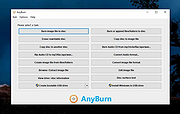 |
 |
ArchLinux Live ISO Prebuild v2022.06.01 ArchLinux Live ISO Prebuild v2022.06.01 A prebuilt Arch Linux Live ISO with Desktop Environment included. Includes a crazy amount of free software and you can use it to install Linux Arch (plus software) or run it live from a USB flash drive. Use Rufus to create the flash drive from the ISO you download. Take note: When the Gnome Login Screen appears, simply type in "root" in the user field. After hitting ENTER on your keyboard, an Arch Linux ISO message will show under the user field showing that the login process has started. After 6 seconds or longer, the Gnome Shell and the Desktop will launch. Click here to visit the author's website. |
|
2,426 | Jan 15, 2023 Norman Schmidt 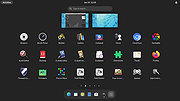 |
|
Epson Perfection 2450 Photo Scanner Software (2002) Epson Perfection 2450 Photo Scanner Software (2002) 👉 Original drivers and software package for the Epson Perfection 2450 Photo scanner. Epson Perfection 2450 Photo Scanner Software is the official software bundle released in 2002 for the Epson Perfection 2450 Photo flatbed scanner. This package includes the necessary drivers and utilities required to install, configure, and operate the scanner on supported systems. It typically contains Epson TWAIN drivers, scanning utilities, and bundled applications used for photo scanning, document capture, and image management at the time of release. This ISO image is a disc archive of the original installation CD. It must be mounted or extracted before use depending on your operating system. Once accessed, users can run the installer to properly set up the scanner and associated software. Features: • Official Epson driver and software package for Perfection 2450 Photo • Includes TWAIN driver support for scanning applications • Provides Epson Scan utility for image acquisition • Supports photo, film, and document scanning • Includes bundled software for image editing and management (varies by release) • Designed for USB-connected flatbed scanner operation • Original CD image preserved in ISO format Supported operating systems: • Windows 98, Windows ME, Windows 2000, Windows XP • macOS Classic (Mac OS 9), macOS 10.1 to 10.2 Supported languages: English Changes: Not Provided How to use this ISO file: Windows XP / 2000 / Me / 98: • Burn the ISO to a CD using software like ImgBurn or Nero • Insert the CD into your computer • The installer should start automatically • If not, open the CD and run Setup.exe Mac OS 8.5 through 9.x (Classic Mac): • Burn the ISO to a CD • Insert into your Mac • Open the disc and run the installer Notes: • This is original 2002 software and may not fully support modern systems • Scanner functionality on Windows 10/11 may be limited • You can extract the ISO with 7-Zip instead of mounting if preferred • TWAIN drivers ... |
|
199 | Apr 14, 2026 Epson America, Inc. 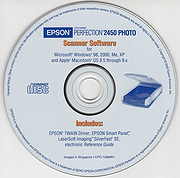 |
|
Fido v1.70 Fido v1.70 👉 PowerShell tool for downloading official Microsoft Windows retail ISO and UEFI Shell images. Fido is a PowerShell script designed primarily for use with Rufus, but it can also be used standalone to automate access to official Microsoft Windows retail ISO download links and provide convenient access to bootable UEFI Shell images. It helps simplify the process of obtaining official Windows installation media directly from Microsoft, while also offering command-line options for selecting Windows version, release, edition, language, architecture, or just retrieving the direct download URL. Features: • Automates access to official Microsoft Windows retail ISO download links • Can also download bootable UEFI Shell images • Works as a standalone PowerShell script or alongside Rufus • Supports command-line mode as well as GUI operation • Lets you choose Windows version, release, edition, language, and architecture • Can display the direct download URL instead of starting the download automatically • Attempts to match the system locale for language selection when not specified • Attempts to match the current system architecture when not specified Supported operating systems: • Windows 8, Windows 8.1, Windows 10, Windows 11 Supported languages: • English Changes: v1.70 03-30-26 Add Windows 11 23H2 v2 downloads (with thanks to @ave9858) 1 👉 2 👉 3 👉 4 👉 5 👉 6 👉 Click here to visit the author's website. |
|
3,991 | Apr 23, 2026 Pete Batard 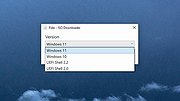 |
|
Hasleo Windows ISO Downloader v3.2 Hasleo Windows ISO Downloader v3.2 👉 Free tool to download official Windows 11/10 installation ISO files directly from Microsoft. Hasleo Windows ISO Downloader is a small free utility that helps you download official Windows 11 and Windows 10 installation ISO files directly from Microsoft's website. It supports x86, x64, and ARM64 Windows installation ISOs, lets you copy the generated download link for use with a third-party downloader, requires no installation, and is designed to be simple and easy to use. Features: • Download official Windows 11 and Windows 10 installation ISO files from Microsoft's website • Supports x86, x64, and ARM64 installation ISO downloads • Can copy the generated download link for use with third-party download tools • No installation required • Small, simple, and easy to use • Completely free Supported operating systems: • Windows 8.1, Windows 10, Windows 11 Supported languages: English Changes: v3.2 05-06-26 Fixed bug: Failed to retrieve the correct ISO download URL after changing the language in some cases. Click here to visit the author's website. |
|
5,063 | May 08, 2026 Hasleo Software 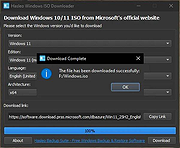 |
|
Hiren's BootCD 15.1 (Classic) Hiren's BootCD 15.1 (Classic) All in One Bootable CD which has all these utilities Antivirus Tools Avira AntiVir Personal (07-12-2011): Free anti-virus and anti-spyware on-demand scanner, detects and removes more than 50000 viruses and trojans (Windows Freeware). ClamWin Free Antivirus 0.97.3 (07-12-2011): A free antivirus, GNU GPL Open Source Virus Scanner (Windows Freeware). ComboFix (07-12-2011): Designed to cleanup malware infections and restore settings modified by malware (Windows Freeware). Dr.Web CureIt! Antivirus: A free standalone anti-virus and anti-spyware on-demand scanner (downloadable) (Windows Freeware). GMER 1.0.15: Hidden services, hidden registry, hidden file scanner, Rootkit Detector and Remover (Windows Freeware). Malwarebytes Anti-Malware 1.51.1 (07-12-2011): Anti-malware application that can thoroughly remove even the most advanced malware (Windows Freeware). Remove Fake Antivirus 1.82: A tool to remove virus/malware which disguises itself to be an antivirus and produces fake alert/warnings and urge you to purchase a useless copy of the fake antivirus (Windows Freeware). RootkitRevealer 1.7.1: Rootkit Revealer is an advanced patent-pending root kit detection utility (Windows Freeware). Spybot: Search & Destroy 1.6.2 (07-12-2011): Application to scan for spyware, adware, hijackers and other malicious software (Windows Freeware). SuperAntispyware 5.0.1134 (07-12-2011): Remove Adware, Malware, Parasites, Rootkits, Spyware, Trojan, and Worms (a must have tool) (Windows Freeware). TDSSKiller 2.6.21.0: To remove malware belonging to the family Rootkit.Win32.TDSS aka Tidserv, TDSServ and Alureon (Windows Freeware). Backup Tools CloneDisk 1.9.6: All in one tool for MBR, Partition, Disk, VMWare Disk images vmdk/vmx/vhd, and much more (Windows Freeware). COPYR.DMA Build013: A Tool for making copies of hard disks with bad sectors (Dos Freeware). CopyWipe 1.14: Copy old hard drive to a ... |
|
15,509 | Aug 06, 2024 Hirems 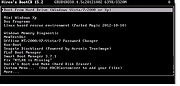 |
 |
ISO to USB v1.6 ISO to USB v1.6 ISO to USB is a free and small software that can burn the ISO image file directly to the USB drives, these USB drives include USB flash drives, memory sticks and other USB storage devices, it also supports to create a bootable USB disk with Windows operating systems. Freeware. Burn ISO to USB disks with ease The ISO image file is a popular image of the CD/DVD discs, an ISO file can include all the content on the disc, this software can easily burn these ISO files to a USB flash disk, makes it easy to carry and use. The program's interface is very simple, you only need select the ISO file you want to burn and the target USB drive, then click "Burn" button, an USB disk that includes all ISO image data will be created. There do not have any complicated settings, it is easy to use very much. Bootable USB flash disks This software currently only support Windows bootable disk, can work with both BOOTMGR and NTLDR boot mode, can create USB disk with FAT, FAT32, exFAT or NTFS file system. (When you are making a bootable USB disk, suggest you choose the FAT32 file system.) This program have be tested with Win8/Win7 PE and WinXP PE bootable ISO image files, it can work fine, the generated USB disk can normally boot the computers. Only a small part of the machines can boot Win8/Win7, but can not boot WinXP, these machines will display "NTLDR is missing", for this problem there is no good solution currently. If create bootable USB disk failed, sometimes the USB disk will be unusable, you can try the following steps to recover it: Insert your USB disk. (a) For Win8, press keyboard "Windows key" + X together to ... |
|
5,618 | Mar 15, 2020 ISOTOUSB 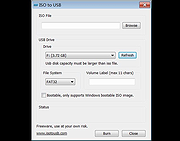 |
|
Jim's Toolbox v7 Jim's Toolbox v7 👉 A free Windows toolbox for reinstall help, repair tools, diagnostics, shortcuts, and handy system fixes. Jim's Toolbox is a collection of functions and links created to make reinstalling Windows quicker and easier by gathering programs, settings, hacks, repair tools, diagnostic tools, and useful fixes into one place. The author says the project began as a personal tool for reinstalling Windows without having to search all over for programs, settings, and hacks, and later expanded with additional tools for fixing an install and adding handy registry hacks and fixes. It requires elevated permissions and a minimum of .NET Framework 4.8. Features: • Collects functions and links in one toolbox-style program • Designed to help make Windows reinstalls quicker and easier • Includes access to programs, settings, hacks, and fixes • Adds tools for fixing a Windows install • Includes handy registry hacks and fixes • Includes Windows repair tools • Includes diagnostic tools • Includes a Windows tab • Includes ISO download access and Media Creator direct download access • Can install Chocolatey and restart afterward if needed • You MUST run this program as an Administrator. After unzipping, right-click on Toolbox vx.x.exe and choose Run as Administrator. Supported operating systems: • Windows 10 64-bit, Windows 11 64-bit Supported languages: English Use 7-Zip to unzip this file. Changes: v7 11-24-25 Added Microsoft Malicious Software Removal Tool to windows repair tools. Added Print Management shortcut to windows repair tools. Added backup & restore shortcut to windows repair tools Moved Windows Iso to Diagnostic Tools Background graphics added Main logo made smaller 7.Restart added after installing Chocolatey 8.Windows Tab added Iso download moved to Windows tab 10 . Direct download button added for media creator with the iso menu. The activation script is back as a link to the GitHub page. Debloating script from Chris Titus added. Click here to visit the author's website. |
|
7,128 | Mar 26, 2026 Cemil Taşdemir 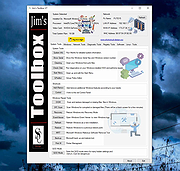 |
|
LC ISO Creator v1.1 LC ISO Creator v1.1 A blast from the past freeware ISO creator from the long defunct Lucersoft company. Although it last supported Windows XP, it runs fine in Windows 7,10 and 11. It's completely portable too! This program has no bells and whistles. It makes an ISO from a CD or DVD. That's it. It might be just what you were looking for! Click here to visit the author's website. |
|
2,968 | Jan 06, 2022 Lucersoft 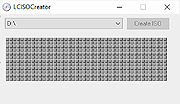 |
|
Microsoft Windows and Office ISO Download Tool v8.46 Microsoft Windows and Office ISO Download Tool v8.46 Note: This tool now opens an ad window that says you must donate or volunteer to close it. You can minimize this window and continue to use the tool but please consider donating to their project. This tool allows an easy and comfortable way to download genuine Windows 7, Windows 8.1 and Windows 10 disk images (ISO) directly from Microsoft's servers, as well as Office 2010, Office 2013, Office 2016, Office 2019, Expression Studio and Office for Mac. In the past, Microsoft provided disk images for many of their products through their subcontractor "Digital River". These downloads were pulled in early 2014. Afterwards, Microsoft made a limited selection of downloads available on their TechBench site. Our tool is based on TechBench, and makes a range of hidden products available for download. Requirements: Windows 7 or newer, .NET Framework 4.x, Internet Explorer 8 or newer. Version 8.46 (8 January 2021): Added new builds for Office 2019 for Mac; added new Insider and developer versions up to build 21286; ISO Tools with full SHA256 support for MSDN metadata dump (and MD5 support for old Digital River downloads); many small bugfixes under the hood. Click here to visit the author's website. |
|
10,259 | Aug 15, 2021 Jan Krohn 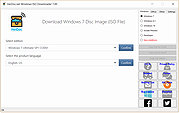 |
|
MultiOS-USB v0.9.9 MultiOS-USB v0.9.9 👉 Create a multiboot USB flash drive capable of launching multiple operating system installers and utilities directly from ISO/WIM images. MultiOS-USB is a utility that allows you to build a single bootable USB flash drive containing multiple operating system installers and recovery tools. Instead of keeping separate installation media for different systems, MultiOS-USB organizes ISO images on one device and presents them through a boot menu so you can choose which system or tool to launch. MultiOS-USB simplifies system deployment, testing environments, and recovery workflows by letting technicians keep a portable library of operating systems and utilities on one drive. The program prepares the USB drive, installs the bootloader, and configures the menu structure required to boot the selected ISO images. This makes it particularly useful for technicians, system administrators, and repair professionals who frequently install or troubleshoot operating systems. Features: • Create a multiboot USB flash drive • Store multiple operating system installers on a single drive • Boot different ISO images from a unified menu • Useful for operating system installation, testing, and recovery • Portable tool for technicians and system administrators • Simple process for adding or removing ISO images Installation and usage: 1. Prepare the USB drive Extract the MultiOS-USB archive and run the program. Insert the USB flash drive you want to use and follow the prompts to prepare the drive and install the bootloader. 2. Copy operating system ISO images After the USB drive is prepared, copy supported ISO images into the appropriate folders on the flash drive as described in the documentation. 3. Boot from the USB drive Restart the computer and select the USB device in your system's boot menu. MultiOS-USB will display a menu allowing you to select which operating system installer or utility to launch. 4. Secure Boot note Some systems with Secure Boot enabled may display a Machine Owner Key (MOK) management screen or security verification ... |
|
357 | Mar 05, 2026 MexIT 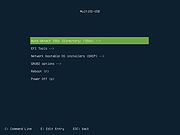 |
|
Red Burner .NET v19.5.0.0 Red Burner .NET v19.5.0.0 Lightweight optical disc burning software for CD, DVD and Blu-ray media. Red Burner .NET is a standalone disc burning tool for creating and working with optical discs, disc images and optical drives. It supports CD, DVD and Blu-ray burning, image burning and conversion, rewritable media, M-Disc, DVD-RAM and an integrated virtual drive emulator. Features: • Burn audio, video and data CD, DVD and Blu-ray discs • Supports single, double, triple and quad layer media • Burn M-Disc, rewritable discs and DVD-RAM • Create, burn and convert disc images • Browse disc images with the internal image browser • Integrated virtual drive emulator • Supports ISO, BIN/CUE, IMG/CCD, NRG, CDI, PDI, B5I, B6I and GI image formats • Lightweight standalone design • Fast burning algorithm • Code-signed files • Donationware Supported operating systems: • Windows 7 or later Supported languages: • English Changes: v19.5.0.0 Not provided. Click here to visit the author's website. |
|
415 | Jun 05, 2026 OMID SOFT 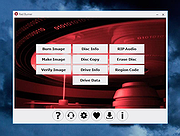 |
|
Rufus v4.14 Rufus v4.14 👉 Create bootable USB drives easily and quickly. Rufus is a small utility that helps format and create bootable USB flash drives, such as USB keys, memory sticks, and other removable media. It is especially useful for cases where you need to create USB installation media from bootable ISOs, including Windows, Linux, and other operating systems, or when working on systems that lack an optical drive. Rufus is known for its speed and reliability, offering advanced options for power users while remaining simple enough for beginners. It supports UEFI and legacy BIOS, allows selection of partition schemes and file systems, and includes options for handling ISO images with custom settings. Features: • Create bootable USB drives from ISO images • Supports UEFI and legacy BIOS • MBR and GPT partition schemes • FAT32, NTFS, exFAT, UDF, and ReFS file systems • Detects USB devices automatically • Advanced formatting and drive options • Portable, no installation required Supported operating systems: • Windows 8, Windows 8.1, Windows 10, Windows 11 Supported languages: English, French, German, Italian, Spanish, Portuguese, Russian, Chinese (Simplified), Chinese (Traditional), Japanese, Korean, Arabic, Polish, Dutch, Greek, Turkish, Czech, Hungarian, Romanian, Vietnamese, Thai, Indonesian, Ukrainian, Bulgarian, Slovak, Slovenian, Danish, Finnish, Norwegian, Swedish, Hebrew, Persian Changes: v4.14 04-30-26 Windows User Experience improvements: Add a Quality of Life option, to disable Teams, Outlook, Copilot and other Microsoft forced nuisances Add a Silent installation option, that automatically, and WITHOUT PROMPT, installs Windows on the first detected disk Add an option to copy SkuSiPolicy.p7b to the ESP on installation (please refer to KB5042562 for more info) Add tooltips for all the dialog options Add limited support for El-Torito UEFI image extraction (Mostly for Dell BIOS update ISOs) Improve error report when the user tries to use an image that resides on the target drive Improve the UEFI:NTFS partition label ... |
|
13,456 | May 14, 2026 Pete Batard/Akeo 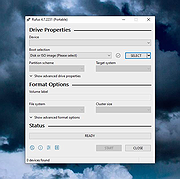 |
|
Ultimate Boot CD v5.3.9 ISO Official Mirror Ultimate Boot CD v5.3.9 ISO You need the Ultimate Boot CD if you want to: • Run floppy-based diagnostic tools from CDROM drives. More and more PCs are shipped without floppy drives these days, and it is such a royal pain when you need to run diagnostic tools on them. • Free yourself from the slow loading speed of the floppy drive. Even if you do have a floppy drive, it is still much much faster to run your diagnostic tools from the CDROM drive, rather than wait for the tool to load from the floppy drive. • Consolidate as many diagnostic tools as possible into one bootable CD. Wouldn't you like to avoid digging into the dusty box to look for the right floppy disk, but simply run them all from a single CD? Then the Ultimate Boot CD is for you! • Run Ultimate Boot CD from your USB memory stick. A script on the CD prepares your USB memory stick so that it can be used on newer machines that supports booting from USB devices. You can access the same tools as you would from the CD version. New features in UBCD V5.x include: • New! The Linux-based distro Parted Magic is now included with UBCD V5.0. This should be the method of choice when you need to resize/rescue partitions, access NTFS filesystems or work with USB storage devices. • New! UBCD V5.x now supports both syslinux/isolinux and grub4dos. This helps improve the chances that UBCD will boot on any particular machine. When you boot up from the CD, a text-based menu will be displayed, and you will be able to select the tool you want to run. The ... |
 |
300,063 | Feb 27, 2024 Victor Chew 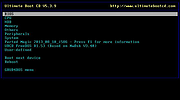 |
|
Universal USB Installer v2.0.3.1 Universal USB Installer v2.0.3.1 Create bootable USB drives for Linux distributions and system utilities with ease. Universal USB Installer is a straightforward Windows utility designed to help you create bootable USB flash drives for a wide variety of Linux distributions, antivirus rescue disks, system utilities, and other bootable ISO images. It guides you through the process step by step, making it accessible for beginners while still offering flexibility for advanced users. The program supports both BIOS and UEFI systems and can optionally format USB drives as FAT32 or NTFS depending on the selected distribution. Universal USB Installer can also be used to create persistent storage for supported Linux distributions, allowing saved changes and files to remain available between reboots. Features: • Create bootable USB drives from ISO files • Supports hundreds of Linux distributions and utilities • Optional persistent storage for supported Linux builds • Works with BIOS and UEFI systems • Automatic USB formatting options • Simple step by step interface Supported operating systems: • Windows 7, Windows 8, Windows 8.1, Windows 10, Windows 11 Supported languages: English Universal USB Installer- Easily Make Bootable USB Using this open source USB boot maker software is easy as 123. To create a bootable USB drive, you simply select your target flash drive, choose your distribution from the list, browse to the ISO file (or choose to download the ISO), and then click Create. Once finished, you should have a ready to run Live USB containing the Live operating system, Windows installation media, or system diagnostics utility, or advanced system cleaner tool you previously selected. Some boot from USB tools use simple DD (Disk/Data Duplicator) copy and convert commands to directly burn ISO to USB. The DD method of copying, also commonly referred to as "Data Destroyer" works by overwriting the entire file system on a flash drive with that of a CD or DVD image. This process causes ... |
|
14,736 | Feb 06, 2026 Pen Drive Linux 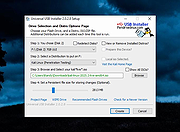 |
|
Ventoy v1.1.12 Ventoy v1.1.12 👉 Create multiboot USB drives that boot ISO, WIM, IMG, VHD(x), and EFI files directly. Ventoy is an open source tool that lets you create a bootable USB drive for ISO/WIM/IMG/VHD(x)/EFI files without repeatedly formatting the drive. You simply copy one or more supported image files to the USB drive, boot from it, and select what you want from Ventoy’s menu. It supports x86 Legacy BIOS, IA32 UEFI, x86_64 UEFI, ARM64 UEFI, and MIPS64EL UEFI, and can be installed on USB drives, local disks, SSDs, NVMe devices, and SD cards. Ventoy also supports browsing and booting image files stored on local disks, secure boot support, persistence, auto-installation options, plugin-based customization, and highly configurable themes and menus. The official Tested ISO list groups tested image files into Windows, Linux, Unix, ChromeOS, and Other categories, and Ventoy reports 1300+ tested image files overall. Features: • 100% open source • Direct boot support for ISO, WIM, IMG, VHD, VHDX, and EFI files • No need to extract image files before booting • Supports multiple image files on one device with a boot selection menu • Can browse and boot supported image files from local disks • Works with MBR and GPT partition styles • Supports x86 Legacy BIOS, IA32 UEFI, x86_64 UEFI, ARM64 UEFI, and MIPS64EL UEFI • Supports IA32 and x86_64 UEFI Secure Boot • Linux persistence support • Windows and Linux auto installation support • Supports FAT32, exFAT, NTFS, UDF, XFS, Btrfs, and Ext2/3/4 for the main partition • Supports ISO files larger than 4GB • Menu alias, password protection, ListView and TreeView modes, and customizable themes • Plugin framework with GUI plugin configurator • Official tested image file categories include Windows, Linux, Unix, ChromeOS, and Other, with 1300+ tested image files overall Get Started Instructions. Supported operating systems: • Windows, Linux Supported languages: • English, multilingual boot/menu language support available Changes: v1.1.12 04-23-26 Bugfix for ubuntu24.04.4 install failure. (#3567) Fix the VirtualBox UEFI ... |
|
6,416 | Jun 01, 2026 longpanda 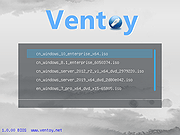 |
|
WinBin2Iso v6.71 WinBin2Iso v6.71 👉 Convert BIN disc image files into ISO format quickly and easily. WinBin2Iso is a lightweight and portable utility that converts BIN CD, DVD, and Blu-ray image files into ISO format. The program is designed to handle large image files over 2GB while remaining extremely small and simple to use. Its straightforward interface allows users to select a BIN file, choose an output location, and create an ISO image in just a few clicks. Because the program is portable, it does not require installation and can be run directly from a USB flash drive or other removable media. Features: • Convert BIN image files to ISO format • Supports CD, DVD, and Blu-ray image conversion • Handles files larger than 2GB • Portable application with no installation required • Extremely small program size • Simple and easy-to-use interface • Low CPU and system resource usage • Drag-and-drop support • Multilingual user interface • Compatible with both 32-bit and 64-bit Windows systems Supported operating systems: • Windows XP, Windows Vista, Windows 7, Windows 8, Windows 8.1, Windows 10, Windows 11 • Windows Server editions • Supports 32-bit and 64-bit systems Supported languages: English, German, Italian, French, Spanish, Traditional Chinese, Danish, Polish, Turkish, Japanese, Korean, Arabic, Portuguese, Dutch, Swedish, Finnish, Icelandic, Irish, Afrikaans, Norwegian, Luxembourgish, Māori Changes: v6.71 04-10-26 The ML language files in the Win-Bin-2-Iso app have been updated. General adjustments have been made to the Win-Bin-2-Iso application for Windows operating systems. This download is for the Windows 64bit version (very bottom of page). If you need the Windows 32bit version, download here. If you need the Windows Unicode version, download here. Click here to visit the author's website. |
|
5,785 | May 15, 2026 Nenad Hrg 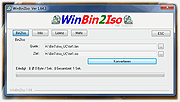 |
|
Windows 10 ISO Download Tool v1.2.1.13 Windows 10 ISO Download Tool v1.2.1.13 Download all the currently available versions of Windows 10, including the different language versions from Microsoft servers. The program makes the Windows 10 installation kit available in an ISO standard image file format. During the development of Windows 10 ISO Download Tool, in addition to creating efficient possible applications, adopting fully legal methods was also an important criterion. Problem 1: On Microsoft’s Windows 10 download page a “user-friendly” tool is available by default, which leads to the desired download only after several steps. To those not too familiar with using computers, this option represents a potential source of serious errors. On the other hand, for experts this tool is not efficient enough. Problem 2: There are several independent websites and software for performing this task. According to my experience, they often do not try to reach their goals in a fair way while competing with each other. Solution: Microsoft has designed its Windows 10 download page so that it offers different display contents when viewed from different devices and browsers. E.g. from Linux and Android systems it is possible to directly download the appropriate installation kit in ISO format. Servers create the different contents provided this way on the basis of the default browser settings. However, this setting (user agent) can be changed freely any time. Both Chrome and Firefox offers official plugins for changing the user agent. These are regularly used by e.g. web designers to check how the content developed by them is displayed on different platforms. On Windows a browser with such a plugin, e.g. Android with user agent setting, immediately offers the direct Windows 10 download option on the above-mentioned Microsoft page. Windows 10 ISO Download Tool is a simplified Internet browser, which contains the appropriate user agent setting by default. Advantages of Windows 10 ISO ... |
|
6,785 | Apr 13, 2022 WinTools 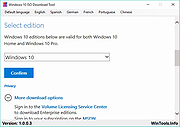 |
|
Windows and Office Genuine ISO Verifier v11.23.45.24 Windows and Office Genuine ISO Verifier v11.23.45.24 Free program to verify Windows and Office ISO and EXE file hashes and compares them with the official file hashes from MSDN and VLSC. The program is free. No need to install, just run the application. Windows and Office Genuine ISO Verifier is a lightweight piece of software that enables you to determine whether you have a genuine copy of Windows or with minimal effort. Straightforward installation and intuitive interface Since the application comes in a portable package, the setup is a quick matter of decompressing the archive in the desired location on your hard disk. However, in case you are having a hard time accessing the file, then you should consider Unblocking the tool from Properties in the context menu. Even though it is not exactly eye-candy, the interface is user-friendly and unlikely to cause you any real troubles while navigating. In fact, the UI is comprised of a single, medium-size window that features very intuitive fields. Consequentially, functionality-wise, using the tool entails specifying the input file and the app does the rest of the job automatically. It supports numerous versions and languages of Office and Windows The strong point of the program stems from the fact that it is designed to recognize a vast array of hashes that are associated with Microsoft's operating system and Office bundle. To be more precise, the utility can compare file SHA-1 to relatively old Microsoft releases, such as Office 95 and Windows XP. On a side note, in case you already performed a scan for the file using other third party software solutions, then you can add the SHA-1 in the dedicated field and determine the authenticity of the file on the spot. Then again, verifying an ISO file is not a lengthy process and should not take too much of ... |
|
541 | Nov 20, 2024 Nebojša Vučinić 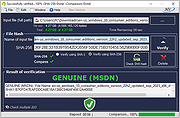 |
| Showing rows 1 to 19 of 19 | Showing Page 1 of 1 | 1 |
OlderGeeks.com Copyright (c) 2026
