|

|
Processed through Paypal No account required. |








Buy our over-priced crap to help pay the bills.



|
|
Processed through Paypal No account required. |
| Files | ||||
| File Name | Rating | Downloads | ||
 |
Pinned: Hiren’s BootCD PE x64 v1.0.8 Hiren’s BootCD PE x64 v1.0.8 👉 Hiren’s BootCD PE (Preinstallation Environment) is a restored edition of Hiren’s BootCD based on Windows 11 PE x64. Hiren’s BootCD PE (Preinstallation Environment) is a restored edition of Hiren’s BootCD based on Windows 11 PE x64. Given the absence of official updates after November 2012, the PE version is currently under development by the fans of Hiren’s BootCD. It features a curated selection of the best free tools while being tailored for new-age computers, supporting UEFI booting and requiring a minimum of 4 GB RAM. Equipped with these invaluable tools, you can address various computer-related problems. Notably, it does not include any pirated software; instead, it exclusively contains free and legal software. If your computer does not support a regular Windows 11 installation, it will likely boot with the Windows 11 PE version, as Windows PE versions have significantly lower hardware requirements. For instance, if your computer boots with the Windows 10 PE version, it is highly probable that it will also boot with the Windows 11 PE version. Upon booting, the PE version attempts to install drivers for essential components such as graphics, sound, wireless and Ethernet cards for your hardware, facilitating connection to a WIFI or Ethernet network. If your WIFI or Ethernet card is not recognized by the PE version, kindly Contact Us with your hardware model. We will strive to incorporate the necessary drivers in upcoming releases. Hiren’s BootCD PE x64 (v1.0.7) - ISO Content BCD-MBR Tools • BootIce v1.3.3 • EasyBCD v2.3 Hard Disk Tools – Data Recovery • CheckDisk GUI v0.3.1 • Lazesoft Data Recovery v4.7 • Puran Data Recovery v1.2.1 • Puran File Recovery v1.2.1 • Recuva v1.53.2096 • DMDE ... |
 |
41,506 | Jul 05, 2026 hirensbootcd.org  |
 |
MultiPack .NET Windows Desktop Installer v2.2 MultiPack .NET Windows Desktop Installer v2.2 👉 “MPDNI” – A Simple GUI installer bundle for the latest .NET Desktop Runtime redistributables. MultiPack .NET Windows Desktop Installer is a simple GUI packaged installer for all the latest .NET Desktop Runtime redistributables. It bundles the newest .NET Desktop Runtimes 6 through 10 into a single installer package, making it easier to deploy the required Microsoft .NET desktop runtimes on supported Windows systems. Features: • Simple GUI packaged installer • Bundles .NET Desktop Runtime redistributables into one package • Includes Windows Desktop Runtime 6.0.36 (x64 only) • Includes Windows Desktop Runtime 7.0.20 (x64 only) • Includes Windows Desktop Runtime 8.0.28 (x64 only) • Includes Windows Desktop Runtime 9.0.17 (x64 only) • Includes Windows Desktop Runtime 10.0.9 (x64 only) Supported operating systems: • Windows 10, Windows 11 Supported languages: • Operating system language Changes: v2.2 07-10-26 MPDNI 2.2 July 2026 Edition (Win10+ supported) Updated Windows Desktop Runtime 8 from 8.0.26 to 8.0.28. Updated Windows Desktop Runtime 9 from 9.0.15 to 9.0.17. Updated Windows Desktop Runtime 10 from 10.0.7 to 10.0.9. Click here to visit the author's website. |
|
1,710 | Aug 26, 2026 BobSpwg 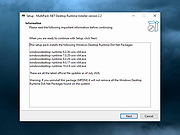 |
 |
Playlist Creator v3.6.2.18 Playlist Creator v3.6.2.18 👉 Create and edit M3U and PLS music playlists with a lightweight portable Windows utility. Playlist Creator is a simple, focused utility for building music playlists without the overhead of a full media manager. Originally created by oddgravity, this preserved and modernized edition has been rebuilt as a native 64-bit Windows application while retaining the behavior and features of the original program. Files and folders can be added to a playlist, rearranged, removed, sorted or randomized before saving. Existing M3U and PLS playlists can also be opened and modified. Playlist Creator uses MediaInfo to read metadata from many media formats and can incorporate information such as artist, track number and title into playlist entries. The modernized build is completely native x64 and portable. The MFC and C/C++ runtimes, CxImage, libpng and zlib are statically linked, while the required 64-bit MediaInfo DLL is supplied alongside the executable. The project specifically targets Windows 10 or newer. Features: • Creates M3U and PLS playlists • Opens and edits existing playlists • Add individual files or entire folders • Recursively add files from folders and subfolders • Drag and drop files directly into the playlist • Reorder playlist entries manually • Move selected entries to the top or bottom • Sort playlist entries by column • Shuffle playlists into random order • Create simple playlists containing plain file lists • Read metadata from many media formats using MediaInfo • Use artist, track number and title metadata when creating playlist entries • Highlight playlist entries that refer to missing files • Configure which media file types are included • Save playlist paths using forward or backslashes • Supports multiple playlist save/path modes • Resizable main window • Optional gridlines and alternating row colors • Keyboard shortcuts and context menus for common playlist operations • Portable native 64-bit build requiring no installation Supported operating systems: • Windows 10 64-bit, Windows 11 64-bit Supported languages: English, German Changes: v3.6.2 x64 Modernization Build 08-07-26 Updated to ... |
|
239 | Aug 18, 2026 sl2365 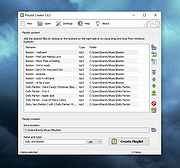 |
|
x64 Components 4.1.0 x64 Components 4.1.0 Do you want to watch your favorite video in MediaCenter? These components are tested on x64. This release is fully compatible with the 32bit codecs installed by the Vista Codec Package. It is fully uninstallable through the Windows interface. Windows 64 bit is required. This release will not install on a x86 systems. Changelog: - update LAV filters 56.1+ - update BE filters 2484 - update Haali 1.13.138.14 |
 |
9,513 | Sep 22, 2021 Shark007 |
| Showing rows 1 to 4 of 4 | Showing Page 1 of 1 | 1 |
OlderGeeks.com Copyright (c) 2026
