|

|
Processed through Paypal No account required. |








Buy our over-priced crap to help pay the bills.



|
|
Processed through Paypal No account required. |
| Files | ||||
| File Name | Rating | Downloads | ||
 |
Disk Benchmark NVME SSD v1.1.0 Disk Benchmark NVME SSD v1.1.0 👉 A free portable tool for benchmarking storage read and write performance directly inside any selected folder. Disk Benchmark NVME SSD is a free, portable Windows benchmarking utility designed to measure sequential read and write performance using the actual folder where your files are stored. Rather than requiring you to select a physical drive, it lets you choose a specific folder or path and tests storage performance there. This makes it useful for testing NVMe and SATA SSDs, hard drives, USB storage and compatible network paths. The program performs a focused SEQ1M Q8T1 sequential benchmark using 1 MiB operations, allows you to configure the number of passes and test size, and generates an HTML report containing system, path and performance information. Temporary benchmark data is automatically removed when testing is complete, with cleanup handling included for interrupted sessions. It requires no installation and can be run directly as a portable application. Features: • Measures sequential read and write storage performance • Uses 1 MiB sequential operations • Focused SEQ1M Q8T1 benchmark • Tests a selected folder or path rather than requiring physical drive selection • Configurable benchmark pass count • Configurable test size • Displays read results and benchmark progress while testing • Reports the best completed benchmark result • Generates an HTML report after each completed test • Reports path, system and performance information • Works with NVMe SSDs, SATA SSDs, hard drives and USB storage • Can benchmark compatible network paths • Automatically removes temporary test data after completion • Includes recovery cleanup for interrupted benchmark sessions • Completely portable with no installation required Supported operating systems: • Windows 10, Windows 11 Supported languages: English Changes: v1.1.0 08-23-26 Not provided. Note: This file has one hit on VirusTotal. We have confirmed this to be a false positive. The file is safe. Click here to visit the author's website. |
 |
201 | Aug 23, 2026 Cristoforo Bonissone 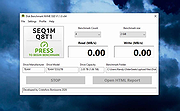 |
 |
Drive Speedometer 1.1.0 Drive Speedometer 1.1.0 Drive Speedometer is a program I made to help monitor the current read and writes speeds of your hard drives. Benefits include: When your system is running slow yet your CPU usage and memory usage are fine, it is normally the hard drive being maxed out. Now you will be able to keep an eye on the hard drive performance. When a drive is slowly dying it will run slower and slower. Being aware of what your normal drive speeds are and seeing those speed drop over time is a great indicator it is time to replace the drive. Being a performance nut myself I like knowing what my system is doing. When I have a program doing some work and appears to be hung up I can see if it is still reading or writing to the drive. This way I know the program isn't hung up and is still working. The program uses the Windows performance counters to pull the information. If you have disabled your performance counters I have included a reg file in the setup to enable them again. Run the reg file and reboot. Your performance counters will be working again. I have also included some pre made bar fill graphics. Including some to use when running the monitor in compact mode. You can of course make your own as well. |
 |
10,081 | Jan 08, 2013 PcWinTech |
|
Listen N Write (portable) v1.30.0.5 Listen N Write (portable) v1.30.0.5 Listen N Write can be used to play and transcribe ordinary audio and video recordings (WAV, MP3, OGG, WMA, AVI, MPG, WMV, OGV, FLV, VOB, TS, etc). Listen N Write has special features simplifying the transcription work as you can control via keys (while using its integrated word processor) and insert time markers (bookmarks). Moreover, the audio stream is automatically rewound a few seconds when pressing the Pause key. Listen N Write can be considered the standard program for any transcription because of its simplicity of use and small size. Changelog: New release: 1.30.0.5 06/27/2019 Important improvements and changes. Click here to visit the author's website. |
|
7,548 | Oct 23, 2019 Elefant Software 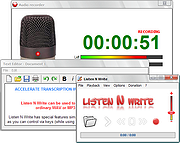 |
|
Listen N Write v1.30.0.5 Listen N Write v1.30.0.5 Listen N Write can be used to play and transcribe ordinary audio and video recordings (WAV, MP3, OGG, WMA, AVI, MPG, WMV, OGV, FLV, VOB, TS, etc). Listen N Write has special features simplifying the transcription work as you can control via keys (while using its integrated word processor) and insert time markers (bookmarks). Moreover, the audio stream is automatically rewound a few seconds when pressing the Pause key. Listen N Write can be considered the standard program for any transcription because of its simplicity of use and small size. Changelog: New release: 1.30.0.5 06/27/2019 Important improvements and changes. Click here to visit the author's website. |
|
7,558 | Oct 23, 2019 Elefant Software |
| Showing rows 1 to 4 of 4 | Showing Page 1 of 1 | 1 |
OlderGeeks.com Copyright (c) 2026
