|

|
Processed through Paypal No account required. |








Buy our over-priced crap to help pay the bills.



|
|
Processed through Paypal No account required. |
| Files | ||||
| File Name | Rating | Downloads | ||
 |
BriskBard v4.7.0 BriskBard v4.7.0 The power of 10 applications in 1 to make your Internet experience easier and more productive Save time and effort with BriskBard Use BriskBard and achieve your goals faster and more efficiently. BriskBard is the new free web browser for windows that integrates everything you need to succeed in all your daily Internet tasks. Main features BriskBard's web browser Navigate the internet safely The main feature in BriskBard is a high speed Internet browser with a new bookmark system and an option to delete your Internet history with 2 clicks. Enjoy the latest technological advances and forget the compatibility problems by using the most popular rendering engine in Windows. BriskBard's email client The most productive way to manage multiple email accounts BriskBard has a lightweight yet powerful email client to compose, send and receive your email messages easily. BriskBard's media player Listen to your music and watch your favorite movies in one place BriskBard has an advanced multi format audio and video player with playlist support and an easy and intuitive interface. BriskBard's IRC chat client Keep in touch with your friends and communicate better with coworkers thanks to IRC instant messaging Connect to the most popular IRC networks or to private IRC servers and keep as many simultaneous conversations as you wish with the IRC client included in BriskBard. BriskBard's news aggregator Stay up-to-date reading all the news with the RSS reader included in BriskBard BriskBard gathers all the news from RSS and Atom feeds and shows you on-screen notifications about new headelines. BriskBard's FTP client Save time transferring files in Internet BriskBard inludes a fast and easy to use FTP client to send and receive files safely in Internet. It comes with an innovative bookmark manager to organize your favorite servers. BriskBard's Usenet newsreader Enjoy the best Usenet client for Windows Connect to thousands of Usenet newsgroups from all over the world and participate in the Usenet community with ... |
 |
5,770 | Nov 11, 2025 Salvador Díaz Fau 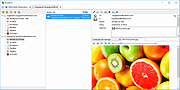 |
 |
MikeOS v4.7.0 MikeOS v4.7.0 An operating system for x86 PCs, written in assembly language. It is a learning tool to show how simple 16-bit, real-mode OSes work, with well-commented code and extensive documentation. Features: A text-mode dialog and menu-driven interface Boots from a floppy disk, CD-ROM or USB key Over 60 system calls for use by third-party programs File manager, text editor, image viewer, games... Includes a BASIC interpreter with 46 instructions PC speaker sound and serial terminal connection The code is completely open source (under a BSD-like license), and is written by Mike Saunders and other developers. The .zip file: The download contains the source code (see the source and programs directories), along with disk images for floppies/USB keys and CD-Rs in the disk_images folder. Writing images: You can write the images to a floppy disk, USB key or CD-R and boot your PC from them to test -- or use a PC emulator such as QEMU, VirtualBox or VMware. See the User Handbook below for a guide. System requirements: Minimum 386 PC with a keyboard and 1MB of RAM. Handbooks: The Handbooks are also included with MikeOS, in the doc directory. Changes: 4.7.0 (9 April 2022) -------------------- # Many updates to programs/edit.asm from Pablo Gonzalez and Mark M: add support for more than screen-visible columns; show filename on top; show current line and column; add "open file" option; remove unnecessary screen redraws # Many updates to programs/monitor.asm: separate commands to input and execute code; 'd' command added to dump (in hex) a specified range of memory to the screen; 'p' command added to poke (insert) a byte into a memory location; code can now be entered in lower-case # Added programs/vedit.asm from John Endler: a Vi-like text editor # Added programs/editbin.asm from ... |
|
3,254 | Aug 02, 2022 Mike Saunders & Team 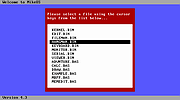 |
| Showing rows 1 to 2 of 2 | Showing Page 1 of 1 | 1 |
OlderGeeks.com Copyright (c) 2026
