|

|
Processed through Paypal No account required. |








Buy our over-priced crap to help pay the bills.



|
|
Processed through Paypal No account required. |
| Files | ||||
| File Name | Rating | Downloads | ||
 |
Advanced Renamer v4.20 Advanced Renamer v4.20 👉 Batch file renaming utility for Windows and Mac. Advanced Renamer is a program for bulk renaming multiple files and folders at once. By configuring renaming methods, names can be manipulated in many ways, including adding, removing, replacing, changing case, or creating entirely new names based on known file information. Features: • Rename multiple files and folders in large batches • Preview new names in real time before applying changes • Use 13 different renaming methods • Rename, copy, or move files in batch mode • Add, remove, replace, move, trim, renumber, swap, or change filename case • Use tags, regular expressions, wildcards, and JavaScript • Extract metadata from image, audio, video, document, font, and other file types • Rename photos using EXIF, XMP, IPTC, GPS, camera, date, and time data • Rename music files using MP3 / ID3 metadata • Rename videos using codec, resolution, frame rate, bitrate, and other media tags • Set file timestamps • Undo previous batches • Automate renaming with the command line batch runner • Dark theme • Unicode and UTF8 support Supported operating systems: • Windows 10 or later, 64-bit only • Windows ARM through emulation • macOS 11 or later Supported languages: English, Arabic, Bulgarian, Catalan, Czech, Danish, German, Spanish, Persian, Finnish, French, Hungarian, Indonesian, Italian, Japanese, Korean, Norwegian (Bokmal), Dutch, Polish, Portuguese (Brazil), Romanian, Slovenian, Turkish, Ukrainian, Vietnamese, Chinese, Chinese (Traditional) Changes: v4.18 2025-10-15 Added support for searching commands by name through a new search field Folder panel: Configure list of favorite folders Right click menu on certain UI elements to quickly change UI related settings The Insert Tag window and the Tag Pattern window has been merged into one window Fixed some issues with email tags: Did not support names containing comma (,). Also fixed issue with the FromEmail tag not working ... |
 |
1,177 | May 19, 2026 Kim Jensen 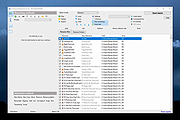 |
|
NotMyFault v4.20 NotMyFault v4.20 Notmyfault is a tool that you can use to crash, hang, and cause kernel memory leaks on your Windows system. It’s useful for learning how to identify and diagnose device driver and hardware problems, and you can also use it to generate blue screen dump files on misbehaving systems. The download file includes 32-bit and 64-bit versions, as well as a command-line version that works on Nano Server. Chapter 7 in Windows Internals uses Notmyfault to demonstrate pool leak troubleshooting and Chapter 14 uses it for crash analysis examples. Usage You can use the GUI versions or the command-line version. Notmyfault requires administrative privileges. Usage: notmyfaultc.exe crash crash_type_num Shell crash type: 0x01: High IRQL fault (Kernel-mode) 0x02: Buffer overflow 0x03: Code overwrite 0x04: Stack trash 0x05: High IRQL fault (User-mode) 0x06: Stack overflow 0x07: Hardcoded breakpoint 0x08: Double Free Or notmyfaultc.exe hang hang_type_num Shell hang type: 0x01: Hang with IRP 0x02: Hang with DPC Click here to visit the author's website. |
|
6,084 | Dec 09, 2019 Mark Russinovich 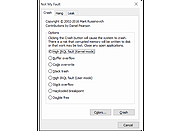 |
| Showing rows 1 to 2 of 2 | Showing Page 1 of 1 | 1 |
OlderGeeks.com Copyright (c) 2026
