|

|
Processed through Paypal No account required. |








Buy our over-priced crap to help pay the bills.



|
|
Processed through Paypal No account required. |
| Files | ||||
| File Name | Rating | Downloads | ||
 |
File Synchronizer v4.2.1 File Synchronizer v4.2.1 Great for synchronizing large collections of media files such as MP3s, Videos, etc...between two hard drives without copying every file. Save time by only copying the files that are new or different. Use "Clone Mode" to synchronize a folder to match a master folder. - Works with external drives and computers connected over wired or wireless networks. - Also works as a great backup utility. Backup only the files that have changed for speedy backups. (not to be used for backing up entire hard drive as the program does not have the ability to backup system files) Click here to visit the author's website. |
 |
4,547 | Dec 21, 2021 Karaosoft 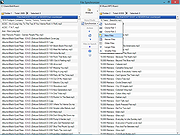 |
 |
Wu10Man v4.2.1 Wu10Man v4.2.1 Wu10Man is a free, portable tool to prevent Windows 10 updates and declutter Windows 10. Features as described by the author: Pausing Updates A few months ago, Windows added a pause feature to some of the business license of Windows 10. Recently they added the ability to pause updates as well, but the UI only allows you to go out a few weeks. I added a screen that allows for a longer pause scenario. This isn't adding new functionality to Windows, only using the functionality that is built in. This feature will only work correctly on those versions of Windows that already support Pause/Defer. BETA - Declutter Windows 10 comes with a lot of clutter. There's the random stuff that they install that aren't particularly necessary, and then there's the 3rd party apps that Windows tries to include. There's plenty of apps and scripts to remove a bunch of these, but I wanted to add it here as well so that I had a single solution. This is still sort of in BETA, so definitely use with added caution. Legacy With any application, somethings things just are no longer necessary. With that, there comes some depricated parts of this application as well. These parts aren't really supported any more, as much as this application has support. Blocking URLs There are also a number of URLs that have been identified as being use by Windows Update. That list is included in the app config file so you can alter it if need be. You can set which URLs to block individually or as a group. This updates the hosts file at C:\Windows\System32\drivers\etc. Windows Defender likes to block this which is rather annoying. Also, it's not the best way to actually block Windows updates so I've decided that this goes into the Legacy box unless it turns out to be something ... |
|
3,941 | Jan 07, 2021 WereDev 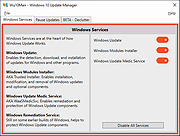 |
| Showing rows 1 to 2 of 2 | Showing Page 1 of 1 | 1 |
OlderGeeks.com Copyright (c) 2026
