|

|
Processed through Paypal No account required. |








Buy our over-priced crap to help pay the bills.



|
|
Processed through Paypal No account required. |
| Files | ||||
| File Name | Rating | Downloads | ||
 |
Pixie v4.1 Pixie v4.1 A portable color picker with few extra goodies. Pixie is a utility made especially for webmasters and designers. It is a color picker with few extra goodies. How to use: Run the file then simply point to a color and it will tell you the hex, RGB, HTML, CMYK and HSV values of that color. You can then use these values to reproduce the selected color in your favorite programs. Pixie will also show the current coordinates of your mouse pointer. Supported operating systems: Windows 2000/XP/Vista/7/8/10/11 Note: This file has two hits on VirusTotal. We have confirmed these to be false positives. The file is safe. Click here to visit the author's website. |
 |
667 | Nov 10, 2025 Nattyware  |
 |
Steem SSE v4.1 Steem SSE v4.1 An open source Atari ST emulator for Windows and Linux. Steem SSE ('ST Enhanced EMulator Sensei Software Edition' in full) is an updated version of Steem. Features have been added and emulation has been improved. Steem SSE's goal is to keep the Atari ST alive in the hearts and minds of old and new generations. Features Accurate emulation Intuitive GUI Support for many disk image formats Note: You will have to search for Atari TOS images (images of cartridges) to use this emulator. This download is for the Windows 64bit version. If you need the Windows 32bit version, download here. If you need the Linux version, download here. Changes: 3-22-21 R4 Auto VSync on/off glitches True Fullscreen leaves on reset (D3D) Missing option Use video buffer (DirectDraw) Extended monitors bad display/crash (thx Pedro) 22 March 2021 Click here to visit the author's website. |
|
3,566 | Mar 26, 2021 "steven-seagal" 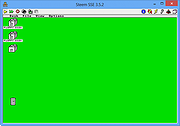 |
|
TreeComp v4.1 TreeComp v4.1 👉 A free Windows utility to keep two directory trees and their files in sync. TreeComp is an interactive utility to keep 2 directory trees and the files within the directories in sync. The combined tree is displayed using a treeview control with icons indicating the status per directory. Programs to view differences between files with the same name can be launched by double-clicking, as well as editors for a file residing in one of the 2 trees. After inspection, files can be copied or deleted interactively as desired. Features: • Keep 2 directory trees and their files in sync • Displays both trees together in a treeview • Uses icons to indicate directory status • Launch file comparison tools for files with the same name • Open editors for files residing in either tree • Copy files interactively after inspection • Delete files interactively after inspection • Useful alternative to command-line copy/sync methods Supported operating systems: • Windows 95, Windows 98, Windows NT 4, Windows 2000, Windows XP, Windows Vista, Windows 7, Windows 8, Windows 10, Windows 11 • Windows Server 2003, Windows Server 2008, Windows Server 2012, Windows Server 2016, Windows Server 2019, Windows Server 2022 Supported languages: English Changes: v4.1 01-02-26 This version preserved the "I" attribute. This download is for the Windows 64bit portable version (very bottom of page). If you need the Windows 32bit portable version, download here. If you need the Windows 64bit installer version, download here. If you need the Windows 32bit installer version, download here. Click here to visit the author's website. |
|
848 | Apr 29, 2026 Lennert Ploeger PhD 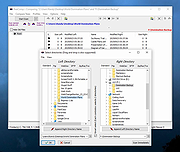 |
| Showing rows 1 to 3 of 3 | Showing Page 1 of 1 | 1 |
OlderGeeks.com Copyright (c) 2026
