|

|
Processed through Paypal No account required. |








Buy our over-priced crap to help pay the bills.



|
|
Processed through Paypal No account required. |
| Files | ||||
| File Name | Rating | Downloads | ||
 |
CustomFolder v3.4.1 CustomFolder v3.4.1 CustomFolder allows you to customize folders with icons and emblems. Features • Create icons with emblems • 5 predetermined icons to color, 3 of them can be rotated • Up to 9 emblems per icon • Possibility to rotate the icons • Add unlimited personal icons • Folder Panel to apply your own design to all your folders • Drag one or a group of folders to the panel • More than 60 emblems included (legal) • Floating emblem • You can add unlimited emblems to your own collection • You can drag and drop a folder to work with it • You can drag and drop a JPG image to use as the icon's wallpaper • Customizable, you can select the background color of the icon preview and the window΄s color • You can choose from 16.7 million colors for your icon • Customizable, 7 skins to customize CustomFolder - You can select a primary or secondary color • Music icon • 5 color palettes • 30 Slots to store custom colors • Color wheel to select a color • Portable Mode • Gallery • Clone the icon from another folder • Synchronized folders • CustomFolder installer and portable version • Languages: English, French, Spanish, Italian, Portuguese, German, Russian, Korean, Chinese, Dutch (installer in English) Read User Guide. Changes v3.4.1 - GUI performance improvements. Supported operating systems: Windows 10 64 bits version 1909 or above Click here to visit the author's website. |
 |
3,870 | Jun 20, 2025 GDZ Software  |
 |
TinyWall v3.4.1 TinyWall v3.4.1 A free, lightweight and non-intrusive firewall for Windows. A lightweight, user-friendly, and secure firewall for Windows. It is also completely free. Features: • Non-intrusive operation TinyWall lets you work while protecting you. No annoying popups and simple configuration. • Lightweight TinyWall's performance impact is neglible. It barely uses any resources on your computer. • More than your average Tampering protection, blocklists, temporary firewall rules, UWP-support, boot-time filtering, and many-many more features. • Safe operation No drivers or kernel-components are installed, which keeps your system stable. • Convenient Lots of convenience features make TinyWall very easy to use for almost anybody. • No cost 100% free, no ads, no artifical limitations, no upgrades. Also no data-collection and no telemetry behind your back. System requirements Windows 10 and Windows 11 Languages The download includes a native interface for 17 spoken languages. Bulgarian Chinese Czech Dutch English French German Hebrew Hungarian Italian Japanese Korean Polish Portuguese Russian Spanish Turkish Changes 3.4.1 - Maintenance release (06.04.2025.) - Only enumerate UWP packages on system if actually needed - Add Last Modified column to application exceptions list - Performance enhancements for Connections, Processes and Settings windows - Don't make unnecessary saves to config file - Fix crash if AppX packages on host cannot be enumerated - Fix Connections windows might occasionally show empty list of active/listener sockets - Fix blocked IPv6 addresses shown backwards - Fix for possible crash when extracting an application's icon - Mitigation for tray icon not visible after boot - Add ability to open connections view by middle-clicking on the tray icon - Update System.Text.Json to close potential vulnerability - Update application database - Update Chinese and Polish localizations Click here to visit the author's website. |
|
5,348 | Apr 06, 2025 Kαroly Pados 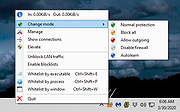 |
| Showing rows 1 to 2 of 2 | Showing Page 1 of 1 | 1 |
OlderGeeks.com Copyright (c) 2026
