|

|
Processed through Paypal No account required. |








Buy our over-priced crap to help pay the bills.



|
|
Processed through Paypal No account required. |
| Files | ||||
| File Name | Rating | Downloads | ||
 |
mp3DirectCut v2.39 mp3DirectCut v2.39 Free program to cut and edit MP3 and AAC fast and easily. mp3DirectCut is a fast and extensive audio editor for encoded MP3 and AAC. Without re-encoding directly cut, crop, split and join your tracks, create fades on MP3 and much more. Direct lossless editing saves encoding time and preserves the audio quality of encoded tracks. The built in recorder creates MP3 on the fly. With Cue sheets, Pause detection or Auto cue you can easily divide long files. Features: • Direct data copying, no re-encoding • Non-destructive cut, copy, paste • Level changing, fading, normalizing on MP3 • MP3 recording/encoding with ACM or Lame • Fast MPEG visualisation and easy navigation • AAC support · MP2 support • MP4 and M4A to AAC by linked ffmpeg.exe • Batch processing · Cue Sheet support • Multi file opening by dialog, drop, or M3U • Pause detection · Auto cue by time values • Track splitting with filename and tag creation • Trim · Crop · Fast play · Loop play • ID3v1.1 tag editor, ID3v2 tag keeping • Level meter · Bitrate visualisation • Level activated recording • Command line usage Requirements: • Windows or Linux with Wine • For MP3 play/cut: MP3 ACM codec (present in Windows) or mpglib.dll • For AAC play/cut: libfaad2.dll (32 bit) • For MP3 recording: encoding ACM or Lame encoder DLL (32 bit) • For MP4 demuxing: ffmpeg.exe Changes: v2.39 Bug in Quit after saving audio option fixed · Source file overwrite warning option clarified · Bug in Cues at ends of selection function fixed Important: Note from The Older Geeks: If extracting this portable installer to the default Program Files (x86), you MUST right-click the file and Run as Administrator. Otherwise, choose a different folder to extract to. Click here to visit the author's website. |
 |
6,350 | Aug 17, 2025 Martin Pesch 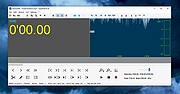 |
|
RedNotebook Portable v2.39 RedNotebook Portable v2.39 A free and portable desktop journal. RedNotebook Portable lets you format, tag and search your entries. You can also add pictures, links and customizable templates, spell check your notes, and export to plain text, HTML or LaTeX. RedNotebook is Free Software under the GPL Features: • Insert #hashtags • Format text bold, italic or underlined • Insert images, files and links • Spell check • Search-as-you-type • Automatic saving • Backup to zip archive • Word clouds with most common words and tags • Templates • Export to plain text, HTML or Latex • Future-proof: data is stored in plain text files • Private: you own your data • Translated into more than 30 languages System Requirements: Windows 8.1, 10, 11 (64-bit Only) Changes: 2.39 released - 2025-03-25 Support GIRepository 3.0 (#817, #818, Jendrik Seipp) Click here to visit the author's website. |
|
5,303 | Aug 28, 2025 Jendrik Seipp and PortableApps.com 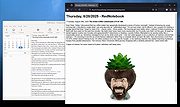 |
| Showing rows 1 to 2 of 2 | Showing Page 1 of 1 | 1 |
OlderGeeks.com Copyright (c) 2026
