|

|
Processed through Paypal No account required. |








Buy our over-priced crap to help pay the bills.



|
|
Processed through Paypal No account required. |
| Files | ||||
| File Name | Rating | Downloads | ||
 |
DNSQuerySniffer v1.97 DNSQuerySniffer v1.97 A free network sniffer utility that shows the DNS queries sent on your system. For every DNS query, the following information is displayed: Host Name, Port Number, Query ID, Request Type (A, AAAA, NS, MX, and so on), Request Time, Response Time, Duration, Response Code, Number of records, and the content of the returned DNS records. You can easily export the DNS queries information to csv/tab-delimited/xml/html file, or copy the DNS queries to the clipboard, and then paste them into Excel or other spreadsheet application. System Requirements: This utility works on any version of Windows, starting from Windows 2000, and up to Windows 11. Both 32-bit and 64-bit systems are supported. On some systems, capturing packets with the 'Raw Sockets' method may not work properly, and thus you'll need to install the WinPcap capture driver or the Network Monitor driver. Even if the 'Raw Sockets' method works properly on your system, it's recommended to install the WinPcap capture driver or Microsoft Network Monitor driver (version 3.4 or later) in order to get more accurate date/time information ('Request Time', 'Response Time', and 'Duration' columns) In order to use the Network Monitor driver on 64-bit systems, you have to download the x64 version of DNSQuerySniffer. Changes: v1.97 Added 'Clear All Current Items' toolbar button. Start Using DNSQuerySniffer Except of a capture driver that you may need to install, DNSQuerySniffer doesn't require any installation process or additional dll files. In order to start using it, simply run the executable file - DNSQuerySniffer.exe After running DNSQuerySniffer in the first time, the 'Capture Options' window appears on the screen, and you're requested to choose the capture method and the desired network adapter. In the next time that you use DNSQuerySniffer, it'll automatically ... |
 |
10,205 | Aug 17, 2025 Nir Sofer 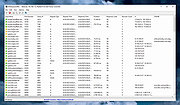 |
|
ProduKey v1.97 ProduKey v1.97 ProduKey is a small utility that displays the ProductID and the CD-Key of Microsoft Office (Microsoft Office 2003, Microsoft Office 2007), Windows (Including Windows 8/7/Vista), Exchange Server, and SQL Server installed on your computer. You can view this information for your current running operating system, or for another operating system/computer - by using command-line options. This utility can be useful if you lost the product key of your Windows/Office, and you want to reinstall it on your computer. Versions History Version 1.97 Added /cfg command-line option to start ProduKey with the specified config file. Known Problems When running produkey.exe, Some Antivirus programs displays an alert and/or block you from running it. Click here to read more about false alerts in Antivirus programs If your Antivirus software shows a false alert, you can use the following article that explains how to send a report about a false positive issue to your Antivirus company: How to Report Malware or False Positives to Multiple Antivirus Vendors For some types of license keys under Windows 7/8/2008, the product key is not stored in the Registry, and thus 'Product key was not found' message will be displayed. If you bought your computer with installed operating system, you may find the Windows product key appeared in ProduKey utility is different from the product key on your Windows CD. This problem is mostly reported with Dell computers. From unknown reason, the product key of Visual Stuido .NET is written in the Registry as Office XP product... In old versions of Office (Office 2000 and below), the 'Product Key' value is not available. Supported Products List Microsoft Windows 98/ME ... |
|
11,672 | Apr 19, 2021 Nir Sofer 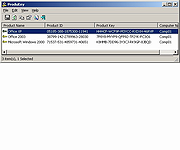 |
| Showing rows 1 to 2 of 2 | Showing Page 1 of 1 | 1 |
OlderGeeks.com Copyright (c) 2026
