|

|
Processed through Paypal No account required. |








Buy our over-priced crap to help pay the bills.



|
|
Processed through Paypal No account required. |
| Files | ||||
| File Name | Rating | Downloads | ||
 |
Malwarebytes Support Tool v1.9.16.1154 Malwarebytes Support Tool v1.9.16.1154 Troubleshoots, repairs, and resolves issues with Malwarebytes for Windows. The Support Tool troubleshoots and repairs issues for Desktop Security. If you're experiencing a technical issue that can't be repaired, you can use the Support Tool to uninstall and reinstall the app. To do this, use the Advanced Clean option to delete all app files and configurations. You then have the option to reinstall app once removed. 1) Download the Malwarebytes Support Tool below. 2) In the Downloads folder, open the mb-support-x.x.x.xxx.exe file. 3) In the User Account Control pop-up window, click Yes to continue the installation. • Microsoft .NET 4.0 Framework is required to run the Support Tool on your computer. If you do not have a .NET 4.0 Framework, you will receive the following error while running the tool: In the pop-up window, click OK to open Microsoft's download page and download the latest update. • In the .NET 4.0 Framework not found pop-up window, click OK to open Microsoft's download page and download the latest .NET Framework components. 4) In the Malwarebytes Software License Agreement pop-up window, check the box ( mceclip0.png ) next to Accept License Agreement after consenting to the agreement terms. 5) Click Next to complete the installation. The Malwarebytes Support Tool automatically opens. 6) In the left navigation pane of the Malwarebytes Support Tool, click Advanced. 7) In the Advanced Options, click Clean. 8) In the Malwarebytes Cleanup pop-up window, click Yes. A pop-up window indicating the loading of the cleanup appears. Before the next step, make sure all your work is saved in the background. 9) In the Malwarebytes Cleanup pop-up window, click OK to restart your computer. 10) Once your computer restarts, ... |
 |
3,689 | Nov 24, 2025 Malwarebytes 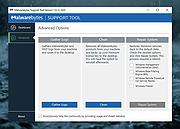 |
| Showing rows 1 to 1 of 1 | Showing Page 1 of 1 | 1 |
OlderGeeks.com Copyright (c) 2026
