|

|
Processed through Paypal No account required. |








Buy our over-priced crap to help pay the bills.



|
|
Processed through Paypal No account required. |
| Files | ||||
| File Name | Rating | Downloads | ||
 |
ESEDatabaseView v1.79 ESEDatabaseView v1.79 A free utility that reads and displays the data stored inside Extensible Storage Engine (ESE) databases (Also known as 'Jet Blue' or .edb files). ESEDatabaseView displays a list of all tables available in the opened database file, allows you to choose the desired table to view, and then when you choose a table, it displays all records found in the selected table. ESEDatabaseView also allows you to easily choose one or more records, and then export them into comma-delimited/tab-delimited/html/xml file, or copy the records to the clipboard (Ctrl+C) and then paste them into Excel or other spreadsheet application. Supported operating systems: Windows 2000 and up to Windows 11 Changes: v1.79: Added 'Case Sensitive' option to the quick filter window Features: Currently, ESEDatabaseView is somewhat a Beta version. It generally reads the ESE databases properly, but in tables with complex data structure, you may experience the following problems: • Some fields in some of the records may display incorrect value or display empty string while it actually contains some data. • ESEDatabaseView may hang/stop responding when loading a table with large amount of data. Example for ESE Databases: ESE Databases are used by many Microsoft products. Usually, the file extension of ESE database is .edb, but in some products the file extension is different. Here's some examples for .edb files used by Microsoft products: • contacts.edb - Stores contacts information in Microsoft live products. • WLCalendarStore.edb - Stores calendar information in Microsoft Windows Live Mail. • Mail.MSMessageStore - Stores messages information in Microsoft Windows Live Mail. • WebCacheV24.dat and WebCacheV01.dat - Stores cache, history, and cookies information in Internet Explorer 10. ... |
 |
9,986 | Sep 24, 2025 Nir Sofer 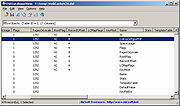 |
|
MetarWeather v1.79 MetarWeather v1.79 👉 Displays real-time METAR weather reports from weather stations around the world. MetarWeather is a small and easy-to-use utility that retrieves and displays METAR weather reports from weather stations worldwide. It connects to NOAA servers to download the latest weather data and presents it in a readable format, including temperature, wind speed, visibility, sky conditions, and more. MetarWeather allows you to monitor multiple weather stations at once and automatically refreshes data at specified intervals. Features: • Retrieves real-time METAR reports from NOAA servers • Monitor multiple weather stations simultaneously • Automatic refresh at user-defined intervals • Displays temperature, wind, visibility, pressure, and sky conditions • Simple, lightweight, and portable (no installation required) • Command-line options for advanced usage Supported operating systems: • Windows 2000, Windows XP, Windows Server 2003, Windows Vista, Windows 7, Windows 8, Windows 10, Windows 11 Supported languages: English Changes v1.79: Updated the Aviation Digital Data Service data source to work with the new URL. About METAR Reports METAR ("Aviation Routine Weather Report") is an international standard for reporting the weather conditions in thousands of airports about the world. The METAR weather reports are usually issued once per hour, but when there are significant changes in weather, the METAR reports are issued more frequently. Each METAR report contains essential information about the current weather conditions: Temperature, Dew Point, Barometric Pressure, Wind Speed and Direction, Visibility, Clouds Cover, Current Weather (Rain, Thunderstorms, Hail, Snow and so on...), and more... Here's an example for a single METAR report: KMCO 290853Z 10006KT 8SM TSRA FEW029CB BKN110 OVC300 22/21 A3012 RMK AO2 TSB30 SLP198 P0005 60017 T02170211 58003 Click here to visit the author's website. |
|
5,767 | Mar 03, 2026 Nir Sofer 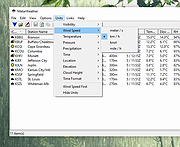 |
| Showing rows 1 to 2 of 2 | Showing Page 1 of 1 | 1 |
OlderGeeks.com Copyright (c) 2026
