|

|
Processed through Paypal No account required. |








Buy our over-priced crap to help pay the bills.



|
|
Processed through Paypal No account required. |
| Files | ||||
| File Name | Rating | Downloads | ||
 |
ascii-image-converter v1.13.1 ascii-image-converter v1.13.1 A cross-platform command-line tool to convert images into ascii art and print them on the console. Now supports braille art! Available on Windows, Linux and macOS. Input formats currently supported: • JPEG/JPG • PNG • BMP • WEBP • TIFF/TIF • GIF Note for Windows usage: You will need to set an Environment Variable to the folder the ascii-image-converter.exe executable is placed in to be able to use it in the command prompt. Follow the instructions in case of confusion: Download the file for your version of Windows, extract it, and open the extracted folder. Now, copy the folder path from the top of the file explorer and follow these instructions: 1) In Search, search for and then select: Advanced System Settings 2) Click Environment Variables. In the section User Variables find the Path environment variable and select it. Click "Edit". 3) In the Edit Environment Variable window, click "New" and then paste the path of the folder that you copied initially. 4) Click "Ok" on all open windows. Now, restart any open command prompt and execute ascii-image-converter -h for more details. This download is for the Windows 64bit version (very bottom of page). All other download assets are below: Windows: ascii-image-converter_Windows_arm64_64bit.zip ascii-image-converter_Windows_armv6_32bit.zip ascii-image-converter_Windows_i386_32bit.zip macOS: ascii-image-converter_macOS_amd64_64bit.tar.gz ascii-image-converter_macOS_arm64_64bit.tar.gz Linux: ascii-image-converter_Linux_amd64_64bit.tar.gz ascii-image-converter_Linux_arm64_64bit.tar.gz ascii-image-converter_Linux_armv6_32bit.tar.gz ascii-image-converter_Linux_i386_32bit.tar.gz Click here to visit the author's website. |
 |
780 | May 26, 2025 Zoraiz Hassan 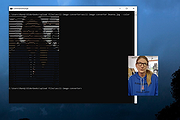 |
| Showing rows 1 to 1 of 1 | Showing Page 1 of 1 | 1 |
OlderGeeks.com Copyright (c) 2026
