|

|
Processed through Paypal No account required. |








Buy our over-priced crap to help pay the bills.



|
|
Processed through Paypal No account required. |
| Files | ||||
| File Name | Rating | Downloads | ||
 |
AppNetworkCounter v1.61 AppNetworkCounter v1.61 👉 View network usage and bandwidth for every application on Windows. AppNetworkCounter is a simple Windows utility that counts and displays TCP/UDP bytes and packets sent and received by every application on your system. It shows received bytes, sent bytes, receive speed, send speed, IPv4 and IPv6 traffic totals, packet counts, and application version details such as product name, product version, file description, and company name. Features: • Displays network usage per application • Shows sent and received TCP/UDP bytes • Shows sent and received packet counts • Displays receive and send speeds • Tracks IPv4 and IPv6 traffic separately • Shows maximum and average receive/send speeds • Includes first and last activity time columns • Can group results by application name or process ID • Option to hide inactive items • Option to show a total line for all applications • Tray icon support • Export reports to text, CSV, HTML, XML, and JSON • Command-line report saving options • Portable; no installation required Supported operating systems: • Windows XP, Windows Vista, Windows 7, Windows 8, Windows 10, Windows 11 • 32-bit and 64-bit Windows supported • Administrator elevation required on Windows Vista and later Supported languages: English, Arabic, Brazilian Portuguese, Czech, Dutch, French, German, Greek, Hungarian, Italian, Japanese, Persian, Polish, Romanian, Russian, Simplified Chinese, Slovak, Spanish, Traditional Chinese, Turkish Changes: v1.61 08-23-26 Added 'Process Command-Line' column, which displays the full command-line string of every process (Only when the 'Group By' option is 'Process ID'). Added 'Keep Selected Item Visible' option. When it's turned on, the selected item always remains visible. 👉 This download is for the Windows 64bit version (very bottom of page). All other download assets are below: Other Windows: appnetworkcounter.zip (32bit) Click here to visit the author's website. |
 |
6,274 | Oct 13, 2026 Nir Sofer 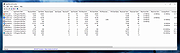 |
 |
Bean Network Tester v0.8.0 Bean Network Tester v0.8.0 👉 Simulate slow, unreliable, or broken network conditions on Windows to test how applications respond. Bean Network Tester is a free and open-source network testing and emulation tool for Windows designed for software testers, developers, QA professionals, and power users. It deliberately introduces poor network conditions such as latency, jitter, packet loss, bandwidth restrictions, connection resets, outages, and other problems so you can see how an application behaves when its connection is less than perfect. Traffic can be targeted by process name, PID, IP address, port, or address family, allowing one application to be tested without necessarily disrupting the rest of the computer. The program uses the WinDivert driver to intercept and manipulate network traffic and provides both a graphical interface and a command-line interface suitable for scripts and CI/CD testing. Along with network impairment, it includes live statistics, throughput monitoring, a searchable connections table, event logging, configurable profiles and presets, reproducible seeded tests, CSV exports, and reproduction reports. Bean Network Tester is portable, requires administrator privileges to manipulate network traffic, and contains no telemetry or update-checking network client. It is released under the GNU General Public License v3.0. Features: • Add fixed or random network latency and jitter • Introduce latency spikes to simulate unstable connections and packet reordering • Drop packets randomly or in bursts to reproduce real-world wireless network failures • Corrupt or duplicate packets • Limit download and upload bandwidth in KB/s • Simulate network buffering and queuing delays • Tear down existing TCP connections using TCP resets • Prevent new connections from being established • Simulate a completely dead network link • Flap the connection on and off to reproduce intermittent outages • Simulate MTU black holes and NAT-style idle timeouts • Block selected IP addresses or ports with the built-in firewall controls • LAN mode allows local network traffic while blocking Internet access • Internet-only mode blocks ... |
|
122 | Oct 08, 2026 DonislawDev  |
|
EtherApe v0.9.21 EtherApe v0.9.21 A graphical network traffic monitor for Linux with animated, real-time visualizations. EtherApe is a graphical network monitoring tool that displays network activity using animated connections and nodes. It provides a live, intuitive view of traffic flows, protocols, and hosts, making it easy to see what is happening on your network at a glance. EtherApe supports multiple capture methods and protocol layers, allowing users to filter, zoom, and inspect traffic in real time while maintaining a lightweight footprint. Features: • Real-time graphical visualization of network traffic • Animated links showing traffic volume between hosts • Supports multiple protocol layers and protocol grouping • Live packet capture using libpcap • Traffic filtering by protocol, host, or network • Zoomable and pannable network maps • Configurable color schemes and display options • Lightweight GTK-based interface Supported operating systems: • Linux, BSD, macOS (X11), Windows (via compatibility layers) System Requirements: • The libpcap packet capture library, available from the Lawrence Berkeley National Laboratory. • GTK+ and GTK Builder, available from the GTK+ site. Version 3.0 or above is needed. • The standard resolver library (exact name varies with OS and distribution) Changes: v0.9.21 (Monday, September 15, 2025) GooCanvas was unsupported and getting really old, replaced by GtkDrawingArea. --final-export is primarily meant to be used from other tools as a way to get statistics data from a replay. As such, --final-export exits automatically after the file replay ends and the dump is written. Compatibility Warnings: removed GooCanvas dependency, drawing now done with plain Gtk new behavior for --final-export: exit after saving the XML dump Changes summary: Updated german translation, thanks to Christoph Brinkhaus. Fix for german translation, thanks to Ronald W. Henderson Fix for gcc 15, thanks to Petr Gajdos Assorted refactorings and small modernizations, including autotools Click here to visit the author's website. |
|
3,594 | Feb 09, 2026 EtherApe Devs 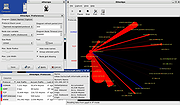 |
|
ProcessTCPSummary v1.25 ProcessTCPSummary v1.25 👉 Displays a detailed summary of TCP connections and listening UDP ports for every running Windows process. ProcessTCPSummary is a small portable network monitoring utility from NirSoft that displays a summary of processes that currently have TCP connections or listening UDP ports. For each process, it shows the total number of TCP connections, connection counts broken down by status such as Established, Listening, SYN-Sent and SYN-Received, IPv4 and IPv6 connection counts, commonly used port numbers and other connection details. When run as Administrator, it can also display TCP/UDP bytes sent and received by each process along with current sending and receiving speeds. The program requires no installation or additional DLL files. Simply extract the downloaded archive and run ProcessTCPSummary.exe. Information can also be exported from the command line to text, tab-delimited, CSV, JSON, HTML or XML files. Features: • Displays all processes with active TCP connections or listening UDP ports • Shows the total number of TCP connections for each process • Breaks TCP connections down by status, including Established, Listening, SYN-Sent and SYN-Received • Shows separate IPv4 and IPv6 TCP connection counts • Displays commonly used port numbers for each process • Shows TCP and UDP bytes sent and received when run as Administrator • Displays current network send and receive speeds • Can display the full paths of system processes when run as Administrator • Supports sorting by individual or multiple columns • Can save results as text, tab-delimited, CSV, JSON, HTML or XML files • Includes command-line options for unattended exporting and sorting • Supports a configurable system tray icon and Always On Top mode • Can start hidden when used with the tray icon option • Includes a black-background display option • Portable and requires no installation or additional DLL files Supported operating systems: • Windows XP, Windows Vista, Windows 7, Windows 8, Windows 8.1, Windows 10, Windows 11 • 32-bit and 64-bit Windows supported Supported ... |
|
6,226 | Sep 04, 2026 Nir Sofer 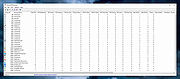 |
| Showing rows 1 to 4 of 4 | Showing Page 1 of 1 | 1 |
OlderGeeks.com Copyright (c) 2026
