|

|
Processed through Paypal No account required. |








Buy our over-priced crap to help pay the bills.



|
|
Processed through Paypal No account required. |
| Files | ||||
| File Name | Rating | Downloads | ||
 |
CountryTraceRoute v1.51 CountryTraceRoute v1.51 👉 Fast GUI traceroute utility with IP country information for Windows. CountryTraceRoute is a traceroute utility similar to Windows tracert, but with a graphical interface and faster operation. It displays each hop along the route to a host name or IP address and also shows the country of the owner of each detected IP address. Completed traceroute results can be copied to the clipboard or saved as CSV, tab-delimited, HTML, or XML files. Features: • Fast graphical traceroute tool for Windows • Displays IP address country information for each hop • Supports host names and IP addresses • Supports IPv4, IPv6, and Automatic IP address modes • Displays TTL, ASN, and company information when supported location databases are used • Can use external IP-location CSV files for country, city, and ASN data • Supports GeoLite2 City, Country, and ASN databases in CSV format • Saves selected results as CSV, tab-delimited, HTML, or XML files • Copies selected results or IP addresses to the clipboard • Command-line options for starting traceroute, maximum hops, and timeout • Portable, no installation required Supported operating systems: • Windows 2000 through Windows 11, 32-bit and 64-bit Supported languages: English, Brazilian Portuguese, Dutch, French, German, Greek, Hungarian, Italian, Japanese, Korean, Persian, Polish, Romanian, Russian, Simplified Chinese, Slovak, Spanish, Traditional Chinese, Turkish Changes: v1.51 Added 'Black Background' option (Under the View menu). When it's turned on, the main table is displayed in black background and white text, instead of default system colors. Updated the internal IP location database. Note: This file has two hits on VirusTotal. We have confirmed these to be false positives. The file is safe. Click here to visit the author's website. |
 |
5,146 | Apr 30, 2026 Nir Sofer 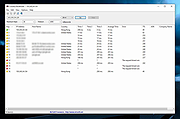 |
|
Open Visual Traceroute v2.0.0 Open Visual Traceroute v2.0.0 Open source cross-platform (Windows/Linux/Mac) Java Visual Traceroute Data is displayed in a 3D or a 2D map component. Features Traceroute Whois 3D and 2D Map visualisation Export data to image or text Gantt view Release note from the author Version 2.0.0 Starting version 2.0.0, I decided to deprecate the sniffer features and refocus the tool to its original purpose: a visual traceroute. Reasoning around the decision were ultimately time to maintain the application while the various libraries it depends on were being upgraded to non compatible APIs or plainly deprecated. This decision will also make the application runnable without admin privilege and external software required to be installed (except Java), which was one of the pain point in the installation of versions 1.7 and prior. This download is for the Windows portable version. All other download assets are below: Windows: OpenVisualTraceroute2.0.0.exe MacOS: OpenVisualTraceRoute2.0.0.dmg Linux: ovtr_2.0.0-1_amd64.deb ovtr_2.0.0-1_i386.deb ovtr-2.0.0-1.x86_64.rpm ovtr-2.0.0-1.i386.rpm Click here to visit the author's website. |
|
6,386 | Jan 04, 2022 Leo Lewis 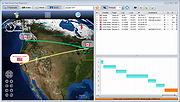 |
|
WinPing v2.92 WinPing v2.92 👉 A lightweight, portable Windows utility for testing network connections, measuring ping response times, and monitoring server availability. WinPing is a small, free network diagnostic utility that allows you to check and measure connections across local networks and the Internet. Developed by SoftwareOK, this convenient alternative to the standard Windows Ping command provides a simple graphical interface with customizable ping settings, automatic server name completion, and the ability to export results for later comparison. Whether you are troubleshooting network connectivity, checking the responsiveness of a website, testing a game server, or comparing response times between different hosts, WinPing makes the process quick and straightforward. Unlike the standard Windows command-line ping utility, WinPing remembers previously entered server addresses and provides automatic completion when entering hosts. You can configure the interval between requests, specify the number of pings to send, and adjust the time limit for responses. Features: • Test network connectivity to computers, servers, and Internet hosts. • Measure ping response times using ICMP echo requests. • Customize the interval between ping requests. • Specify the number of ping requests to send. • Configure individual ping timeout limits. • Automatically complete previously entered server names. • Export ping results to HTML for saving and later comparison. • Compare response times between different servers. • Simple graphical interface as an alternative to command-line ping. • Suitable for testing game servers and other Internet services. • Portable application that can run without installation. • Very small download with minimal CPU and memory requirements. • Supports 32-bit and 64-bit Windows systems. • Multiple interface languages. • Automatic update functionality. • Supports Windows desktop and server ... |
|
4,964 | Nov 15, 2026 Nenad Hrg 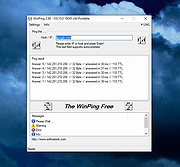 |
| Showing rows 1 to 3 of 3 | Showing Page 1 of 1 | 1 |
OlderGeeks.com Copyright (c) 2026
