|

|
Processed through Paypal No account required. |








Buy our over-priced crap to help pay the bills.



|
|
Processed through Paypal No account required. |
| Files | ||||
| File Name | Rating | Downloads | ||
 |
FastCopy v5.12.0 FastCopy v5.12.0 👉 High-speed file copy and backup software for Windows. FastCopy is a fast file copy and backup utility for Windows designed to maximize transfer performance by using multi-threaded read, write, and verify operations together with Overlapped I/O and Direct I/O. It supports Unicode file names, paths longer than MAX_PATH, and include or exclude filtering using UNIX-style wildcards. FastCopy is built to reduce the load on other running applications while delivering very high copy performance on modern storage devices. Features: • Fast file copy and backup software for Windows • Verification support for more reliable copying • Can record hash values for each file • Uses multi-threaded read, write, and verify processing • Uses Overlapped I/O and Direct I/O for high performance • Supports Unicode file names • Supports file paths longer than MAX_PATH (260 characters) • Supports include and exclude filters using UNIX-style wildcards • Lightweight design built with Win32 API only Supported operating systems: • Windows 7, Windows 8, Windows 8.1, Windows 10, Windows 11 • Windows Server 2012, Windows Server 2012 R2, Windows Server 2016, Windows Server 2019, Windows Server 2022, Windows Server 2025 Supported languages: • English, Japanese, Chinese Changes: v5.11.3 08-18-26 Added an option to Shell Extension to replace Explorer's standard drag & drop / paste with FastCopy. (Default: OFF) Various security enhancements. - Enabled CET Shadow Stack (/CETCOMPAT). - Enabled Control Flow Guard (/guard:cf). - Stricter DLL loading (added /DEPENDENTLOADFLAG:0x800). - (Already enabled: /GS, /NXCOMPAT (DEP), /SAFESEH (x86), /DELAYLOAD, /DYNAMICBASE, /HIGHENTROPYVA, SetDefaultDllDirectories) Note: This file has one hit on VirusTotal. We have confirmed this to be a false positive. The file is safe. Note: If you need the portable version, use the "Extract" button in the installer. Click here to visit the author's website. |
 |
12,523 | Aug 21, 2026 SHIROUZU Hiroaki 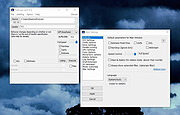 |
|
NextDiff v2.0 NextDiff v2.0 👉 Free file, text, and folder comparison tool for Windows. NextDiff is a freeware file and folder comparison utility that helps you quickly identify differences between two text files, source code files, documents, or folders. It displays content side-by-side with line-by-line and in-line highlighting, making it easy to spot added, removed, and modified text. NextDiff also supports folder synchronization tasks by identifying newer files and files that exist only on one side. Built-in editing and merge functions allow you to copy changes between files or make edits directly within the comparison window. For supported document formats, Apache Tika integration enables comparison of extracted text from files such as PDF, DOCX, XLSX, and PPTX. The program is free for both personal and commercial use. Features: • Side-by-side comparison of text files • Line-by-line and in-line difference highlighting • Compare source code, logs, scripts, configuration files, and documents • Compare folders and subfolders • Detect files that exist only on one side • Highlight newer files during folder comparison • Copy differences from left to right or right to left • Edit text directly within the comparison window • Undo recent merge and edit operations • Navigate to the first, previous, next, or last difference • Ignore case, whitespace, leading/trailing spaces, or blank lines • Supports ANSI, ASCII, UTF-8, UTF-8 BOM, and UTF-16 text encodings • Optional Apache Tika support for comparing PDF, DOCX, XLSX, PPTX, and other document formats • Customizable colors, fonts, line numbers, and grid display • Free for personal and commercial use Supported operating systems: • Windows 10, Windows 11 Supported languages: English, Czech, Dutch, French, German, Hungarian, Italian, Polish, Portuguese, Romanian, Russian, Slovak, Spanish, Turkish, Ukrainian Changes: v2.0 07-07-26 Added multilingual support. Note: This file has one hit on VirusTotal. We have confirmed this to be a false positive. The file is safe. Click here to visit the author's website. |
|
384 | Jul 17, 2026 TkoSoft 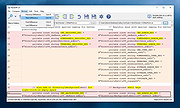 |
| Showing rows 1 to 2 of 2 | Showing Page 1 of 1 | 1 |
OlderGeeks.com Copyright (c) 2026
