|

|
Processed through Paypal No account required. |








Buy our over-priced crap to help pay the bills.



|
|
Processed through Paypal No account required. |
| Files | ||||
| File Name | Rating | Downloads | ||
 |
AlternateStreamView v1.58 AlternateStreamView v1.58 👉 View, copy, export and delete hidden NTFS alternate data streams. AlternateStreamView is a small utility that scans NTFS drives or folders and finds hidden alternate streams stored in the file system. After scanning, you can extract streams to a selected folder, delete unwanted streams, or save the stream list as text, HTML, CSV or XML. Features: • Scan NTFS drives or folders for hidden alternate data streams • View stream name, file name, stream size and related file details • Export selected streams to a folder • Delete unwanted alternate streams • Save results as TXT, HTML, CSV, XML and other report formats • Scan subfolders with optional folder-depth control • Supports file wildcard filtering • Explorer context menu option for checking a single file • Command-line options for scanning and exporting results • Portable utility with no installation required Supported operating systems: • Windows 2000 through Windows 11 • 32-bit and 64-bit systems Supported languages: Arabic, Brazilian Portuguese, Czech, Dutch, Finnish, French, German, Greek, Hungarian, Italian, Japanese, Persian, Polish, Romanian, Russian, Simplified Chinese, Slovak, Spanish, Traditional Chinese, Turkish, Ukrainian, Valencian Changes: v1.58 Updated to stop the file system scan when you press the Esc key. This download is for the Windows 64bit version (very bottom of page). If you need the Windows 32bit version, download here. Click here to visit the author's website. |
 |
10,318 | Jun 04, 2026 Nir Sofer 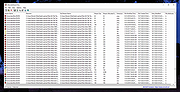 |
|
Valor Stream Overlay v0.9.9 Valor Stream Overlay v0.9.9 An overlay for Riot's Valorant game that displays your current rank, recent rank progression, and your current ranked points and ELO. From the author: "Hey everyone, this program was made after I was bothered every other second on what my rank was. I could have implemented a !rank command, but I thought of doing something unique. A program that checks your account every few seconds and sees your current rank and your point movement (unofficially). All of the code is open source, so anyone can check if the program is safe or not as you need to type in your Username and Password in the configuration file. As of writing this, there are no alternatives. I will say it now, I will not verify if alternatives are safe. I know my program is safe, and anyone can check if that statement is valid." Installation Step 1: Download Latest Version below. Step 2: Extract Zip file to your preferred location Step 3: Open your extracted folder and make your way over to the references folder, here you will find a TTF File (Font File) and a Config.Json. Open Config.Json with your preferred text editor. Step 4: Enter your Riot Games Username (the one you use to login, not in-game name) and your Riot Games Password. Step 5: Set your region, please refer to the table below for your region. If your country/region is not on this list, please try every location shown in the table. These prefixes will be set in the part of the config file below. { "region": "PREFIXHERE" } Step 6: Set your delay. This is how often your rank and ranked points update. Recommendation is 10-20 seconds. For example if your config file looks like this: { "username" : "ValorantAdmin", "password" : "Hunter2", "region" : "na", "refreshtime" : 10 } This means that my region is North America & the overlay will update ... |
|
3,759 | Dec 30, 2020 RumbleMike 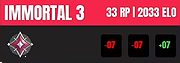 |
| Showing rows 1 to 2 of 2 | Showing Page 1 of 1 | 1 |
OlderGeeks.com Copyright (c) 2026
