|

|
Processed through Paypal No account required. |








Buy our over-priced crap to help pay the bills.



|
|
Processed through Paypal No account required. |
| Files | ||||
| File Name | Rating | Downloads | ||
 |
System Examiner v1.3 System Examiner v1.3 👉 A free Windows tool for checking PC specifications, reviewing installed software, and creating system reports. System Examiner is a lightweight Windows utility that gathers your computer’s hardware and software details into an easy-to-read report. Review your processor, memory, motherboard, system drive, network configuration, installed programs, startup entries, drivers, and system services. Its diagnostics check the CPU, RAM, and system drive for potential problems, and the report can help with troubleshooting, PC inventory, or checking a used computer. You can open reports locally or choose to share one with a support person or online community. Reports remain on your computer unless you use the sharing feature. System Examiner also runs without administrator privileges, supports Windows Dark Mode, and can automate report creation from the command line. 👉 Explore an interactive sample report. Features: • Displays processor, memory, motherboard, system drive, and operating system details • Reports network interfaces, IP addresses, and DNS settings • Lists installed software and associated files and registry entries • Shows Windows hotfixes and when Windows Update was last used • Lists programs configured to start automatically with Windows • Includes installed drivers and system services • Checks the CPU, RAM, and system drive for potential problems • Creates reports for troubleshooting, PC inventory, or comparing computers • Lets you view reports locally or optionally upload and share them • Runs without administrator privileges and supports Windows Dark Mode • Supports command-line automation of report creation • Available as an installer or a portable executable Supported operating systems: • Windows 7, Windows 8, Windows 10, Windows 11 Supported languages: English Changes: v1.3 04-20-23 Improved detection of installed software and related files, folders, registry keys, ... |
 |
5 | Nov 11, 2026 Great Software Company 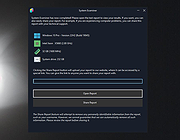 |
| Showing rows 1 to 1 of 1 | Showing Page 1 of 1 | 1 |
OlderGeeks.com Copyright (c) 2026
