|

|
Processed through Paypal No account required. |








Buy our over-priced crap to help pay the bills.



|
|
Processed through Paypal No account required. |
| Files | ||||
| File Name | Rating | Downloads | ||
 |
Borderless v1.0.4.0 Borderless v1.0.4.0 👉 Automatically control borderless, fullscreen, and custom window layouts in Windows. Borderless is a free, open-source Windows utility that automatically applies and maintains customized window layouts for games and applications. Create rules that identify programs by their window title, executable name, or both, and Borderless automatically applies your chosen settings whenever a matching window appears. Despite its name, Borderless does considerably more than simply remove window borders. Rules can maximize a window to its current monitor, position and resize it to custom dimensions, keep it always on top, control the mouse cursor, remove standard window menus, and mute a program when it loses focus. This can be particularly useful with games that lack a proper borderless-windowed mode, older software that doesn't remember its window position, and programs you always want opened on a particular part of the screen. Features: • Automatically applies window rules to games and applications • Converts matching windows to a borderless layout • Matches applications using window titles, executable names, or both • Supports regular expressions for flexible window-title matching • Includes a live process picker for quickly selecting running applications • Reapplies selected window settings while Borderless is running • Prevents applications from simply restoring borders after they are removed • Maximizes windows to the current monitor • Supports custom window positions and dimensions • Keeps selected windows always on top • Locks the mouse cursor to the focused window • Releases the cursor when switching away with Alt+Tab • Hides the mouse cursor while a selected window is focused • Restores the cursor when focus moves away from the window • Removes standard window menu bars when configured • Mutes an application's audio while it is in the background • Allows individual rules to be enabled or disabled • Shows live rule status information • Provides configurable defaults for newly created rules • Runs from the Windows system tray • Can start automatically with Windows • Can ... |
 |
236 | Aug 13, 2026 Venipa 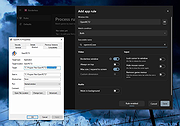 |
 |
Mouzi v0.1.3 Mouzi v0.1.3 👉 Automatically organizes your Downloads folder from the system tray. Mouzi is a free, privacy-first file organizer that quietly runs from the Windows system tray and automatically sorts downloaded files by type. It can monitor selected folders, apply customizable rules, move files into organized subfolders, keep a local history of actions, and undo moves when needed. Everything stays on your computer, with no cloud uploads and no telemetry by default. Features: • Automatically organizes new downloads as they arrive • Runs quietly in the background from the system tray • Custom rules using file extensions, regex patterns, and destination folders • Dynamic paths such as {year}, {month}, {day}, {extension}, and {filename} • Built-in rules for images, documents, archives, installers, music, video, and other files • One-click Clean Now option for organizing existing files • Local history with one-click undo • Per-folder ignore rules using .mouziignore • Dark Mode support with system theme detection • 100% offline with local SQLite storage • Portable version available Supported operating systems: • Windows 10, Windows 11 Supported languages: English, Polish, Italian, German, French, Russian, Japanese Changes: v0.1.3 06-13-26 Bug Fixes Clean Now no longer processes folders set to Paused mode. Empty (0 B) files are now sorted correctly. .mouziignore patterns with multiple wildcards and spaces now work reliably. Folders are scanned for existing files when added or refreshed. NSIS installer now closes a running Mouzi instance before installing. UI / UX New warm color theme matching mouzi.cc. Added dedicated About tab in Settings. Tray tooltip now shows the number of pending files waiting for Clean Now. Added Open folder buttons in Recent Actions and History. Improved empty states with icons. Revert All button is disabled when there is nothing ... |
|
942 | Jun 15, 2026 Krystian Welcel 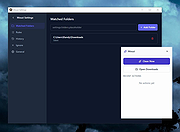 |
|
Process Governor v1.3.1 Process Governor v1.3.1 👉 Automate Windows process and service priority, I/O priority, and CPU affinity rules. Process Governor is a free Python-based Windows utility that automates the management of processes and services by applying user-defined rules for priority, I/O priority, and CPU core affinity. It can be used to fine-tune system responsiveness, control how selected programs use CPU cores, and automatically apply preferred settings to matching processes or services. Features: • Adjust process and service priorities • Control I/O priorities for better resource management • Set CPU core affinity for selected processes • Create rules for processes by name, path, or command line • Create rules for Windows services by service name • Supports wildcards in process and service rules • Optional force mode for continuous rule application • Optional delay before applying rules • View running process details including PID, executable path, service name, and command line • Search, sort, and filter process and service lists • System tray menu with access to settings, config file, log file, updates, startup option, and quit • Open file locations, file properties, and service properties from the process list • Undo, redo, hotkeys, and inline rule editing • Error highlighting for invalid rule entries • Optional auto-start with Windows Supported operating systems: • Windows 10 • Windows 11 Supported languages: English Changes: v1.3.1 04-19-25 Bug Fixes Fixed error messages: Resolved occasional error messages in the garbage collection process. Click here to visit the author's website. |
|
1,028 | Jun 15, 2026 System X - Files 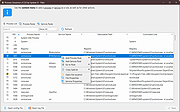 |
|
ShelfLife v0.7.1 ShelfLife v0.7.1 👉 Automatically clean, organize, and manage your folders based on customizable rules. ShelfLife is an open-source folder maintenance utility designed to keep commonly cluttered locations such as your Desktop and Downloads folder organized automatically. It can monitor selected folders and perform actions based on rules you define, including moving, deleting, or sorting files according to their age. This makes it ideal for keeping temporary files, old downloads, and accumulated clutter under control without constant manual cleanup. The program is designed with a straightforward interface that allows you to configure multiple folder management rules while providing enough flexibility for different cleanup workflows. Whether you want to archive older files, remove temporary items, or keep your Downloads folder tidy, ShelfLife automates the process in the background. Features: • Automatically organize folders using customizable rules • Monitor multiple folders simultaneously • Move files based on file age • Delete old or unwanted files automatically • Ideal for managing Desktop and Downloads folders • Helps reduce clutter and improve file organization • Simple, modern user interface • Open source Supported operating systems: • Windows 10, Windows 11 Supported languages: English Changes: v0.7.1 07-06-26 • Fix issue causing notifications to repeatedly appear after changing notification settings. • Improve notification handling behavior. Click here to visit the author's website. |
|
474 | Jul 07, 2026 LogicDX342 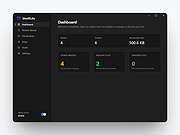 |
| Showing rows 1 to 4 of 4 | Showing Page 1 of 1 | 1 |
OlderGeeks.com Copyright (c) 2026
