|

|
Processed through Paypal No account required. |








Buy our over-priced crap to help pay the bills.



|
|
Processed through Paypal No account required. |
| Files | ||||
| File Name | Rating | Downloads | ||
 |
foobar2000 v2.26 foobar2000 v2.26 👉 Advanced freeware audio player with tagging, conversion, replay gain, and customizable playback features. foobar2000 is an advanced freeware audio player designed for playing mainstream audio formats out of the box, with support for additional decoder components, gapless playback, advanced tagging, Audio CD ripping, transcoding, ReplayGain, internet radio, customizable keyboard shortcuts, and a flexible component architecture for extending functionality. Features: • Plays all mainstream audio formats out of the box • Supports additional decoder components for more formats • Gapless playback • Stream music on your local network • Easily customizable user interface layout • Advanced tagging capabilities • Audio CD ripping and audio transcoding • Full ReplayGain support • Customizable keyboard shortcuts • Built-in DSP effects with support for more through components • Internet radio support • Open component architecture for third-party extensions • No telemetry or data collection Supported operating systems: • Windows 7 or newer • macOS 11 Big Sur or newer Supported languages: • English Changes: v2.26 06-26-26 Converter changes New preset format, presets stored as .ini files in profile subfolder. Old presets imported on first run. Better error messages when receiving unexpected data format change in mid-conversion; made discard blank chunks before checking for format match. Added extensible post-conversion actions which can be used for ReplayGain scanning, integrity testing, etc. On conversion error, encoder's stderr output is forwarded to foobar2000 console. Ogg chaining is now off by default, Ogg chapters written by default instead. Added %source_list_index% & %source_list_total%, only for multi track image naming pattern use, to allow use of list indexes in the pattern. Made file name preview recognize newly added %source_list_index%. Made show output of command-line encoder program in error popup if conversion has failed. Made "no DSP reset" explicitly shown in overview, as ... |
 |
6,754 | Oct 05, 2026 foobar2000.org 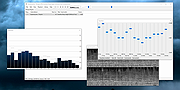 |
 |
Radio Ripper (PORTABLE) 3.1 Radio Ripper (PORTABLE) 3.1 Radio Ripper is a small app that lets you listen to and record music from tens of thousands of free internet radio stations worldwide, that serve up everything from jazz, rock, classical and country to new age, Bollywood and disco. Recorded songs can be copied to other devices such as iPods, phones, tablets, etc. How do I use it? To find a radio station: Click Stations | Search or Stations | By Genre. Select a station from the list and download the station's playlist (.asx, .m3u, .pls, .ram or .xspf) file. Click Open | Playlist File to open the file you downloaded. To play a station, do any of the following: Click Open | Playlist File to open a playlist file (or just drag the file on to Radio Ripper). Click Random Station to play a random station. Click Stations | Favorites to play a favorite station. Click Stations | Recently Played to play a recently played station. If you like the station you're listening to, click Add To Favorites to add it to your list of favorites. To listen to a favorite station, click Stations | Favorites. To organize your favorite stations in folders click Favorites | Organize Favorites To share favorite stations with a friend: Click Export in the Organize Favorites window, and send your friend the .RRFavorites file that Radio Ripper created. ... |
 |
7,161 | Oct 19, 2015 Ravi Bhavnani 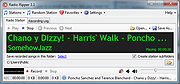 |
|
Radio Ripper 3.1 Radio Ripper 3.1 Radio Ripper is a small app that lets you listen to and record music from tens of thousands of free internet radio stations worldwide, that serve up everything from jazz, rock, classical and country to new age, Bollywood and disco. Recorded songs can be copied to other devices such as iPods, phones, tablets, etc. How do I use it? To find a radio station: Click Stations | Search or Stations | By Genre. Select a station from the list and download the station's playlist (.asx, .m3u, .pls, .ram or .xspf) file. Click Open | Playlist File to open the file you downloaded. To play a station, do any of the following: Click Open | Playlist File to open a playlist file (or just drag the file on to Radio Ripper). Click Random Station to play a random station. Click Stations | Favorites to play a favorite station. Click Stations | Recently Played to play a recently played station. If you like the station you're listening to, click Add To Favorites to add it to your list of favorites. To listen to a favorite station, click Stations | Favorites. To organize your favorite stations in folders click Favorites | Organize Favorites To share favorite stations with a friend: Click Export in the Organize Favorites window, and send your friend the .RRFavorites file that Radio Ripper created. ... |
 |
7,032 | Oct 19, 2015 Ravi Bhavnani |
| Showing rows 1 to 3 of 3 | Showing Page 1 of 1 | 1 |
OlderGeeks.com Copyright (c) 2026
