|

|
Processed through Paypal No account required. |








Buy our over-priced crap to help pay the bills.



|
|
Processed through Paypal No account required. |
| Files | ||||
| File Name | Rating | Downloads | ||
 |
Endstate v3.10.0 Endstate v3.10.0 👉 Save your Windows apps and settings, then quickly rebuild them on a new PC. Endstate is a free, local-first Windows setup and recovery tool that records the applications installed on your computer along with settings for supported programs, then uses that information to rebuild your setup on a fresh Windows installation. Instead of copying installed program files from one PC to another, Endstate identifies your software and uses Windows Package Manager (winget) to reinstall available applications cleanly. You can scan an existing computer and save its setup to a portable file that you control. On a new or freshly installed Windows PC, load that saved setup and Endstate compares it with the new machine, shows which applications are missing and lets you choose what to install and which supported settings to restore. Scanning and saving can be performed offline, while reinstalling applications requires an internet connection to download their installers. No Endstate account is required. Features: • Automatically scans your Windows PC and detects installed applications • Detects traditional EXE/MSI-installed software and Microsoft Store applications • Uses winget to reinstall supported applications from their normal installation sources • Captures and restores settings for more than 300 supported applications • Settings support includes editors, IDEs, terminals, creative applications, media players, emulators, note-taking programs and more • Settings capture is optional and can be selected per application • Saves your setup to portable files that you control • Saved setups can be copied, backed up or moved to another computer • No mandatory cloud storage is required • No account is required for the free local product • Provides both a graphical interface and command-line interface • Supports capture, restore, profiles and manifests • Preview mode compares a computer against a saved setup without making changes • Shows which applications need to be installed and which are already present • Applications are installed individually rather than silently ... |
 |
328 | Aug 11, 2026 Substrate Systems 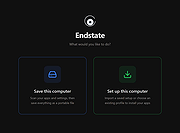 |
 |
Jim's Toolbox v7 Jim's Toolbox v7 👉 A free Windows toolbox for reinstall help, repair tools, diagnostics, shortcuts, and handy system fixes. Jim's Toolbox is a collection of functions and links created to make reinstalling Windows quicker and easier by gathering programs, settings, hacks, repair tools, diagnostic tools, and useful fixes into one place. The author says the project began as a personal tool for reinstalling Windows without having to search all over for programs, settings, and hacks, and later expanded with additional tools for fixing an install and adding handy registry hacks and fixes. It requires elevated permissions and a minimum of .NET Framework 4.8. Features: • Collects functions and links in one toolbox-style program • Designed to help make Windows reinstalls quicker and easier • Includes access to programs, settings, hacks, and fixes • Adds tools for fixing a Windows install • Includes handy registry hacks and fixes • Includes Windows repair tools • Includes diagnostic tools • Includes a Windows tab • Includes ISO download access and Media Creator direct download access • Can install Chocolatey and restart afterward if needed • You MUST run this program as an Administrator. After unzipping, right-click on Toolbox vx.x.exe and choose Run as Administrator. Supported operating systems: • Windows 10 64-bit, Windows 11 64-bit Supported languages: English Use 7-Zip to unzip this file. Changes: v7 11-24-25 Added Microsoft Malicious Software Removal Tool to windows repair tools. Added Print Management shortcut to windows repair tools. Added backup & restore shortcut to windows repair tools Moved Windows Iso to Diagnostic Tools Background graphics added Main logo made smaller 7.Restart added after installing Chocolatey 8.Windows Tab added Iso download moved to Windows tab 10 . Direct download button added for media creator with the iso menu. The activation script is back as a link to the GitHub page. Debloating script from Chris Titus added. Click here to visit the author's website. |
|
7,632 | Mar 26, 2026 Cemil Taşdemir 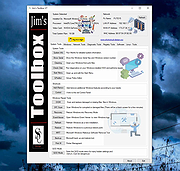 |
|
Norton Remove and Reinstall Tool v4.5.0.148 Norton Remove and Reinstall Tool v4.5.0.148 Norton Remove & Reinstall tool helps to uninstall and reinstall Norton security products. Before you begin The Norton Remove and Reinstall tool uninstalls most Norton products, and reinstalls the latest version. Before you proceed, make sure that you meet the following requirements: You need to have an Internet connection The tool does not remove Norton Utilities or Norton Family The tool does not remove your Norton Identity Safe local vault You can also choose to just uninstall without reinstalling. Click here to visit the author's website. |
|
7,599 | Dec 01, 2020 Symantec  |
| Showing rows 1 to 3 of 3 | Showing Page 1 of 1 | 1 |
OlderGeeks.com Copyright (c) 2026
