|

|
Processed through Paypal No account required. |








Buy our over-priced crap to help pay the bills.



|
|
Processed through Paypal No account required. |
| Files | ||||
| File Name | Rating | Downloads | ||
 |
OpenCalc v1.1.10 OpenCalc v1.1.10 👉 A modern, open source recreation of the classic Windows 95 Calculator with plenty of useful improvements. OpenCalc is a from-scratch reimplementation of the classic Windows 95 Calculator, preserving its familiar look and interaction while adding modern capabilities. Written in Rust, it provides Standard and Scientific calculator modes along with improved expression parsing, calculation history, graph plotting, localization, modern keyboard support and high-DPI rendering. OpenCalc goes beyond simple button-by-button calculations with a full expression parser. Expressions can contain nested parentheses, positive and negative signs, exponentiation, square roots, mathematical functions, trigonometric and logarithmic functions, constants such as pi, factorials, percentages, scientific notation, multiple number bases and bitwise operations. Features: • Faithful recreation of the classic Windows 95 Calculator interface • Standard and Scientific calculator modes • Financial calculation mode • Complete mathematical expression parsing • Nested parentheses and unary positive and negative signs • Exponentiation using ^ or ** • Square roots and mathematical functions • Trigonometric and logarithmic functions • Mathematical constants such as pi • Factorial and percentage operators • Scientific notation • Binary, octal, decimal and hexadecimal numbers • Bitwise operations • Calculation history • Undo and redo support • Graph manager and graph plotting • Memory operations and statistics window • Configurable decimal separator • Extensive keyboard controls • Improved font rendering and DPI-aware classic controls Supported operating systems: • Windows 10, Windows 11 • Linux distributions with GTK 4 support Supported languages: English, German, French, Italian, Spanish, Russian, Japanese, Chinese (Simplified), Chinese (Traditional) Changes: v1.1.10 09-13-26 Bug fixes. Financial Mode added. This download is for the Windows version (very bottom of page). All other download assets are below: Linux: OpenCalc-v1.1.10-buildfix171-Linux.tar.gz Click here to visit the author's website. |
 |
341 | Sep 14, 2026 NMagic 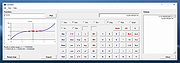 |
 |
Redo Rescue: Backup and Recovery v4.0.0 Redo Rescue: Backup and Recovery v4.0.0 Backup and Recovery Made Easy Redo Rescue Backup and Recovery can backup and restore an entire system in minutes with a point-and-click interface anyone can use. Bare metal restore to a new, blank drive and be up and running in minutes. Supports saving to and restoring from local disks or shared network drives. Selectively restore partitions and remap them to different locations on the target drive. Additional tools included for partition editing, web browsing, and more. Runs from live CD/USB; no installation needed. Features Simple user interface for everyone Runs from CD or USB stick even if system won't boot Remote access option (VNC) for assisted backup and restore operations Automatically finds shared folders on your network Bare-metal (replace MBR and partition table) or selective restore mode options Re-map original data to a different target partition Verify the integrity of an existing backup image Extra tools for managing drives and partitions Web browser for downloading drivers, reading documentation File explorer for copying and editing files even when system won't boot Based on Debian and partclone, the engine used by Clonezilla UEFI Secure Boot and expanded hardware support Use balenaEtcher to create a bootable USB flash drive for Windows or MacOS. Click here to visit the author's website. |
|
3,573 | Mar 03, 2022 Zebradots Software  |
| Showing rows 1 to 2 of 2 | Showing Page 1 of 1 | 1 |
OlderGeeks.com Copyright (c) 2026
