|

|
Processed through Paypal No account required. |








Buy our over-priced crap to help pay the bills.



|
|
Processed through Paypal No account required. |
| Files | ||||
| File Name | Rating | Downloads | ||
 |
PuTTY CAC v0.84 Update 1 PuTTY CAC v0.84 Update 1 👉 Enhanced PuTTY SSH client with CAC, smart card, certificate and FIDO authentication support. PuTTY CAC is an advanced fork of the well-known PuTTY SSH and Telnet client designed to provide enterprise-grade authentication features for secure remote access environments. It extends the standard PuTTY toolset with support for Common Access Cards (CAC), smart cards, Windows Certificate Store integration, PKCS #11 middleware and modern FIDO authenticators such as security keys and passkeys. Built for administrators, government agencies, enterprise users and security-conscious professionals, PuTTY CAC allows secure SSH authentication without relying solely on password-based logins. The software can interface directly with certificates stored in Windows or on external authentication hardware, enabling secure public key authentication through hardware-backed credentials. The package includes the familiar PuTTY ecosystem tools including PuTTY terminal, Pageant authentication agent, PSFTP secure file transfer client, PSCP SCP utility and additional companion tools. PuTTY CAC also introduces enhanced certificate management options, PIN caching, auto-loading of certificates and better handling of hardware token authentication workflows. Support for FIDO security devices makes PuTTY CAC especially useful in modern zero-trust and multi-factor authentication environments. Users can authenticate using compatible FIDO2/U2F hardware keys while benefiting from PuTTY’s lightweight and portable design philosophy. Features: • Full SSH terminal emulation based on the official PuTTY codebase • Supports Common Access Cards (CAC) for secure authentication • Windows CAPI certificate store integration • PKCS #11 middleware support for hardware security devices • FIDO/U2F and passkey authentication support • Compatible with YubiKey and other hardware authenticators • Includes PuTTY, PSFTP, PSCP, Pageant and related utilities • Pageant certificate auto-loading and management features • Optional PIN caching for supported devices • Secure public key authentication without storing private keys on disk • Certificate filtering for trusted or valid certificates only • Portable configuration support using putty.dat • Supports x86, x64 and ARM64 Windows systems • MSI installer and portable ZIP distributions available • Lightweight and ... |
 |
536 | Jun 09, 2026 Bryan Berns 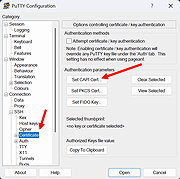 |
|
PuTTY v0.83 PuTTY v0.83 A free SSH, Telnet, Rlogin, and SUPDUP client for Windows systems. SSH, Telnet, Rlogin, and SUPDUP are four ways of doing the same thing: logging in to a multi-user computer from another computer, over a network. Using this type of interface, there is no need for you to be sitting at the same machine you are typing commands to. The commands, and responses, can be sent over a network, so you can sit at one computer and give commands to another one, or even to more than one. SSH, Telnet, Rlogin, and SUPDUP are network protocols that allow you to do this. On the computer you sit at, you run a client, which makes a network connection to the other computer (the server). The network connection carries your keystrokes and commands from the client to the server, and carries the server's responses back to you. These protocols can also be used for other types of keyboard-based interactive session. In particular, there are a lot of bulletin boards, talker systems and MUDs (Multi-User Dungeons) which support access using Telnet. There are even a few that support SSH. You might want to use SSH, Telnet, Rlogin, or SUPDUP if: • you have an account on a Unix system (or some other multi-user OS such as VMS or ITS) which you want to be able to access from somewhere else • your Internet Service Provider provides you with a login account on a web server. (This might also be known as a shell account. A shell is the program that runs on the server and interprets your commands for you.) • you want to use a bulletin board system, talker or MUD which can be accessed using Telnet. You probably do not want to ... |
|
1,379 | May 23, 2025 Simon Tatham 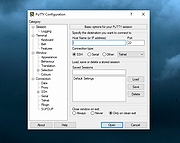 |
| Showing rows 1 to 2 of 2 | Showing Page 1 of 1 | 1 |
OlderGeeks.com Copyright (c) 2026
